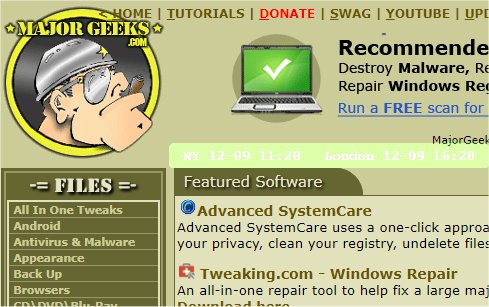
The recent release of mclocks version 0.2.30 brings enhancements to this Open Source application designed for displaying multiple time zone clocks. This tool is especially beneficial for users who travel frequently or participate in international meetings, as it enables them to keep track of different time zones effortlessly.
To add clocks, users need to edit the configuration file named config.json, which can easily be done using a text editor like Notepad. An example configuration is provided, illustrating how to set up clocks for New York and London, along with options for formatting the date and time, setting the locale, and customizing the display's appearance.
This update not only improves the functionality of tracking multiple time zones but also offers flexibility in customization, allowing users to tailor their clock display according to personal preferences.
In addition to mclocks, users can explore other resources on managing time settings in Windows, such as guides on displaying multiple clocks, correcting date and time discrepancies, or customizing the Windows taskbar clock.
As technology evolves, tools like mclocks will continue to adapt, ensuring users remain connected and informed, regardless of geographical boundaries. Future updates may introduce features like synchronization with web-based time servers, enhanced user interfaces, or integration with other calendar applications to further streamline the user experience
To add clocks, users need to edit the configuration file named config.json, which can easily be done using a text editor like Notepad. An example configuration is provided, illustrating how to set up clocks for New York and London, along with options for formatting the date and time, setting the locale, and customizing the display's appearance.
This update not only improves the functionality of tracking multiple time zones but also offers flexibility in customization, allowing users to tailor their clock display according to personal preferences.
In addition to mclocks, users can explore other resources on managing time settings in Windows, such as guides on displaying multiple clocks, correcting date and time discrepancies, or customizing the Windows taskbar clock.
As technology evolves, tools like mclocks will continue to adapt, ensuring users remain connected and informed, regardless of geographical boundaries. Future updates may introduce features like synchronization with web-based time servers, enhanced user interfaces, or integration with other calendar applications to further streamline the user experience
mclocks 0.2.30 released
mclocks is an Open Source app that allows you to display multiple time zone clocks.