Liquorix Linux Kernel 6.18-8 Released: Overview and Installation Guide
The Liquorix Linux Kernel 6.18-8 has been released, introducing notable enhancements aimed at improving desktop interactivity and responsiveness. This version swaps the default scheduler to Kyber/BFQ, reduces CPU timeslices to 2 ms, and enables aggressive preemption. These changes result in a noticeably snappier experience on desktops, although they may lead to increased power consumption.
Installation Made Easy
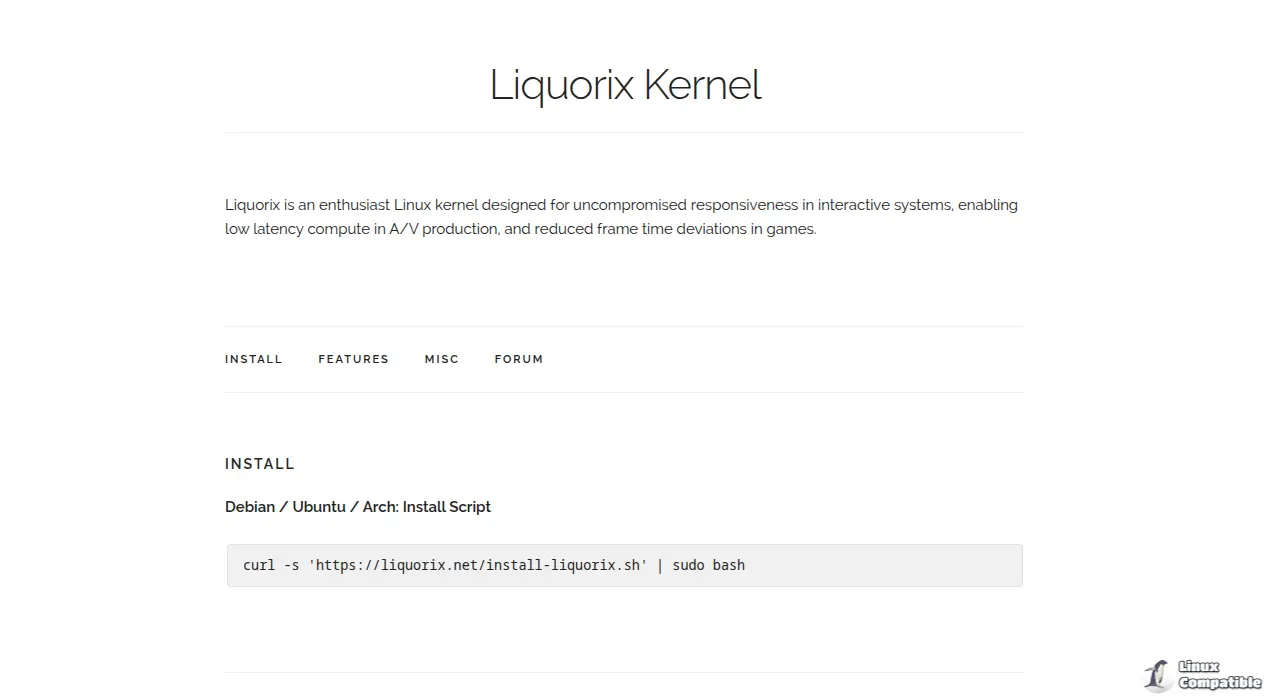
Installing the Liquorix kernel is straightforward with a one-liner script that adds the Liquorix repository, downloads the appropriate .deb (or AUR) package, and updates GRUB. Users are advised to save the script first and review it before executing it with sudo. After installation, users can expect minor side effects, such as increased fan speeds on laptops and potential firmware or driver rebuilds for older GPUs and NVIDIA cards. For those using systemd-boot instead of GRUB, there may be a small learning curve.
Why Consider Liquorix 6.18-8?
Users who have experienced lag in mouse responsiveness after system updates may benefit from the enhanced interactivity offered by the Liquorix kernel. The “Zen Interactive Tuning” feature provides a trade-off, prioritizing responsiveness over power efficiency, which is particularly advantageous for users engaged in gaming or web browsing. For instance, a user noted improved window switching and reduced stuttering during video editing on a 2017 ThinkPad.
Step-by-Step Installation Instructions
1. Fetch the Script: Download the installation script using curl.
2. Inspect the Script: Review it for any unexpected commands to ensure safety.
3. Run the Script: Execute the script with sudo, allowing it to install the correct packages and update GRUB.
4. Verify Installation: Ensure the Liquorix entry appears in the GRUB configuration.
5. Reboot: Restart the system and select the Liquorix kernel during boot.
Under-the-Hood Changes
The new kernel version includes various optimizations:
- Scheduler Adjustments: It replaces the mq-deadline scheduler, enhancing application launch speeds on SSDs.
- Memory Management: Background reclamation for hugepages is now enabled, benefiting memory-intensive applications.
- CPU Frequency Tweaks: Adjustments to the CPU governor settings may lead to increased performance at the cost of battery life.
- Improved Preemption: Enhanced preemptibility aims for quicker response times, ideal for interactive tasks.
Troubleshooting Common Issues
Users may encounter challenges such as missing firmware or driver incompatibility, particularly with older hardware. Common solutions include installing necessary firmware packages or rebuilding drivers using dkms. Additionally, users of systemd-boot will need to manually update their bootloader configuration.
Conclusion
The Liquorix Kernel 6.18-8 is a compelling option for users prioritizing a responsive desktop experience over raw power efficiency. While it offers significant benefits for interactive applications, those running servers or low-power devices should weigh the potential costs of increased resource consumption. If issues arise post-installation, reverting to the previous kernel is straightforward, ensuring a smooth user experience.
Overall, this kernel is tailored for users who want to enhance their system's interactivity, particularly in desktop environments, making it an attractive option for gamers and content creators alike
The Liquorix Linux Kernel 6.18-8 has been released, introducing notable enhancements aimed at improving desktop interactivity and responsiveness. This version swaps the default scheduler to Kyber/BFQ, reduces CPU timeslices to 2 ms, and enables aggressive preemption. These changes result in a noticeably snappier experience on desktops, although they may lead to increased power consumption.
Installation Made Easy
Installing the Liquorix kernel is straightforward with a one-liner script that adds the Liquorix repository, downloads the appropriate .deb (or AUR) package, and updates GRUB. Users are advised to save the script first and review it before executing it with sudo. After installation, users can expect minor side effects, such as increased fan speeds on laptops and potential firmware or driver rebuilds for older GPUs and NVIDIA cards. For those using systemd-boot instead of GRUB, there may be a small learning curve.
Why Consider Liquorix 6.18-8?
Users who have experienced lag in mouse responsiveness after system updates may benefit from the enhanced interactivity offered by the Liquorix kernel. The “Zen Interactive Tuning” feature provides a trade-off, prioritizing responsiveness over power efficiency, which is particularly advantageous for users engaged in gaming or web browsing. For instance, a user noted improved window switching and reduced stuttering during video editing on a 2017 ThinkPad.
Step-by-Step Installation Instructions
1. Fetch the Script: Download the installation script using curl.
2. Inspect the Script: Review it for any unexpected commands to ensure safety.
3. Run the Script: Execute the script with sudo, allowing it to install the correct packages and update GRUB.
4. Verify Installation: Ensure the Liquorix entry appears in the GRUB configuration.
5. Reboot: Restart the system and select the Liquorix kernel during boot.
Under-the-Hood Changes
The new kernel version includes various optimizations:
- Scheduler Adjustments: It replaces the mq-deadline scheduler, enhancing application launch speeds on SSDs.
- Memory Management: Background reclamation for hugepages is now enabled, benefiting memory-intensive applications.
- CPU Frequency Tweaks: Adjustments to the CPU governor settings may lead to increased performance at the cost of battery life.
- Improved Preemption: Enhanced preemptibility aims for quicker response times, ideal for interactive tasks.
Troubleshooting Common Issues
Users may encounter challenges such as missing firmware or driver incompatibility, particularly with older hardware. Common solutions include installing necessary firmware packages or rebuilding drivers using dkms. Additionally, users of systemd-boot will need to manually update their bootloader configuration.
Conclusion
The Liquorix Kernel 6.18-8 is a compelling option for users prioritizing a responsive desktop experience over raw power efficiency. While it offers significant benefits for interactive applications, those running servers or low-power devices should weigh the potential costs of increased resource consumption. If issues arise post-installation, reverting to the previous kernel is straightforward, ensuring a smooth user experience.
Overall, this kernel is tailored for users who want to enhance their system's interactivity, particularly in desktop environments, making it an attractive option for gamers and content creators alike
Liquorix Linux Kernel 6.18‑8 released
Liquorix Kernel 6.18‑8 swaps the default scheduler for Kyber/BFQ, tightens CPU timeslices to 2 ms and enables aggressive preemption, giving desktops a noticeably snappier feel at the cost of a bit more power draw. The one‑liner install script simply adds the Liquirx repo, pulls the proper .deb (or AUR) package and updates GRUB—just save the script first, glance at it, then run it with sudo. Expect minor side effects like higher fan speed on laptops, possible firmware or driver rebuilds for older GPUs/NVIDIA cards, and a small learning curve if you use systemd‑boot instead of GRUB