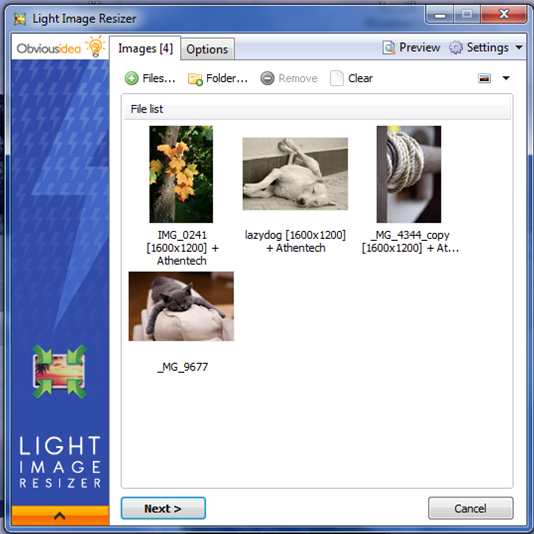
Light Image Resizer 7.6.1.164 has been released, offering users an efficient way to resize and convert images across various formats. This versatile software utilizes advanced multi-core resizing technology, enabling quick resizing, compression, and conversion of images while maintaining high quality. The user-friendly interface simplifies the process of organizing images, allowing users to create, rename, and sort their files effortlessly.
One of the standout features is the ability to add watermarks to images, protecting intellectual property before sharing online or via email. Users can select the desired output resolution for each image and create duplicates to preserve original files. After resizing, the software allows for easy organization by moving files into different folders and renaming them for better identification. Additionally, users can compress images to reduce file size, which is particularly useful for efficient sharing and storage.
Light Image Resizer caters to both casual users and professionals by enabling batch processing, allowing the resizing of multiple images with a single click. The software supports various formats, including RAW, and integrates multi-core support for faster conversions. A range of extra settings is available, such as adding customizable watermarks and using live previews to visualize final results before processing.
With the publish function, users can send images directly as email attachments without exceeding server size limits and can convert images to PDF format. The application also includes predefined profiles for popular resolutions, making it easy to access settings with one click through shell integration.
Moreover, Light Image Resizer comes equipped with a Digital Picture Frame Wizard for transferring and optimizing space on digital frames, ensuring images are resized to fit the frame's requirements.
In summary, Light Image Resizer 7.6.1.164 is a powerful tool for anyone needing to manage their images effectively, offering a blend of efficiency, quality, and user-friendly features. Whether for personal use or professional projects, this software streamlines the image processing workflow, making it an essential tool for digital image management.
One of the standout features is the ability to add watermarks to images, protecting intellectual property before sharing online or via email. Users can select the desired output resolution for each image and create duplicates to preserve original files. After resizing, the software allows for easy organization by moving files into different folders and renaming them for better identification. Additionally, users can compress images to reduce file size, which is particularly useful for efficient sharing and storage.
Light Image Resizer caters to both casual users and professionals by enabling batch processing, allowing the resizing of multiple images with a single click. The software supports various formats, including RAW, and integrates multi-core support for faster conversions. A range of extra settings is available, such as adding customizable watermarks and using live previews to visualize final results before processing.
With the publish function, users can send images directly as email attachments without exceeding server size limits and can convert images to PDF format. The application also includes predefined profiles for popular resolutions, making it easy to access settings with one click through shell integration.
Moreover, Light Image Resizer comes equipped with a Digital Picture Frame Wizard for transferring and optimizing space on digital frames, ensuring images are resized to fit the frame's requirements.
In summary, Light Image Resizer 7.6.1.164 is a powerful tool for anyone needing to manage their images effectively, offering a blend of efficiency, quality, and user-friendly features. Whether for personal use or professional projects, this software streamlines the image processing workflow, making it an essential tool for digital image management.
Future Enhancements
As technology evolves, future updates to Light Image Resizer could incorporate features such as AI-driven automatic enhancements, improved cloud integration for easy sharing and storage, and support for emerging image formats to keep pace with digital trends. Additionally, user feedback could lead to even more customization options and enhanced batch processing features, making the tool even more versatile for diverse user needsLight Image Resizer 7.6.1.164 released
Light Image Resizer gives you the power to resize pictures or convert them into different formats easily and accurately.