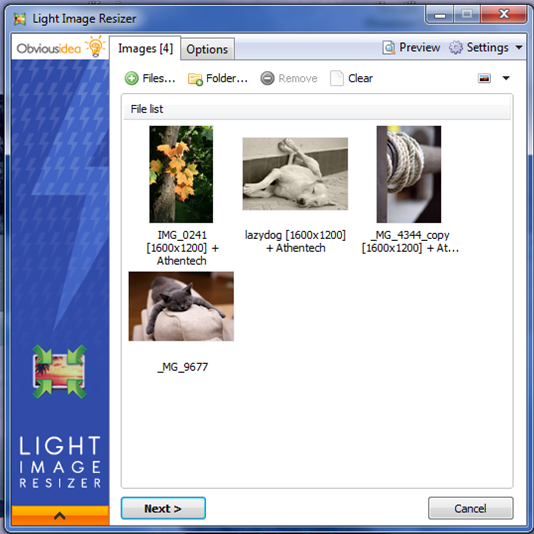
Light Image Resizer 7.5.0.142 has been released, offering enhanced capabilities for users looking to efficiently manage their images. This software allows for easy resizing and format conversion, utilizing advanced multi-core resizing technology to quickly process images while maintaining high quality.
The user-friendly interface simplifies tasks such as creating, renaming, and organizing images, making it ideal for both casual users and professionals. Users can add watermarks to protect their work, customize images with effects like sepia tones or borders, and preview changes in real-time before finalizing edits. The software supports batch processing, enabling users to resize multiple images simultaneously with ease.
Light Image Resizer also offers various features for output and export, including the ability to attach images directly to emails or convert them into PDF files. Users can create and save custom profiles for their preferred settings, with popular presets readily available for quick access. The Digital Picture Frame Wizard feature allows users to optimize images for digital frames, resizing them to the appropriate resolutions.
In addition to these features, the software has received updates that enhance its functionality and streamline the user experience. This latest version continues to integrate multi-core support for faster processing and offers seamless integration with Windows shell explorer for quick access.
Overall, Light Image Resizer is a comprehensive tool that not only enhances productivity in photo editing tasks but also ensures that images remain organized and accessible for various applications. Whether for personal projects or professional use, this software provides the essential tools needed to manage and optimize images effectively
The user-friendly interface simplifies tasks such as creating, renaming, and organizing images, making it ideal for both casual users and professionals. Users can add watermarks to protect their work, customize images with effects like sepia tones or borders, and preview changes in real-time before finalizing edits. The software supports batch processing, enabling users to resize multiple images simultaneously with ease.
Light Image Resizer also offers various features for output and export, including the ability to attach images directly to emails or convert them into PDF files. Users can create and save custom profiles for their preferred settings, with popular presets readily available for quick access. The Digital Picture Frame Wizard feature allows users to optimize images for digital frames, resizing them to the appropriate resolutions.
In addition to these features, the software has received updates that enhance its functionality and streamline the user experience. This latest version continues to integrate multi-core support for faster processing and offers seamless integration with Windows shell explorer for quick access.
Overall, Light Image Resizer is a comprehensive tool that not only enhances productivity in photo editing tasks but also ensures that images remain organized and accessible for various applications. Whether for personal projects or professional use, this software provides the essential tools needed to manage and optimize images effectively
Light Image Resizer 7.5.0.142 released
Light Image Resizer gives you the power to resize pictures or convert them into different formats easily and accurately.