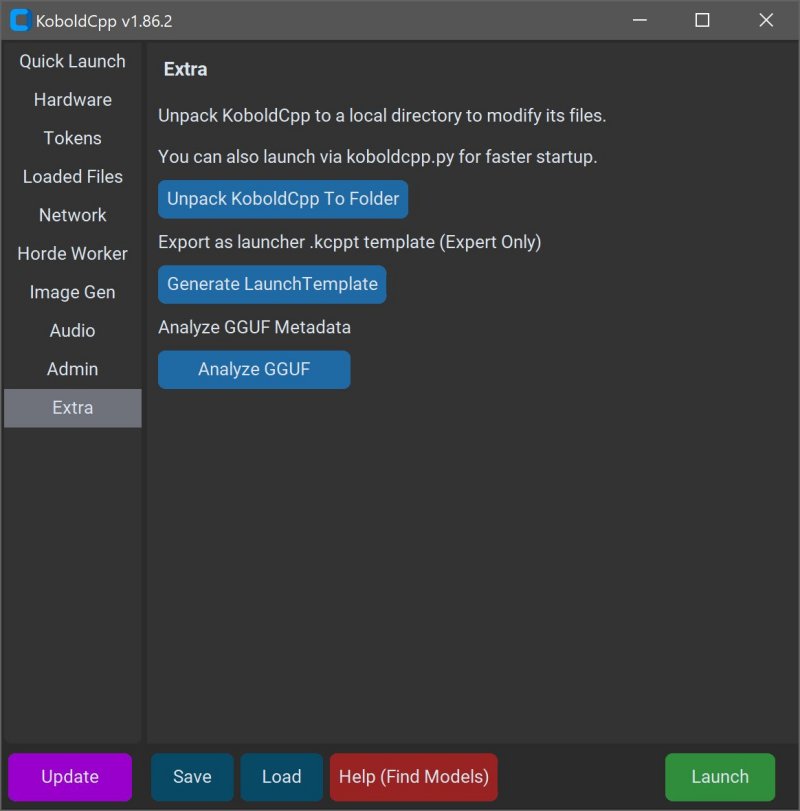
KoboldCPP 1.112 has been released, offering a user-friendly solution for running powerful AI models directly on your computer. This tool enables users to operate AI without needing accounts, internet access, subscriptions, or compromising privacy. It is particularly beneficial for various applications such as private business projects, storytelling, game lore development, and secure AI experimentation.
KoboldCPP is a lightweight, open-source application that utilizes GGUF-format AI language models. It serves as a backend for the KoboldAI web interface, allowing for an interactive chat experience akin to ChatGPT, while all operations occur locally on your device. Users simply need to download a model file, launch KoboldCPP, and engage in conversations with the AI. The software supports both CPU and GPU acceleration, enhancing its compatibility with various hardware configurations.
The GGUF format, short for GPT-Generated Unified Format, is optimized for local use and works efficiently with quantized models, making it accessible for mid-range PCs. However, it is important to note that KoboldCPP does not support GPTQ, Safetensors, or proprietary OpenAI models, so users should verify that their chosen models are in the correct format.
KoboldCPP caters to a diverse audience, including those curious about AI, writers looking for collaborative storytelling tools, RPG developers seeking AI-driven NPCs, and individuals yearning for a private chatbot experience. The software is particularly appealing to users in low-connectivity areas or those looking to avoid subscription fees and data-sharing concerns.
Key features of KoboldCPP include:
- Local LLM operation with GGUF/LLAMA models
- Offline functionality, ensuring privacy
- Fast performance through Intel oneAPI and NVIDIA CUDA support
- Simple installation process with no complex setup
- Compatibility with KoboldAI Web UI, enabling features like memory and character cards
- Customization options for various settings
To use KoboldCPP, users must download a compatible GGUF model from sources like Hugging Face. The installation process is intuitive, requiring users to select their model file and adjust necessary settings before starting the chat interface.
System requirements for KoboldCPP are manageable, with Windows or Linux operating systems being recommended, and at least 8GB of RAM for optimal performance. Users with modern PCs will likely find satisfactory performance, though larger models may necessitate more memory and storage.
For those new to the software, initial setup may appear slightly technical, but the interface is designed for a smooth experience once running. Various versions are available tailored to different hardware setups, ensuring accessibility for a wide range of users, including those with older systems or different GPU brands.
In summary, KoboldCPP provides an exceptional option for anyone looking for a private and efficient AI chatbot experience. With its ease of use, fast performance, and strong community support, it stands out as an ideal tool for writers, gamers, and AI enthusiasts alike. If you need assistance in selecting models or customizing your setup, the community is ready to help guide you through the process
KoboldCPP is a lightweight, open-source application that utilizes GGUF-format AI language models. It serves as a backend for the KoboldAI web interface, allowing for an interactive chat experience akin to ChatGPT, while all operations occur locally on your device. Users simply need to download a model file, launch KoboldCPP, and engage in conversations with the AI. The software supports both CPU and GPU acceleration, enhancing its compatibility with various hardware configurations.
The GGUF format, short for GPT-Generated Unified Format, is optimized for local use and works efficiently with quantized models, making it accessible for mid-range PCs. However, it is important to note that KoboldCPP does not support GPTQ, Safetensors, or proprietary OpenAI models, so users should verify that their chosen models are in the correct format.
KoboldCPP caters to a diverse audience, including those curious about AI, writers looking for collaborative storytelling tools, RPG developers seeking AI-driven NPCs, and individuals yearning for a private chatbot experience. The software is particularly appealing to users in low-connectivity areas or those looking to avoid subscription fees and data-sharing concerns.
Key features of KoboldCPP include:
- Local LLM operation with GGUF/LLAMA models
- Offline functionality, ensuring privacy
- Fast performance through Intel oneAPI and NVIDIA CUDA support
- Simple installation process with no complex setup
- Compatibility with KoboldAI Web UI, enabling features like memory and character cards
- Customization options for various settings
To use KoboldCPP, users must download a compatible GGUF model from sources like Hugging Face. The installation process is intuitive, requiring users to select their model file and adjust necessary settings before starting the chat interface.
System requirements for KoboldCPP are manageable, with Windows or Linux operating systems being recommended, and at least 8GB of RAM for optimal performance. Users with modern PCs will likely find satisfactory performance, though larger models may necessitate more memory and storage.
For those new to the software, initial setup may appear slightly technical, but the interface is designed for a smooth experience once running. Various versions are available tailored to different hardware setups, ensuring accessibility for a wide range of users, including those with older systems or different GPU brands.
In summary, KoboldCPP provides an exceptional option for anyone looking for a private and efficient AI chatbot experience. With its ease of use, fast performance, and strong community support, it stands out as an ideal tool for writers, gamers, and AI enthusiasts alike. If you need assistance in selecting models or customizing your setup, the community is ready to help guide you through the process
KoboldCPP 1.112 released
KoboldCPP is a great choice for running powerful AI models on your computer with no accounts, internet, subscriptions, or privacy trade-offs.