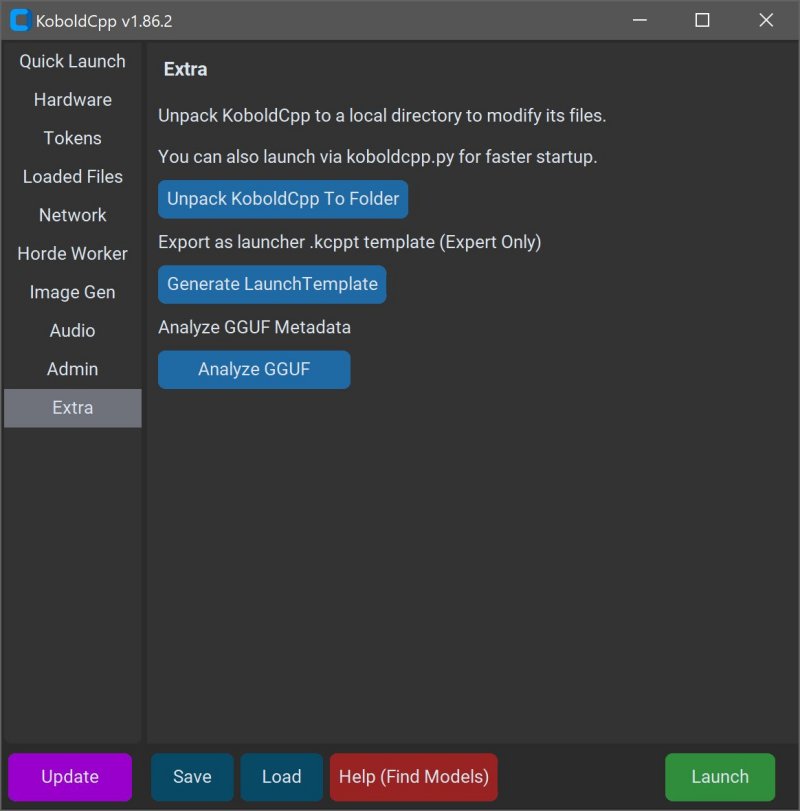
KoboldCPP 1.111 has been released as an innovative solution for those wishing to run powerful AI models directly on their own computers without the need for accounts, internet access, subscriptions, or privacy compromises. This open-source tool allows users to operate AI chatbots offline, making it ideal for various applications such as private business projects, story writing, game development, and general AI experimentation.
Key Features of KoboldCPP:
- Local Model Execution: Runs GGUF/LLAMA-based AI models, ensuring complete privacy and autonomy.
- Offline Functionality: No reliance on cloud services, maintaining data confidentiality.
- Fast Performance: Compatible with Intel oneAPI and NVIDIA CUDA for hardware acceleration.
- User-Friendly Setup: Requires minimal technical knowledge—just download, unzip, and launch.
- KoboldAI Web UI Integration: Access popular features for enhanced user experience.
- Customization Options: Users can load LoRA adapters, adjust context size, and personalize interactions.
Understanding GGUF: GGUF stands for GPT-Generated Unified Format, a specialized format for local use that performs efficiently on mid-range PCs, particularly with quantized models (4-bit or 8-bit). Users must ensure that any models downloaded are compatible with GGUF, as formats such as GPTQ and Safetensors are not supported.
Target Audience: KoboldCPP caters to a broad audience, including writers, RPG developers, and individuals interested in exploring AI without the complications of data sharing or subscription fees. It is especially valuable in low-connectivity environments or for those disillusioned with cloud-based services.
Model Acquisition: Users must download AI models separately, with Hugging Face being a reliable source. When selecting models, it is advisable to opt for 4-bit or 8-bit versions for compatibility with mid-range systems.
Installation and Usage Instructions:
1. Launch KoboldCPP.exe.
2. Select the downloaded .gguf model file.
3. Choose a backend (CPU or GPU).
4. Adjust settings as needed.
5. Start the application to access a local web chat interface.
System Requirements: Minimal specifications include:
- OS: Windows or Linux
- RAM: At least 8GB (16GB recommended)
- CPU: Modern Intel or AMD with AVX2 support
- Optional GPU: NVIDIA or Intel for enhanced performance
KoboldCPP stands out as a user-friendly, powerful tool for those seeking to harness AI technology while maintaining privacy and control. Its flexibility and support for various hardware configurations make it accessible to a wide range of users. For anyone looking to get started or customize their AI experience, assistance is readily available.
Extended Insight: As AI technology continues to evolve, tools like KoboldCPP will likely gain traction among users wishing to harness AI capabilities without compromising on privacy. The ability to run models locally not only provides a sense of security but also fosters creativity, allowing users to innovate without the constraints typically imposed by cloud services. With advancements in AI model formats and increasing community support, KoboldCPP may pave the way for even more sophisticated offline AI applications in the future
Key Features of KoboldCPP:
- Local Model Execution: Runs GGUF/LLAMA-based AI models, ensuring complete privacy and autonomy.
- Offline Functionality: No reliance on cloud services, maintaining data confidentiality.
- Fast Performance: Compatible with Intel oneAPI and NVIDIA CUDA for hardware acceleration.
- User-Friendly Setup: Requires minimal technical knowledge—just download, unzip, and launch.
- KoboldAI Web UI Integration: Access popular features for enhanced user experience.
- Customization Options: Users can load LoRA adapters, adjust context size, and personalize interactions.
Understanding GGUF: GGUF stands for GPT-Generated Unified Format, a specialized format for local use that performs efficiently on mid-range PCs, particularly with quantized models (4-bit or 8-bit). Users must ensure that any models downloaded are compatible with GGUF, as formats such as GPTQ and Safetensors are not supported.
Target Audience: KoboldCPP caters to a broad audience, including writers, RPG developers, and individuals interested in exploring AI without the complications of data sharing or subscription fees. It is especially valuable in low-connectivity environments or for those disillusioned with cloud-based services.
Model Acquisition: Users must download AI models separately, with Hugging Face being a reliable source. When selecting models, it is advisable to opt for 4-bit or 8-bit versions for compatibility with mid-range systems.
Installation and Usage Instructions:
1. Launch KoboldCPP.exe.
2. Select the downloaded .gguf model file.
3. Choose a backend (CPU or GPU).
4. Adjust settings as needed.
5. Start the application to access a local web chat interface.
System Requirements: Minimal specifications include:
- OS: Windows or Linux
- RAM: At least 8GB (16GB recommended)
- CPU: Modern Intel or AMD with AVX2 support
- Optional GPU: NVIDIA or Intel for enhanced performance
KoboldCPP stands out as a user-friendly, powerful tool for those seeking to harness AI technology while maintaining privacy and control. Its flexibility and support for various hardware configurations make it accessible to a wide range of users. For anyone looking to get started or customize their AI experience, assistance is readily available.
Extended Insight: As AI technology continues to evolve, tools like KoboldCPP will likely gain traction among users wishing to harness AI capabilities without compromising on privacy. The ability to run models locally not only provides a sense of security but also fosters creativity, allowing users to innovate without the constraints typically imposed by cloud services. With advancements in AI model formats and increasing community support, KoboldCPP may pave the way for even more sophisticated offline AI applications in the future
KoboldCPP 1.111 released
KoboldCPP is a great choice for running powerful AI models on your computer with no accounts, internet, subscriptions, or privacy trade-offs.