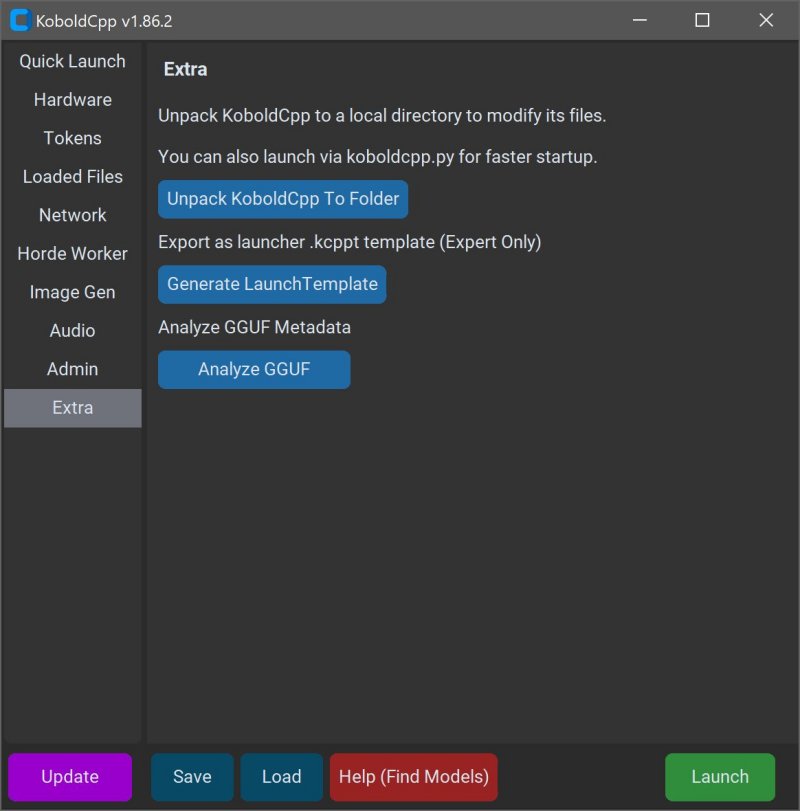
KoboldCPP 1.104 has been released as an effective tool for running AI models directly on your personal computer, providing a solution that avoids the need for accounts, internet access, subscriptions, or compromising privacy. This open-source software facilitates offline operation, making it ideal for individuals engaged in private business projects, creative writing, game development, or anyone wanting to explore AI in a secure environment.
KoboldCPP operates as a backend for the KoboldAI web interface, allowing users to interact with AI language models in a user-friendly chat window, akin to ChatGPT but entirely local. Users simply need to download a compatible GGUF-format model, launch the software, and start engaging with the AI. The program supports both CPU and GPU acceleration, catering to various hardware configurations.
The GGUF format, or GPT-Generated Unified Format, is specifically designed for local use and allows for efficient operation with quantized models, which are better suited for mid-range PCs. While many popular open-source models are available in this format, it is essential to ensure that any model downloaded is compatible with KoboldCPP, as it does not support proprietary models from OpenAI or certain other formats.
KoboldCPP is particularly beneficial for those who wish to keep their data private while enjoying AI functionalities. It is perfect for writers, RPG developers, and anyone seeking an offline chatbot experience without the limitations of cloud services. Its main features include local LLM operation, offline functionality, swift performance with GPU support, straightforward setup, and compatibility with various KoboldAI features.
Users can obtain AI models from platforms like Hugging Face, ensuring they select 4-bit or 8-bit GGUF versions for optimal performance on mid-range systems. Setting up a model with KoboldCPP is a straightforward process, and while the initial download and installation may feel technical, the interface is designed for ease of use.
KoboldCPP requires a modern operating system (Windows or Linux), with a recommended minimum of 16GB RAM and capable CPU/GPU for enhanced performance. The software offers different versions tailored to various hardware setups, including a standard version, a no-CUDA version for users without NVIDIA GPUs, an old CPU version for outdated systems, and a CUDA 12 version optimized for newer NVIDIA GPUs.
In summary, KoboldCPP offers a powerful, flexible, and user-friendly solution for those interested in using AI tools offline without the drawbacks of cloud dependency. It is particularly advantageous for writers and developers looking to harness AI capabilities directly on their desktops. The software is supported by a robust open-source community, ensuring ongoing updates and assistance for users embarking on their AI exploration journey. If you're contemplating your first model or setup customization, support is available to guide you through the process
KoboldCPP operates as a backend for the KoboldAI web interface, allowing users to interact with AI language models in a user-friendly chat window, akin to ChatGPT but entirely local. Users simply need to download a compatible GGUF-format model, launch the software, and start engaging with the AI. The program supports both CPU and GPU acceleration, catering to various hardware configurations.
The GGUF format, or GPT-Generated Unified Format, is specifically designed for local use and allows for efficient operation with quantized models, which are better suited for mid-range PCs. While many popular open-source models are available in this format, it is essential to ensure that any model downloaded is compatible with KoboldCPP, as it does not support proprietary models from OpenAI or certain other formats.
KoboldCPP is particularly beneficial for those who wish to keep their data private while enjoying AI functionalities. It is perfect for writers, RPG developers, and anyone seeking an offline chatbot experience without the limitations of cloud services. Its main features include local LLM operation, offline functionality, swift performance with GPU support, straightforward setup, and compatibility with various KoboldAI features.
Users can obtain AI models from platforms like Hugging Face, ensuring they select 4-bit or 8-bit GGUF versions for optimal performance on mid-range systems. Setting up a model with KoboldCPP is a straightforward process, and while the initial download and installation may feel technical, the interface is designed for ease of use.
KoboldCPP requires a modern operating system (Windows or Linux), with a recommended minimum of 16GB RAM and capable CPU/GPU for enhanced performance. The software offers different versions tailored to various hardware setups, including a standard version, a no-CUDA version for users without NVIDIA GPUs, an old CPU version for outdated systems, and a CUDA 12 version optimized for newer NVIDIA GPUs.
In summary, KoboldCPP offers a powerful, flexible, and user-friendly solution for those interested in using AI tools offline without the drawbacks of cloud dependency. It is particularly advantageous for writers and developers looking to harness AI capabilities directly on their desktops. The software is supported by a robust open-source community, ensuring ongoing updates and assistance for users embarking on their AI exploration journey. If you're contemplating your first model or setup customization, support is available to guide you through the process
KoboldCPP 1.104 released
KoboldCPP is a great choice for running powerful AI models on your computer with no accounts, internet, subscriptions, or privacy trade-offs.