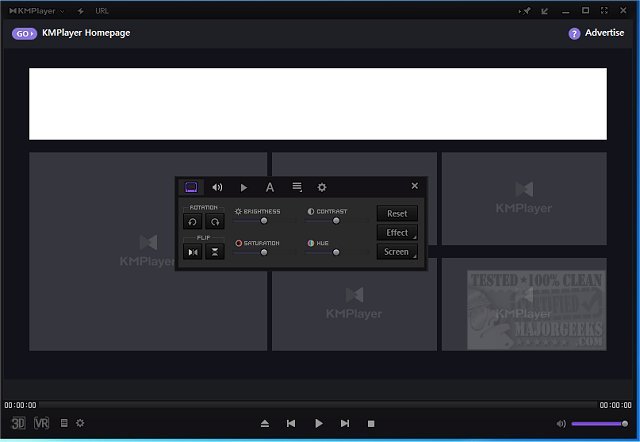
KMPlayer has released its latest version, 2025.12.22.13 / 4.2.3.31, enhancing its reputation as a versatile multimedia player. This player supports a wide range of audio, video, and subtitle formats, ensuring compatibility with both standard and ultra-high-definition content, including 4K and 8K videos. KMPlayer can effortlessly handle popular formats like MP4, AVI, MKV, MOV, FLV, and WMV, as well as Blu-ray and DVD playback.
Key features of KMPlayer include comprehensive format support, high-quality playback, extensive customization options, and advanced audio and video controls. Users can adjust playback speed, sync audio tracks, apply filters, and manage subtitles. The player also offers screen capture and recording capabilities, making it ideal for content creators and media enthusiasts.
Users can personalize their experience further with a dynamic interface, customizable playlists, and smart tools for subtitle management and file sharing. Unique features such as 3D playback and conversion, as well as virtual reality support, set KMPlayer apart from other media players.
Despite its vast capabilities, KMPlayer may have a slight learning curve, but the payoff is a deeply personalized and immersive viewing experience. While the ad-supported interface might not be to everyone's liking, the functionality and performance make it a strong choice for anyone seeking a powerful multimedia player.
In summary, KMPlayer stands out as a comprehensive solution for media playback, appealing to both casual viewers and dedicated enthusiasts. Its range of features positions it as a strong competitor in the multimedia player market, alongside similar options like VLC Media Player. As technology evolves, KMPlayer continues to adapt and enhance its offerings, ensuring it remains a relevant choice for users looking for versatility and customization in their media consumption experience.
Moving forward, users can anticipate future updates that may introduce even more innovative features, improved interface options, and enhanced support for emerging media formats and technologies
Key features of KMPlayer include comprehensive format support, high-quality playback, extensive customization options, and advanced audio and video controls. Users can adjust playback speed, sync audio tracks, apply filters, and manage subtitles. The player also offers screen capture and recording capabilities, making it ideal for content creators and media enthusiasts.
Users can personalize their experience further with a dynamic interface, customizable playlists, and smart tools for subtitle management and file sharing. Unique features such as 3D playback and conversion, as well as virtual reality support, set KMPlayer apart from other media players.
Despite its vast capabilities, KMPlayer may have a slight learning curve, but the payoff is a deeply personalized and immersive viewing experience. While the ad-supported interface might not be to everyone's liking, the functionality and performance make it a strong choice for anyone seeking a powerful multimedia player.
In summary, KMPlayer stands out as a comprehensive solution for media playback, appealing to both casual viewers and dedicated enthusiasts. Its range of features positions it as a strong competitor in the multimedia player market, alongside similar options like VLC Media Player. As technology evolves, KMPlayer continues to adapt and enhance its offerings, ensuring it remains a relevant choice for users looking for versatility and customization in their media consumption experience.
Moving forward, users can anticipate future updates that may introduce even more innovative features, improved interface options, and enhanced support for emerging media formats and technologies
KMPlayer 2025.12.22.13 / 4.2.3.31 released
KMPlayer is a full-featured movie and audio player that supports various codecs and file formats.