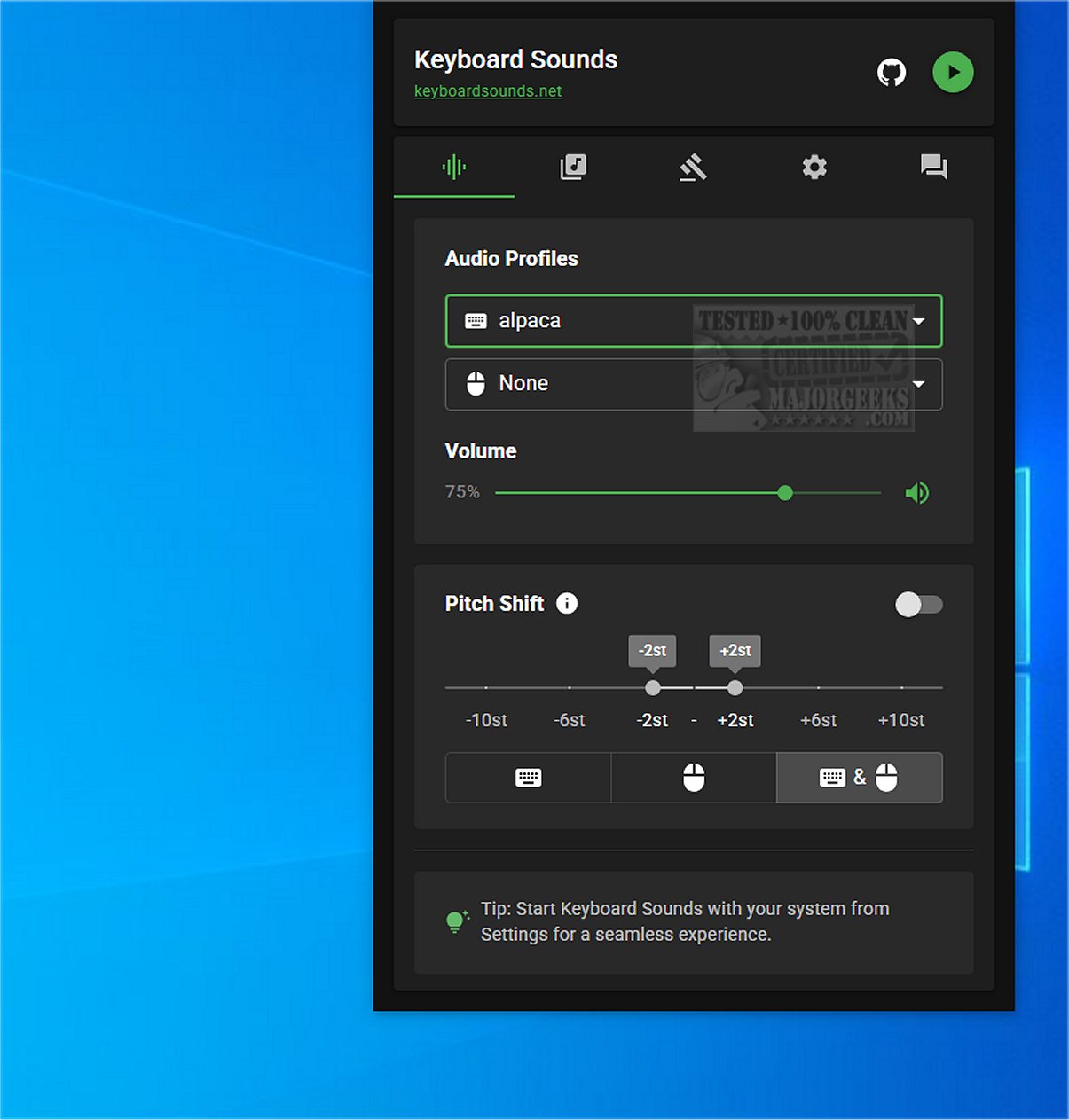
The latest version of Keyboard Sounds, 2.4.1, is designed to enhance the auditory experience of any keyboard by emulating the distinct sounds of mechanical keyboards. This software offers a user-friendly interface with 16 pre-configured sound profiles, a customizable profile editor, and application-specific sound rules, enabling users to tailor their auditory preferences.
What Keyboard Sounds Is Designed To Do
Keyboard Sounds is a versatile application that allows users to personalize their keyboard sounds to closely mimic those produced by mechanical keyboards. It features a profile manager that facilitates the creation, saving, and editing of sound profiles and rules, ensuring customization according to individual preferences.
Setup Prerequisites
While the installation process is generally straightforward, it does require a few prerequisites. Users need to have Python installed, along with some necessary adjustments to ensure smooth operation. To assist with the installation, the developer provides a detailed tutorial, including a video guide, available at their repository.
User-Friendly Systray Integration
Once installed, Keyboard Sounds minimizes to the system tray, allowing for easy access to its features through a convenient icon. This design choice enhances user experience by providing quick control over the application without cluttering the desktop.
Extensive Customization Features
Keyboard Sounds offers a wide range of options for managing profiles and setting key rules, allowing users to create a highly personalized sound experience. The application includes features for defining and storing various rules and provides an on-screen keyboard for key mapping sound sources.
Geek Verdict
Keyboard Sounds is particularly valuable for users wanting to replicate the auditory feedback of a mechanical keyboard or modify the sounds and behavior of their existing keyboard. It serves as an excellent solution for those eager to create a unique keyboard experience filled with diverse sound options.
Extension
As technology progresses, the demand for customizable user experiences continues to grow. Keyboard Sounds 2.4.1 not only meets this demand but also opens up possibilities for future enhancements. Upcoming versions could potentially include additional sound libraries, integration with virtual reality environments for immersive experiences, or even machine learning algorithms that adapt sounds based on user typing patterns. This application could evolve further to cater to gamers, writers, and professionals seeking specific auditory feedback, making it an indispensable tool for enhancing productivity and enjoyment while typing
What Keyboard Sounds Is Designed To Do
Keyboard Sounds is a versatile application that allows users to personalize their keyboard sounds to closely mimic those produced by mechanical keyboards. It features a profile manager that facilitates the creation, saving, and editing of sound profiles and rules, ensuring customization according to individual preferences.
Setup Prerequisites
While the installation process is generally straightforward, it does require a few prerequisites. Users need to have Python installed, along with some necessary adjustments to ensure smooth operation. To assist with the installation, the developer provides a detailed tutorial, including a video guide, available at their repository.
User-Friendly Systray Integration
Once installed, Keyboard Sounds minimizes to the system tray, allowing for easy access to its features through a convenient icon. This design choice enhances user experience by providing quick control over the application without cluttering the desktop.
Extensive Customization Features
Keyboard Sounds offers a wide range of options for managing profiles and setting key rules, allowing users to create a highly personalized sound experience. The application includes features for defining and storing various rules and provides an on-screen keyboard for key mapping sound sources.
Geek Verdict
Keyboard Sounds is particularly valuable for users wanting to replicate the auditory feedback of a mechanical keyboard or modify the sounds and behavior of their existing keyboard. It serves as an excellent solution for those eager to create a unique keyboard experience filled with diverse sound options.
Extension
As technology progresses, the demand for customizable user experiences continues to grow. Keyboard Sounds 2.4.1 not only meets this demand but also opens up possibilities for future enhancements. Upcoming versions could potentially include additional sound libraries, integration with virtual reality environments for immersive experiences, or even machine learning algorithms that adapt sounds based on user typing patterns. This application could evolve further to cater to gamers, writers, and professionals seeking specific auditory feedback, making it an indispensable tool for enhancing productivity and enjoyment while typing
Keyboard Sounds 2.4.1 released
Keyboard Sounds enhances the auditory experience of any keyboard by emulating the sounds of a mechanical keyboard.