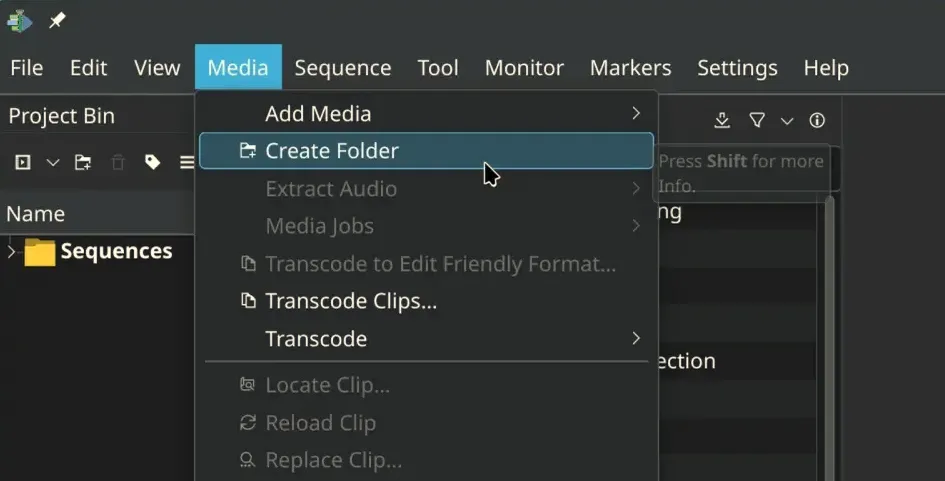
Kdenlive 25.12.1 has been officially released, enhancing the open-source video editing software with several key upgrades focused on user experience and stability. The update features a redesigned welcome screen that offers a more polished entry point and includes shortcuts to help new users navigate the software more easily. The menus have been restructured to align with professional editing standards, which may initially confuse long-time users, but adjustments are planned for future updates based on user feedback.
Notable improvements include better support for vertical video editing with the introduction of a vertical layout and safe areas. The audio monitor view has been revamped, and timeline guides have been rebranded as markers that now display duration and can be adjusted from a dedicated list. The release also directly addresses over 15 crash reports and resolves issues related to project corruption and slow loading times, particularly when using the file manager.
Windows users will benefit from new AMF encoding profiles that expand their options for video output formats. Enhancements to audio capture ensure compatibility with a variety of microphones and settings, while significant bug fixes have been implemented to enhance overall functionality. These fixes include resolving issues with audio actions that previously caused crashes and ensuring smoother operation during rotoscoping tasks.
The update also introduces a feature that refreshes the monitor after interpolation changes, keeping the timeline clear and precise during playback. Additionally, issues related to keyframe handling during multi-editing sessions have been corrected, improving the animation workflow. Continuous integration testing has been implemented to foster long-term stability and catch potential issues early on.
With these updates, Kdenlive 25.12.1 stands as a significant improvement over previous versions, making it more stable, user-friendly, and equipped to handle a variety of video editing tasks effectively. For further details, users can visit the official announcement page.
In extending the discussion, it's worth noting that as Kdenlive continues to evolve, user feedback will play a crucial role in shaping future updates. The commitment to enhancing accessibility through improved translation support also reflects a dedication to a diverse user base. Future releases may further refine the interface and introduce innovative features that leverage advancements in video editing technology, ensuring Kdenlive remains a competitive option in the realm of open-source video editing
Notable improvements include better support for vertical video editing with the introduction of a vertical layout and safe areas. The audio monitor view has been revamped, and timeline guides have been rebranded as markers that now display duration and can be adjusted from a dedicated list. The release also directly addresses over 15 crash reports and resolves issues related to project corruption and slow loading times, particularly when using the file manager.
Windows users will benefit from new AMF encoding profiles that expand their options for video output formats. Enhancements to audio capture ensure compatibility with a variety of microphones and settings, while significant bug fixes have been implemented to enhance overall functionality. These fixes include resolving issues with audio actions that previously caused crashes and ensuring smoother operation during rotoscoping tasks.
The update also introduces a feature that refreshes the monitor after interpolation changes, keeping the timeline clear and precise during playback. Additionally, issues related to keyframe handling during multi-editing sessions have been corrected, improving the animation workflow. Continuous integration testing has been implemented to foster long-term stability and catch potential issues early on.
With these updates, Kdenlive 25.12.1 stands as a significant improvement over previous versions, making it more stable, user-friendly, and equipped to handle a variety of video editing tasks effectively. For further details, users can visit the official announcement page.
In extending the discussion, it's worth noting that as Kdenlive continues to evolve, user feedback will play a crucial role in shaping future updates. The commitment to enhancing accessibility through improved translation support also reflects a dedication to a diverse user base. Future releases may further refine the interface and introduce innovative features that leverage advancements in video editing technology, ensuring Kdenlive remains a competitive option in the realm of open-source video editing
Kdenlive 25.12.1 released
A new version of Kdenlive, 25.12.1, has been released with several updates to improve the user experience. The welcome screen has been redesigned for a smoother entry point into the software, and menus have been restructured to follow professional editing conventions. Additionally, bug fixes address issues such as over 15 crash reports, project corruption, and slow loading times via file manager, making Kdenlive more stable and accessible. The release also includes improvements to audio capture, rotoscoping usability, and documentation, making it a significant update for users.