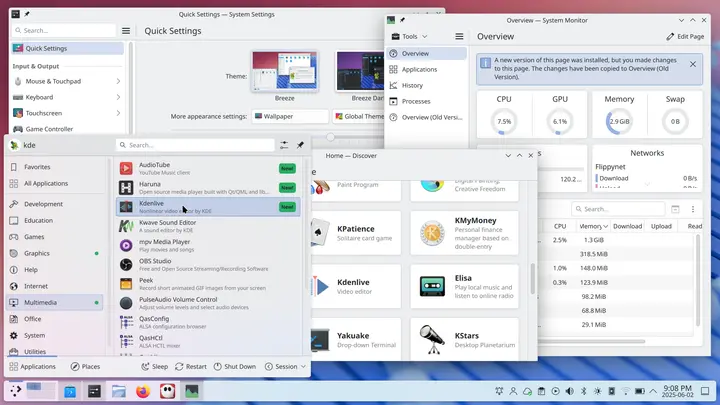
KDE Plasma 6.6 Beta 2 has been released, introducing notable enhancements that enhance user experience. Among the three new modules—plasma-login-manager, plasma-keyboard, and plasma-setup—each plays a crucial role in improving the login screen, on-screen keyboard functionality, and the initial setup process. This update also addresses several stability issues, particularly with KWin, eliminating fullscreen overlay bugs and fixing flickering issues with hardware cursors on older GPUs. Although some minor changes, like the tweak to Aurorae’s menu button or the addition of Waterfox support, might be considered trivial, they do not detract from the overall stability boost this beta offers.
- plasma-login-manager: This revamped login manager interacts directly with systemd, resolving long-standing session errors linked to custom SDDM themes.
- plasma-keyboard: A fully-functional on-screen keyboard that performs well on Wayland, making it suitable for tablet use.
- plasma-setup: An installer-style wizard that assists users in configuring essential settings on their first run, particularly useful for testing in virtual machines.
2. Stability Improvements:
- The update has fixed a significant bug with KWin's fullscreen overlays, allowing HUDs in games to function without crashing.
- A new guard has been implemented for the Gamecontroller plugin to prevent session freezes caused by stray errors.
- Hardware cursor flickering issues on older GPUs have been resolved, enhancing usability.
- Enhanced error messaging in Discover's flatpak integration makes troubleshooting easier.
3. Minor Changes:
- Some updates, such as the Aurorae menu button tweak and the addition of Waterfox support, are largely cosmetic and can be skipped without impacting core functionality.
- Create a separate user account to avoid affecting your main profile.
- Install the beta version into a designated directory (e.g., /opt) to keep it isolated from stable packages.
- Use the command `plasmashell --replace` to revert to the stable desktop if issues arise.
Key Features in KDE Plasma 6.6 Beta 2
1. New Modules:- plasma-login-manager: This revamped login manager interacts directly with systemd, resolving long-standing session errors linked to custom SDDM themes.
- plasma-keyboard: A fully-functional on-screen keyboard that performs well on Wayland, making it suitable for tablet use.
- plasma-setup: An installer-style wizard that assists users in configuring essential settings on their first run, particularly useful for testing in virtual machines.
2. Stability Improvements:
- The update has fixed a significant bug with KWin's fullscreen overlays, allowing HUDs in games to function without crashing.
- A new guard has been implemented for the Gamecontroller plugin to prevent session freezes caused by stray errors.
- Hardware cursor flickering issues on older GPUs have been resolved, enhancing usability.
- Enhanced error messaging in Discover's flatpak integration makes troubleshooting easier.
3. Minor Changes:
- Some updates, such as the Aurorae menu button tweak and the addition of Waterfox support, are largely cosmetic and can be skipped without impacting core functionality.
Recommendations for Testing
For those interested in trying KDE Plasma 6.6 Beta 2 without compromising their main system:- Create a separate user account to avoid affecting your main profile.
- Install the beta version into a designated directory (e.g., /opt) to keep it isolated from stable packages.
- Use the command `plasmashell --replace` to revert to the stable desktop if issues arise.
Conclusion
KDE Plasma 6.6 Beta 2 represents a significant advancement towards the final release, with valuable new features and critical bug fixes that enhance stability. While some changes may feel minor, the overall package is robust and ready for testing. Users are encouraged to explore this beta version to experience the improvements firsthand.Future Outlook
As development continues, it will be interesting to see if more enhancements are made before the official release. The addition of more useful modules and further stability fixes could strengthen KDE Plasma's position as a leading desktop environment. Users are encouraged to stay tuned for further updates and participate in the testing process to provide feedbackKDE Plasma 6.6 Beta 2 released
KDE Plasma 6.6 Beta 2 arrives with three genuinely useful modules, plasma‑login‑manager, plasma‑keyboard, and plasma‑setup, that finally make the login screen, on‑screen keyboard, and first‑run wizard feel less like afterthoughts. The update also patches several KWin crashes; fullscreen overlays work without mysterious tokens and the DRM backend no longer flickers the hardware cursor on older GPUs. Minor changes such as Aurorae’s menu‑button tweak and added Waterfox support are mostly fluff that you can safely ignore. Install it in a separate prefix, give it a spin, and you’ll see why this beta feels more like a real stability boost than just another polish release.