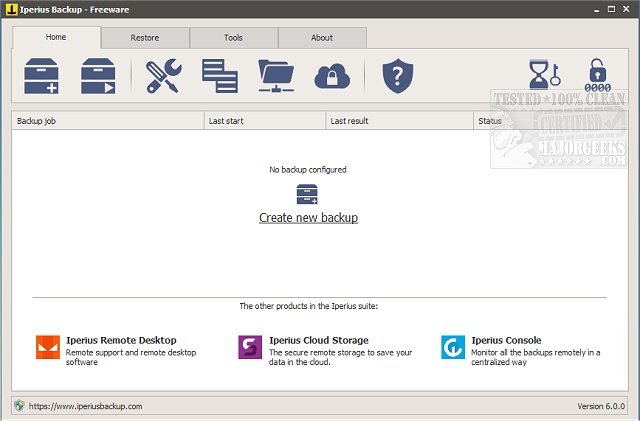
Iperius Backup Free 8.8.0 has been released, showcasing its reputation as a lightweight yet feature-rich backup and synchronization utility tailored for diverse backup needs.
Overview of Iperius Backup Free:
This software is designed to facilitate the easy and secure transfer of data, allowing users to back up files and folders to various mass storage devices including network-attached storage (NAS), RDX drives, external USB drives, and even across local networks. With advanced features such as AES encryption, Zip 64 compression, and sophisticated synchronization options, Iperius Backup Free ensures both the security and efficiency of data storage.
Key Features:
A notable highlight of Iperius Backup is its capability to create comprehensive disk images. This feature performs complete system backups, enabling users to reinstall their operating system effortlessly through a bare-metal restore process. Impressively, this function can be executed without disrupting ongoing work or necessitating a system reboot, and it even allows restorations on different hardware configurations, which can be particularly beneficial during system upgrades or replacements.
User-Friendly Experience:
Despite its compact design, Iperius Backup Free is packed with advanced functionalities that offer significant flexibility for users. It allows for the customization of backups through configurable filters, ensuring that only the most pertinent data is included. Users also receive email notifications regarding backup statuses, streamlining the management of data transfers and synchronization.
Conclusion:
In summary, Iperius Backup Free emerges as a powerful and adaptable solution suitable for both individual users and businesses alike. Its extensive capabilities make it an excellent choice for anyone looking to protect and manage their essential data with ease and efficiency.
Extension:
In light of the increasing reliance on digital data, the role of effective backup solutions like Iperius Backup Free becomes even more critical. As cyber threats and data loss incidents grow more prevalent, having a reliable backup strategy can safeguard against potential data breaches or system failures. Users are encouraged to explore additional features of Iperius Backup Free, such as cloud backup options and scheduling capabilities, which can further enhance their data protection strategy. Furthermore, regular updates and community support ensure that the software remains aligned with the latest technology trends and user needs, making it a wise investment for long-term data safety. Users may also consider complementary tools and strategies, such as cloud storage and regular system checks, to create a robust, multi-layered approach to data security
Overview of Iperius Backup Free:
This software is designed to facilitate the easy and secure transfer of data, allowing users to back up files and folders to various mass storage devices including network-attached storage (NAS), RDX drives, external USB drives, and even across local networks. With advanced features such as AES encryption, Zip 64 compression, and sophisticated synchronization options, Iperius Backup Free ensures both the security and efficiency of data storage.
Key Features:
A notable highlight of Iperius Backup is its capability to create comprehensive disk images. This feature performs complete system backups, enabling users to reinstall their operating system effortlessly through a bare-metal restore process. Impressively, this function can be executed without disrupting ongoing work or necessitating a system reboot, and it even allows restorations on different hardware configurations, which can be particularly beneficial during system upgrades or replacements.
User-Friendly Experience:
Despite its compact design, Iperius Backup Free is packed with advanced functionalities that offer significant flexibility for users. It allows for the customization of backups through configurable filters, ensuring that only the most pertinent data is included. Users also receive email notifications regarding backup statuses, streamlining the management of data transfers and synchronization.
Conclusion:
In summary, Iperius Backup Free emerges as a powerful and adaptable solution suitable for both individual users and businesses alike. Its extensive capabilities make it an excellent choice for anyone looking to protect and manage their essential data with ease and efficiency.
Extension:
In light of the increasing reliance on digital data, the role of effective backup solutions like Iperius Backup Free becomes even more critical. As cyber threats and data loss incidents grow more prevalent, having a reliable backup strategy can safeguard against potential data breaches or system failures. Users are encouraged to explore additional features of Iperius Backup Free, such as cloud backup options and scheduling capabilities, which can further enhance their data protection strategy. Furthermore, regular updates and community support ensure that the software remains aligned with the latest technology trends and user needs, making it a wise investment for long-term data safety. Users may also consider complementary tools and strategies, such as cloud storage and regular system checks, to create a robust, multi-layered approach to data security
Iperius Backup Free 8.8.0 released
Iperius Backup Free is a lightweight, feature-rich backup and sync utility that provides flexible use for all your backup needs.