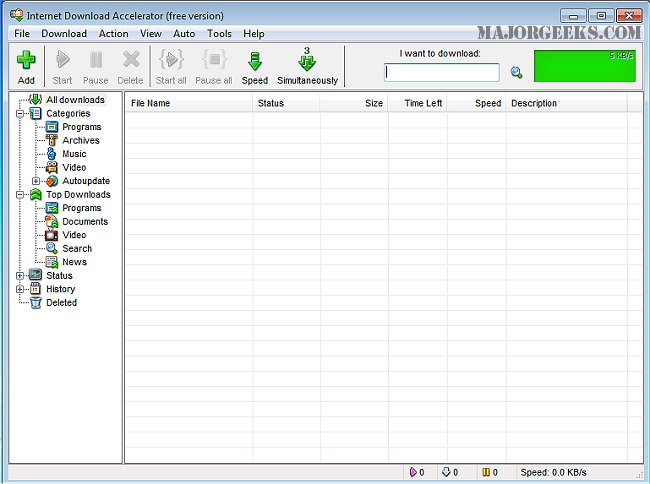
Internet Download Accelerator (IDA) version 7.3.0.0 has been launched, offering significant enhancements to file downloading capabilities. This software is designed to increase download speeds by up to 500% by addressing common challenges faced during file downloads, such as management, speed, and the ability to resume interrupted downloads.
IDA employs an advanced multi-section download technique, which breaks files into smaller segments and downloads them simultaneously, optimizing performance regardless of the user's internet connection type. The software seamlessly integrates with the most widely used web browsers, ensuring accessibility for a vast range of users.
The acceleration achieved by IDA is especially noticeable when downloading files through HTTP, HTTPS, and FTP protocols. Additionally, it features a robust resume function that allows users to continue downloads from the exact point where they were interrupted, enhancing efficiency and user experience.
In summary, Internet Download Accelerator 7.3.0.0 not only provides substantial improvements in download speeds but also offers a user-friendly experience through its integration with popular browsers and reliable resuming capabilities. This makes it an essential tool for those looking to optimize their downloading processes.
For users interested in further enhancing their internet experience, related topics such as improving wireless network performance, fixing slow internet issues on Windows 10 & 11, monitoring internet usage on the taskbar, checking network adapter speeds, and understanding Windows Auto-Tuning can provide additional valuable insights
IDA employs an advanced multi-section download technique, which breaks files into smaller segments and downloads them simultaneously, optimizing performance regardless of the user's internet connection type. The software seamlessly integrates with the most widely used web browsers, ensuring accessibility for a vast range of users.
The acceleration achieved by IDA is especially noticeable when downloading files through HTTP, HTTPS, and FTP protocols. Additionally, it features a robust resume function that allows users to continue downloads from the exact point where they were interrupted, enhancing efficiency and user experience.
In summary, Internet Download Accelerator 7.3.0.0 not only provides substantial improvements in download speeds but also offers a user-friendly experience through its integration with popular browsers and reliable resuming capabilities. This makes it an essential tool for those looking to optimize their downloading processes.
For users interested in further enhancing their internet experience, related topics such as improving wireless network performance, fixing slow internet issues on Windows 10 & 11, monitoring internet usage on the taskbar, checking network adapter speeds, and understanding Windows Auto-Tuning can provide additional valuable insights
Internet Download Accelerator 7.3.0.0 released
Internet Download Accelerator will assist in increasing download speeds by up to 500 percent by tackling common download issues.