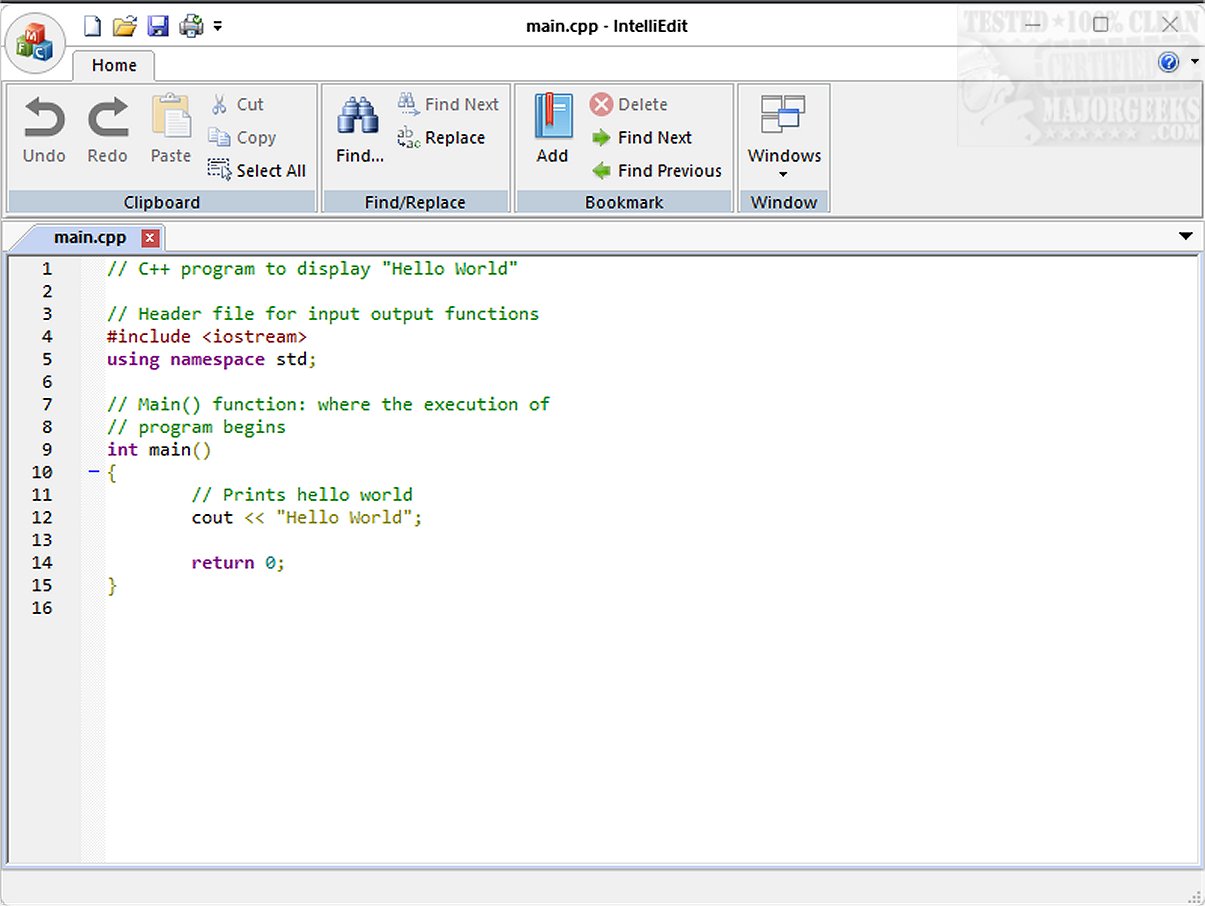
IntelliEdit version 1.18 has been released, marking it as a powerful text editor that serves as a superior alternative to the conventional Notepad. This open-source tool is equipped with a fast-editing engine and supports numerous programming languages, allowing users to comfortably write both plain text and code.
- Syntax Highlighting: This feature allows users to easily distinguish different elements of code, making it simpler to read and debug.
- Advanced Search-and-Replace: Users can leverage regular expressions to find and replace text with precision.
- Tabbed Interface: The editor’s tabbed design permits users to manage multiple files at once without the hassle of opening multiple windows.
Key Features of IntelliEdit
IntelliEdit offers a wide range of functionalities that enhance user experience, such as:- Syntax Highlighting: This feature allows users to easily distinguish different elements of code, making it simpler to read and debug.
- Advanced Search-and-Replace: Users can leverage regular expressions to find and replace text with precision.
- Tabbed Interface: The editor’s tabbed design permits users to manage multiple files at once without the hassle of opening multiple windows.
User-Friendly Navigation
While the interface of IntelliEdit may not boast the latest design trends, it prioritizes functionality for users who seek effective editing tools over aesthetic appeal. One notable feature is the bookmarking capability, which enables users to mark specific lines in lengthy documents for quick access. This is particularly beneficial for navigating through extensive files, allowing for a more organized editing process.Ideal for Coding
IntelliEdit shines in coding environments due to its integration of the Scintilla engine, which amplifies its text-editing capabilities beyond what the default Notepad offers. It supports syntax highlighting for a variety of programming languages, including CMake, C/C++, JavaScript, PHP, Markdown, MATLAB, HTML, and R, catering to a diverse audience of developers and coders.Conclusion
Overall, IntelliEdit is an exceptional tool for users who value utility and efficiency in their text editing experience. Its practical features and robust functionalities make it a highly effective ally for anyone looking to enhance their productivity, whether they are coding or engaging in general text editing tasks. For more information and to access the software, users are encouraged to visit the developer's GitHub repository.Future Developments
As IntelliEdit continues to evolve, users can anticipate further enhancements and features that will expand its capabilities. The development team is likely to focus on integrating user feedback, enhancing performance, and possibly updating the user interface to attract a broader audience while maintaining its core functionality. This commitment to improvement ensures that IntelliEdit remains a relevant and powerful tool in the ever-changing landscape of text editorsIntelliEdit 1.18 released
IntelliEdit is a versatile text editor that serves as an enhanced alternative to the standard Notepad. It features a fast-editing engine and supports a wide array of programming languages right out of the box, allowing users to write both plain text and code.