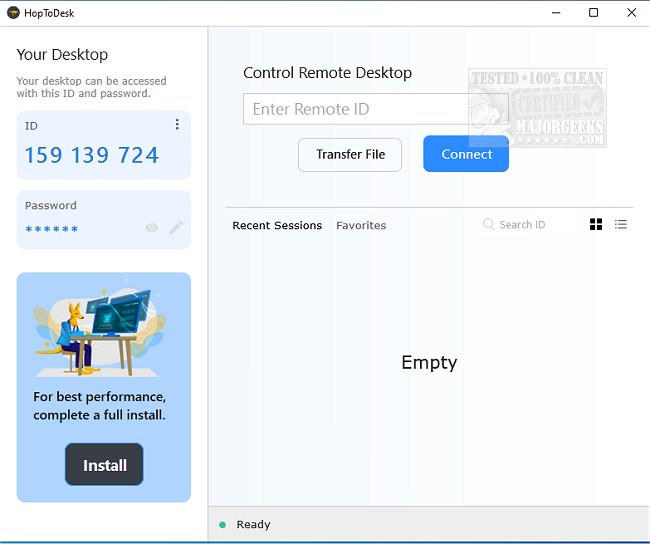
HopToDesk version 1.46.52 has been released, enhancing its capabilities as a versatile multiplatform application designed for remote desktop sharing and access. What sets HopToDesk apart from its competitors is its free availability for both commercial and personal use, along with robust security features like end-to-end encryption for all peer communications, ensuring that sensitive information remains private and secure.
The software is open-source, further emphasizing its commitment to transparency and security. Users can easily set up HopToDesk without the hassle of configuring router or firewall settings, making it a convenient solution for remote access from any location. The user interface is intuitive, especially for those familiar with other remote access tools, facilitating a quick onboarding process.
During testing, HopToDesk demonstrated a fast and reliable connection, positioning itself as a strong contender in the remote access software market. Its notable features include screen sharing, remote control capabilities, file transfer, live chat, direct IP access, IP whitelisting, and support for SOCKS5 proxy connections.
In summary, HopToDesk stands out due to its free accessibility, security measures, and user-friendly design, making it a compelling choice for anyone needing remote desktop solutions. As remote work and collaboration continue to grow in importance, tools like HopToDesk are becoming essential for seamless communication and productivity.
Additionally, users may find it beneficial to explore the software's capabilities further, particularly how to manage settings like password prompts for added security during remote desktop connections. This can enhance your overall experience and ensure that you are utilizing the software to its fullest potential
The software is open-source, further emphasizing its commitment to transparency and security. Users can easily set up HopToDesk without the hassle of configuring router or firewall settings, making it a convenient solution for remote access from any location. The user interface is intuitive, especially for those familiar with other remote access tools, facilitating a quick onboarding process.
During testing, HopToDesk demonstrated a fast and reliable connection, positioning itself as a strong contender in the remote access software market. Its notable features include screen sharing, remote control capabilities, file transfer, live chat, direct IP access, IP whitelisting, and support for SOCKS5 proxy connections.
In summary, HopToDesk stands out due to its free accessibility, security measures, and user-friendly design, making it a compelling choice for anyone needing remote desktop solutions. As remote work and collaboration continue to grow in importance, tools like HopToDesk are becoming essential for seamless communication and productivity.
Additionally, users may find it beneficial to explore the software's capabilities further, particularly how to manage settings like password prompts for added security during remote desktop connections. This can enhance your overall experience and ensure that you are utilizing the software to its fullest potential
HopToDesk 1.46.52 released
HopToDesk is a multiplatform app that enables remote desktop sharing of screens and remote access to your machine.