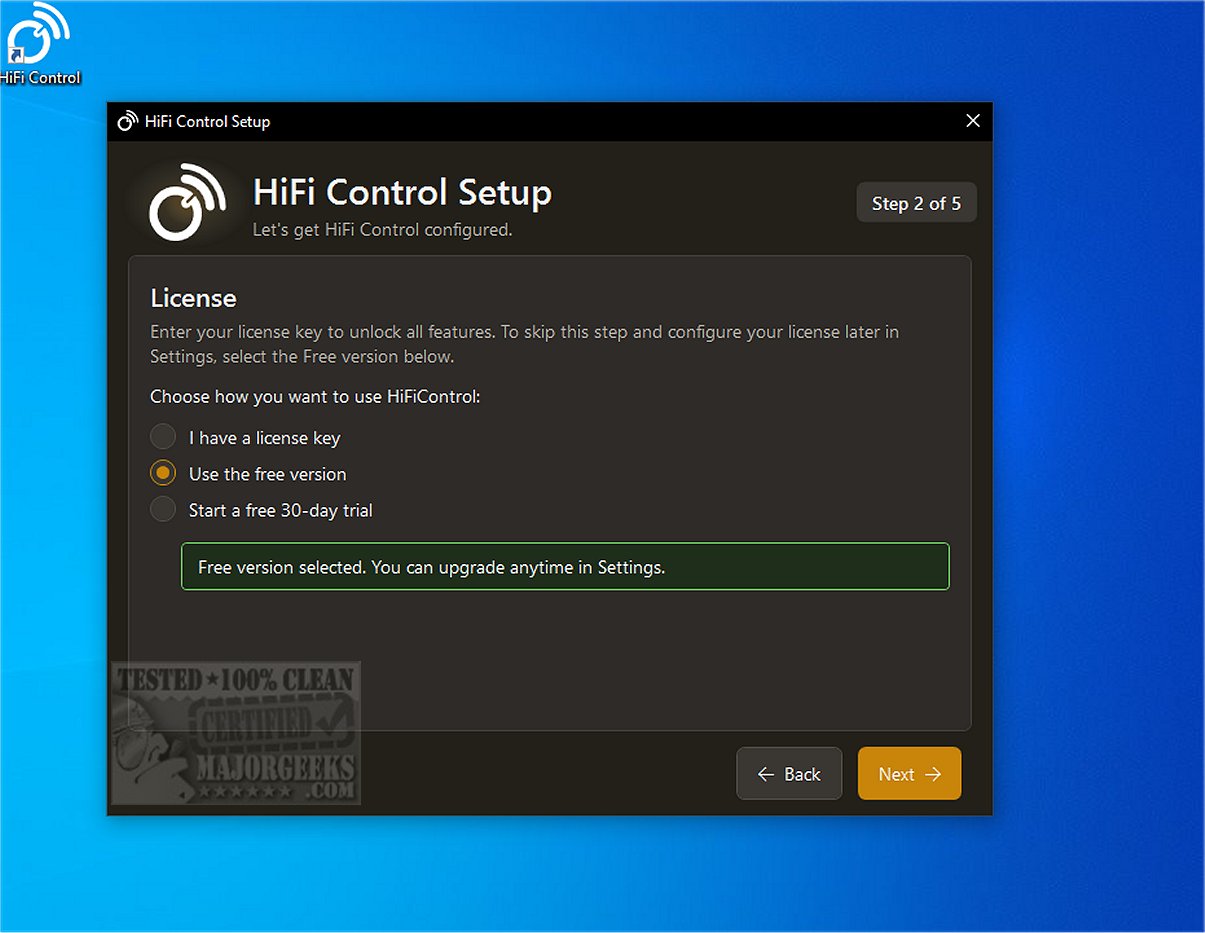
HiFi Control is a centralized platform designed for managing and controlling high-fidelity audio equipment and their players. The latest release, version 1.5.9, features a modern and user-friendly design that allows users to quickly start managing their audio devices.
Key Features and Functionality
The application supports numerous multi-room audio frameworks and devices, enabling users to add their preferred devices and pair them with chosen player components seamlessly. HiFi Control’s intuitive interface makes it easy to control amplifiers and players, allowing for efficient monitoring of volume and source characteristics.
The app includes a comprehensive setup wizard and device management options, offering users the ability to select from an extensive internal library or manually add devices. Additionally, an automated device discovery feature simplifies the configuration process.
Enhanced Management Options
HiFi Control also boasts advanced features such as Dirac control, user-friendly overlays, and customizable presets. It supports a range of devices, including BluOS-enabled and HEOS-compatible devices, and integrates with popular streaming services like Spotify and Tidal for easy track and playlist management.
Free Features Include:
- Amplifier control via keyboard media keys
- One customizable preset
- Media browser with search functionality
- Queue management
- Windows system tray support
- System-wide hotkeys
- Quick access to device manuals
- Integration with BluOS, HEOS, and MusicCast
- Spotify integration
- Configurable maximum volume settings
- Basic Now Playing display
- Automatic reconnection after IP address changes
- Mute/unmute hotkey
- Volume overlay that works even in games
The application also supports various audio profiles and includes hotkeys for quick access to different parameters. For users interested in Dirac sound quality testing, HiFi Control provides relevant features, while enhanced volume control is facilitated through integration with the Microsoft Surface Dial.
Requirements and Compatibility
To use HiFi Control, Microsoft .NET 10.x.x.x is required, but the application will prompt installation if it is not already on the user’s machine.
Final Thoughts
HiFi Control is an essential management tool for Windows PC users who want to optimize their hi-fi audio devices. It ensures a customizable and seamless playback experience, with robust connectivity, compatibility with streaming services, and extensive control over amplifier settings. Experience high-fidelity audio like never before with HiFi Control!
Related Topics:
- Uninstalling the Movies and TV App
- Enabling Windows Sonic Surround Sound on Windows 10 & 11
- Toggling Key Sounds on or off in Windows 10 & 11
- Diagnosing Sound Delays, Lags, and Audio Latency in Windows 10 & 11
In conclusion, HiFi Control is a powerful tool for audio enthusiasts, providing a comprehensive suite of features that enhance the management and enjoyment of high-fidelity audio systems. Its ongoing updates and user-centric design ensure that it remains relevant in the ever-evolving landscape of audio technology
Key Features and Functionality
The application supports numerous multi-room audio frameworks and devices, enabling users to add their preferred devices and pair them with chosen player components seamlessly. HiFi Control’s intuitive interface makes it easy to control amplifiers and players, allowing for efficient monitoring of volume and source characteristics.
The app includes a comprehensive setup wizard and device management options, offering users the ability to select from an extensive internal library or manually add devices. Additionally, an automated device discovery feature simplifies the configuration process.
Enhanced Management Options
HiFi Control also boasts advanced features such as Dirac control, user-friendly overlays, and customizable presets. It supports a range of devices, including BluOS-enabled and HEOS-compatible devices, and integrates with popular streaming services like Spotify and Tidal for easy track and playlist management.
Free Features Include:
- Amplifier control via keyboard media keys
- One customizable preset
- Media browser with search functionality
- Queue management
- Windows system tray support
- System-wide hotkeys
- Quick access to device manuals
- Integration with BluOS, HEOS, and MusicCast
- Spotify integration
- Configurable maximum volume settings
- Basic Now Playing display
- Automatic reconnection after IP address changes
- Mute/unmute hotkey
- Volume overlay that works even in games
The application also supports various audio profiles and includes hotkeys for quick access to different parameters. For users interested in Dirac sound quality testing, HiFi Control provides relevant features, while enhanced volume control is facilitated through integration with the Microsoft Surface Dial.
Requirements and Compatibility
To use HiFi Control, Microsoft .NET 10.x.x.x is required, but the application will prompt installation if it is not already on the user’s machine.
Final Thoughts
HiFi Control is an essential management tool for Windows PC users who want to optimize their hi-fi audio devices. It ensures a customizable and seamless playback experience, with robust connectivity, compatibility with streaming services, and extensive control over amplifier settings. Experience high-fidelity audio like never before with HiFi Control!
Related Topics:
- Uninstalling the Movies and TV App
- Enabling Windows Sonic Surround Sound on Windows 10 & 11
- Toggling Key Sounds on or off in Windows 10 & 11
- Diagnosing Sound Delays, Lags, and Audio Latency in Windows 10 & 11
In conclusion, HiFi Control is a powerful tool for audio enthusiasts, providing a comprehensive suite of features that enhance the management and enjoyment of high-fidelity audio systems. Its ongoing updates and user-centric design ensure that it remains relevant in the ever-evolving landscape of audio technology
HiFi Control 1.5.9 released
HiFi Control provides you with a centralized platform for the management and control of high-fidelity audio devices and their respective players.