Helperbird has released its latest version, 2026.9.17, enhancing its role as a browser-based accessibility and productivity extension designed to facilitate reading, writing, and web browsing, particularly for individuals with dyslexia, ADHD, visual stress, and those seeking a more user-friendly online experience. The extension aims to alleviate the fatigue and distraction that can accompany lengthy web pages, empowering users to engage with content more effectively.
With a comprehensive suite of features, Helperbird allows users to customize their online experience significantly. Users can modify fonts, spacing, colors, and reading modes, and even access text-to-speech functionalities, all of which can be tailored to individual preferences. The extension's capabilities are designed to follow users across different websites, ensuring a consistent and personalized browsing experience.
A standout feature of Helperbird is its Dyslexia and Focus rulers, which highlight specific text sections while dimming surrounding content to help maintain focus. This innovative approach to curating attention has received positive feedback from users with dyslexia and ADD, making reading and proofreading tasks more manageable.
Helperbird maintains compatibility with popular browsers like Chrome, Firefox, Edge, and Safari, as well as iPads and iPhones. This flexibility allows for seamless integration into users' existing workflows.
Key features include:
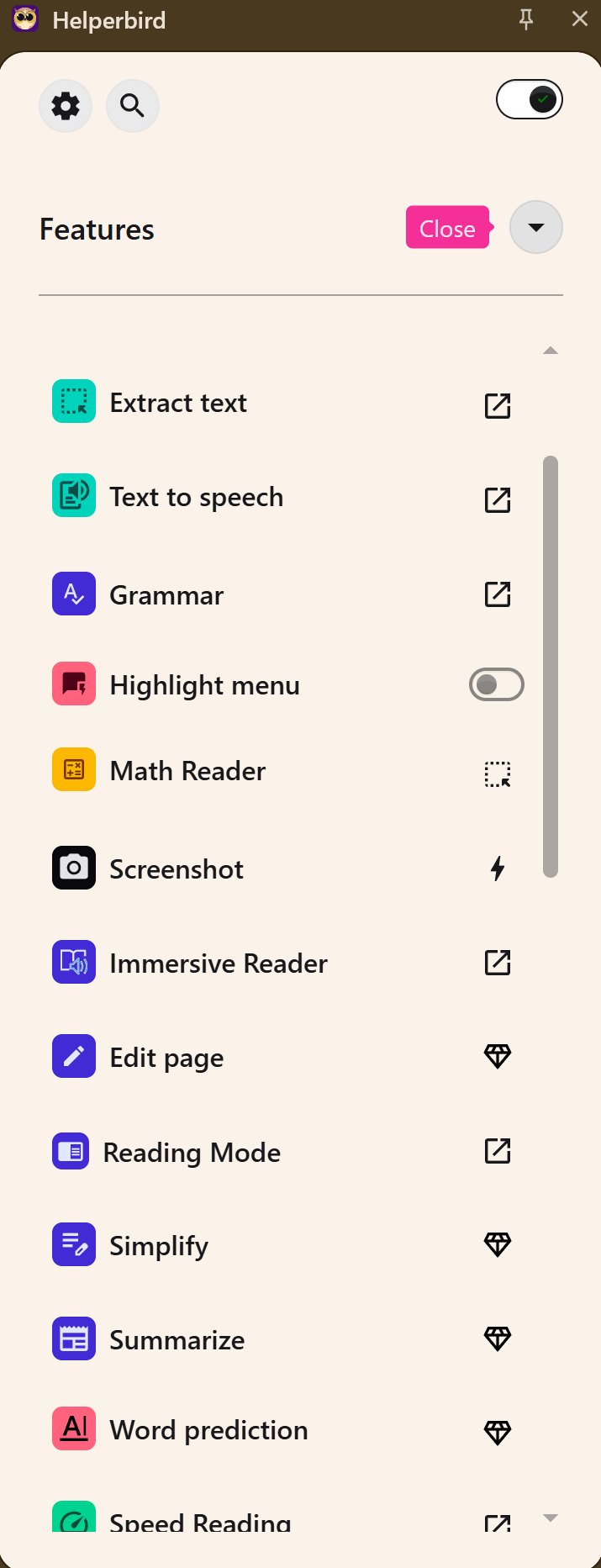
- Reading Tools: Distraction-free reading mode, immersive reader with adjustable settings, text-to-speech functionality, and dyslexia-friendly fonts.
- Writing and Study Tools: Voice typing, word prediction, sticky notes, text statistics, and OCR capabilities.
- Browser and Accessibility Tweaks: Custom cursor options, auto-scroll, video mute, keyboard shortcuts, and visual overlays.
The extension offers a free version with essential features and a Pro version at $30 per year, which unlocks advanced customization options and additional tools beneficial for users who spend significant time online.
Overall, Helperbird is praised for its practical solutions to accessibility challenges and its deep customization options that make the web more navigable and comfortable. For those who often find online reading overwhelming, Helperbird is a valuable resource worth exploring, starting with its free version to assess its impact on their web experience.
In summary, Helperbird continues to evolve as a vital tool for enhancing accessibility and productivity online, providing users with the means to tailor their digital environments to better suit their individual needs. As technology advances, accessibility tools like Helperbird will play an increasingly important role in creating inclusive online spaces where everyone can thrive
With a comprehensive suite of features, Helperbird allows users to customize their online experience significantly. Users can modify fonts, spacing, colors, and reading modes, and even access text-to-speech functionalities, all of which can be tailored to individual preferences. The extension's capabilities are designed to follow users across different websites, ensuring a consistent and personalized browsing experience.
A standout feature of Helperbird is its Dyslexia and Focus rulers, which highlight specific text sections while dimming surrounding content to help maintain focus. This innovative approach to curating attention has received positive feedback from users with dyslexia and ADD, making reading and proofreading tasks more manageable.
Helperbird maintains compatibility with popular browsers like Chrome, Firefox, Edge, and Safari, as well as iPads and iPhones. This flexibility allows for seamless integration into users' existing workflows.
Key features include:
- Reading Tools: Distraction-free reading mode, immersive reader with adjustable settings, text-to-speech functionality, and dyslexia-friendly fonts.
- Writing and Study Tools: Voice typing, word prediction, sticky notes, text statistics, and OCR capabilities.
- Browser and Accessibility Tweaks: Custom cursor options, auto-scroll, video mute, keyboard shortcuts, and visual overlays.
The extension offers a free version with essential features and a Pro version at $30 per year, which unlocks advanced customization options and additional tools beneficial for users who spend significant time online.
Overall, Helperbird is praised for its practical solutions to accessibility challenges and its deep customization options that make the web more navigable and comfortable. For those who often find online reading overwhelming, Helperbird is a valuable resource worth exploring, starting with its free version to assess its impact on their web experience.
In summary, Helperbird continues to evolve as a vital tool for enhancing accessibility and productivity online, providing users with the means to tailor their digital environments to better suit their individual needs. As technology advances, accessibility tools like Helperbird will play an increasingly important role in creating inclusive online spaces where everyone can thrive
Helperbird 2026.9.17 released
Helperbird is a browser-based accessibility and productivity extension that makes reading, writing, and browsing the web easier for everyone, especially folks with dyslexia, visual stress, ADHD, or anyone who wants a more comfortable online experience.