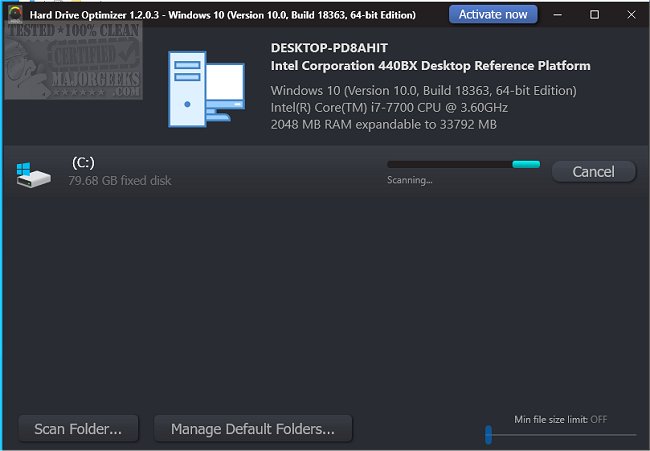
Hard Drive Optimizer version 1.9.0.12 has been released, offering users a convenient tool for analyzing disk space usage and managing large files. This software features a user-friendly interface that allows users to efficiently identify and delete large files occupying significant disk space.
Upon completion of the scanning process, users can review the large files detected and easily select the ones they wish to remove. The software supports drag-and-drop functionality, enabling users to move selected files into a designated collection zone before initiating the deletion process with a simple click of the Delete button. Users can choose to scan either an entire drive or specific folders, tailoring their search to meet individual needs by adding the desired target to the scan and clicking the Scan button.
Hard Drive Optimizer serves as an effective solution for those looking to reclaim valuable disk space by identifying and removing unwarranted large files.
In addition to its core features, users may find it beneficial to explore similar tools and methods for managing disk space, such as utilizing built-in Windows tools like Storage for space management, Disk Cleanup for automated cleaning, and Microsoft DiskUsage for drive space analysis. Overall, Hard Drive Optimizer offers a straightforward and efficient approach to disk space management, making it an ideal choice for users seeking to optimize their storage solutions
Upon completion of the scanning process, users can review the large files detected and easily select the ones they wish to remove. The software supports drag-and-drop functionality, enabling users to move selected files into a designated collection zone before initiating the deletion process with a simple click of the Delete button. Users can choose to scan either an entire drive or specific folders, tailoring their search to meet individual needs by adding the desired target to the scan and clicking the Scan button.
Hard Drive Optimizer serves as an effective solution for those looking to reclaim valuable disk space by identifying and removing unwarranted large files.
In addition to its core features, users may find it beneficial to explore similar tools and methods for managing disk space, such as utilizing built-in Windows tools like Storage for space management, Disk Cleanup for automated cleaning, and Microsoft DiskUsage for drive space analysis. Overall, Hard Drive Optimizer offers a straightforward and efficient approach to disk space management, making it an ideal choice for users seeking to optimize their storage solutions
Hard Drive Optimizer 1.9.0.12 released
Hard Drive Optimizer is designed for quickly analyzing disk space usage and allows large file deletion from a user-friendly interface.