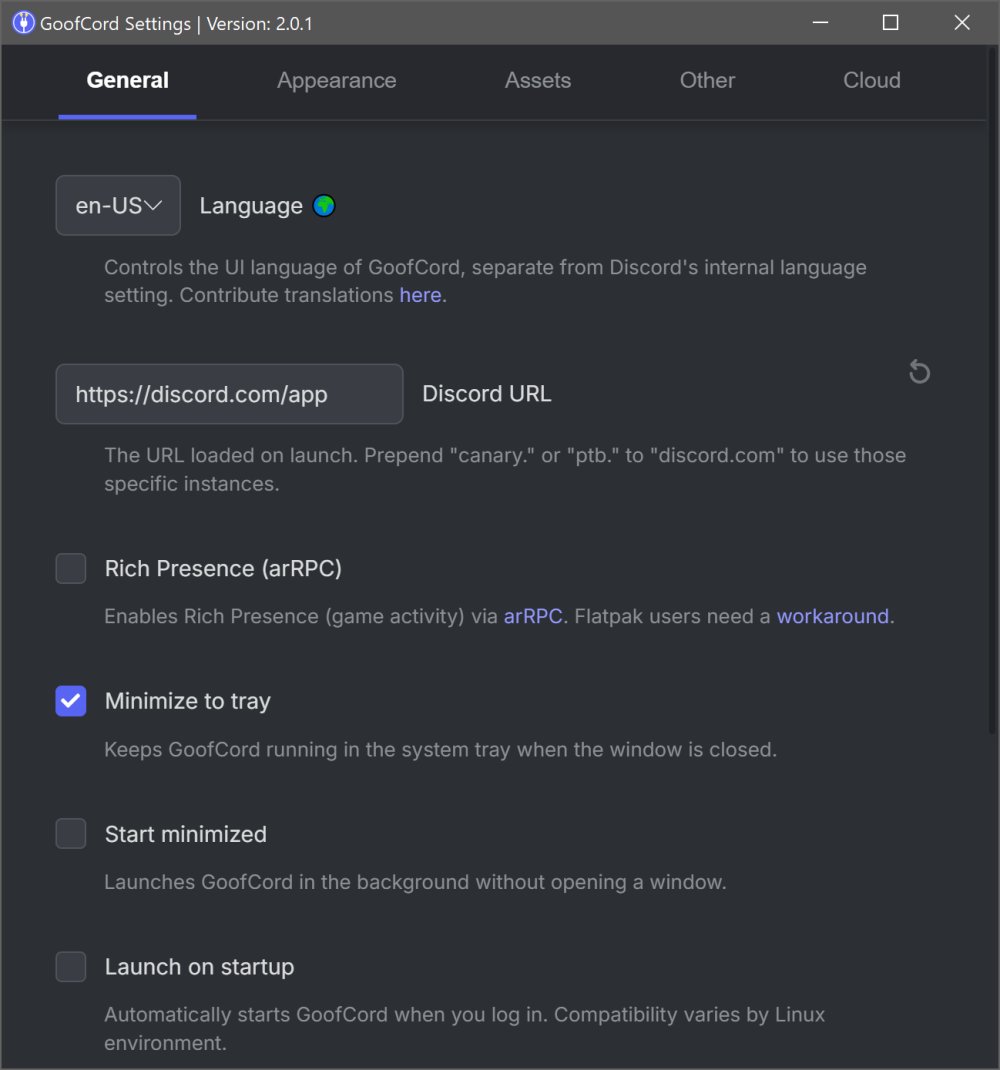
GoofCord 2.1.0 has been released, presenting itself as a free, open-source, privacy-centric alternative to the official Discord client. This application aims to enhance user experience by eliminating tracking, providing extensive customization options, and ensuring a more responsive chat environment. If you find the official Discord app increasingly cumbersome and intrusive regarding your personal data, GoofCord may be a viable option.
This cross-platform client is available for Windows, macOS, and Linux, with a portable version for Windows, making it convenient for users who prefer to run applications from USB drives without installation. However, it is essential to note that utilizing third-party clients like GoofCord technically violates Discord's Terms of Service, which could lead to bans, albeit infrequently.
GoofCord differentiates itself by being a standalone desktop client rather than just a wrapped version of the official app. Its design emphasizes user control, offering features such as optional message encryption and extensive customization capabilities for the user interface. The app manages to incorporate various features while maintaining a user-friendly layout, blocking significant amounts of Discord telemetry by default and providing tools for enhanced privacy.
Key features of GoofCord include:
- A privacy-first approach with built-in tracking blocks.
- Improved performance, especially on older systems.
- No dependency on the official Discord app.
- Support for plugins and themes through community mods like Vencord and Equicord.
- Global keybinds for seamless functionality across systems.
- Robust Linux support, including compatibility with Wayland and audio screen sharing.
While GoofCord may consume slightly more memory than Discord, its optimized settings make it feel faster. Once set up, it operates smoothly and integrates well with system trays, maintaining a familiar interface akin to Discord, making it easy to switch between the two.
In conclusion, GoofCord offers a compelling alternative for users seeking an open-source, customizable, and privacy-focused chat application. It’s particularly well-suited for those who enjoy tweaking software and want to minimize unnecessary bloat. However, users should be aware of the associated risks of using unofficial clients. For further support and community insights, users can visit forums like MajorGeeks.
As GoofCord continues to evolve, users can expect ongoing enhancements and features that prioritize user privacy and customization, making it an attractive option for the Discord community seeking alternatives that respect their digital footprint
This cross-platform client is available for Windows, macOS, and Linux, with a portable version for Windows, making it convenient for users who prefer to run applications from USB drives without installation. However, it is essential to note that utilizing third-party clients like GoofCord technically violates Discord's Terms of Service, which could lead to bans, albeit infrequently.
GoofCord differentiates itself by being a standalone desktop client rather than just a wrapped version of the official app. Its design emphasizes user control, offering features such as optional message encryption and extensive customization capabilities for the user interface. The app manages to incorporate various features while maintaining a user-friendly layout, blocking significant amounts of Discord telemetry by default and providing tools for enhanced privacy.
Key features of GoofCord include:
- A privacy-first approach with built-in tracking blocks.
- Improved performance, especially on older systems.
- No dependency on the official Discord app.
- Support for plugins and themes through community mods like Vencord and Equicord.
- Global keybinds for seamless functionality across systems.
- Robust Linux support, including compatibility with Wayland and audio screen sharing.
While GoofCord may consume slightly more memory than Discord, its optimized settings make it feel faster. Once set up, it operates smoothly and integrates well with system trays, maintaining a familiar interface akin to Discord, making it easy to switch between the two.
In conclusion, GoofCord offers a compelling alternative for users seeking an open-source, customizable, and privacy-focused chat application. It’s particularly well-suited for those who enjoy tweaking software and want to minimize unnecessary bloat. However, users should be aware of the associated risks of using unofficial clients. For further support and community insights, users can visit forums like MajorGeeks.
As GoofCord continues to evolve, users can expect ongoing enhancements and features that prioritize user privacy and customization, making it an attractive option for the Discord community seeking alternatives that respect their digital footprint
GoofCord 2.1.0 released
GoofCord is a free, open-source, privacy-focused alternative Discord client that strips out tracking, adds strong customization options, and gives you a more responsive chat experience without relying on the official Discord app.