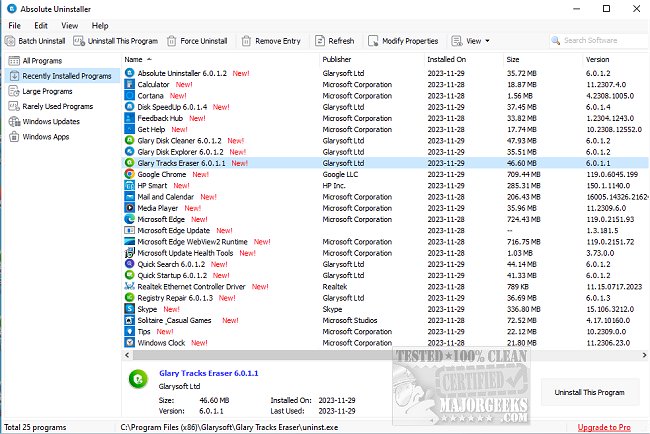
Glarysoft has released version 6.0.1.26 of Absolute Uninstaller, a powerful alternative to the standard Windows Add/Remove Programs feature. Unlike the basic uninstaller, which often leaves behind residual files, broken registry keys, and associated desktop icons, Glarysoft Absolute Uninstaller effectively removes all traces of uninstalled applications. This is crucial for maintaining system performance, as leftover junk files can slow down computer operations over time.
The Uninstall Manager included in Absolute Uninstaller is designed to swiftly clear away unnecessary files and registry entries, enhancing overall efficiency. It offers a more user-friendly experience with a faster startup than the traditional Add/Remove program, displaying all application icons for easy navigation. Users can quickly identify recently installed programs or utilize a search function to find specific applications they wish to uninstall.
In addition to its primary features, Glarysoft Absolute Uninstaller also includes helpful resources for users, such as guides on uninstalling programs not listed in the Control Panel and instructions for manually removing program entries. This tool is indispensable for anyone looking to optimize their system's performance by ensuring a thorough uninstallation process.
Overall, Glarysoft Absolute Uninstaller stands out for its speed, efficiency, and user-friendly interface, making it a valuable asset for maintaining a clean and efficient computing environment
The Uninstall Manager included in Absolute Uninstaller is designed to swiftly clear away unnecessary files and registry entries, enhancing overall efficiency. It offers a more user-friendly experience with a faster startup than the traditional Add/Remove program, displaying all application icons for easy navigation. Users can quickly identify recently installed programs or utilize a search function to find specific applications they wish to uninstall.
In addition to its primary features, Glarysoft Absolute Uninstaller also includes helpful resources for users, such as guides on uninstalling programs not listed in the Control Panel and instructions for manually removing program entries. This tool is indispensable for anyone looking to optimize their system's performance by ensuring a thorough uninstallation process.
Overall, Glarysoft Absolute Uninstaller stands out for its speed, efficiency, and user-friendly interface, making it a valuable asset for maintaining a clean and efficient computing environment
Glarysoft Absolute Uninstaller 6.0.1.26 released
Glarysoft Absolute Uninstaller is similar to the standard Windows Add/Remove program but more powerful.
Glarysoft Absolute Uninstaller 6.0.1.26 released @ MajorGeeks