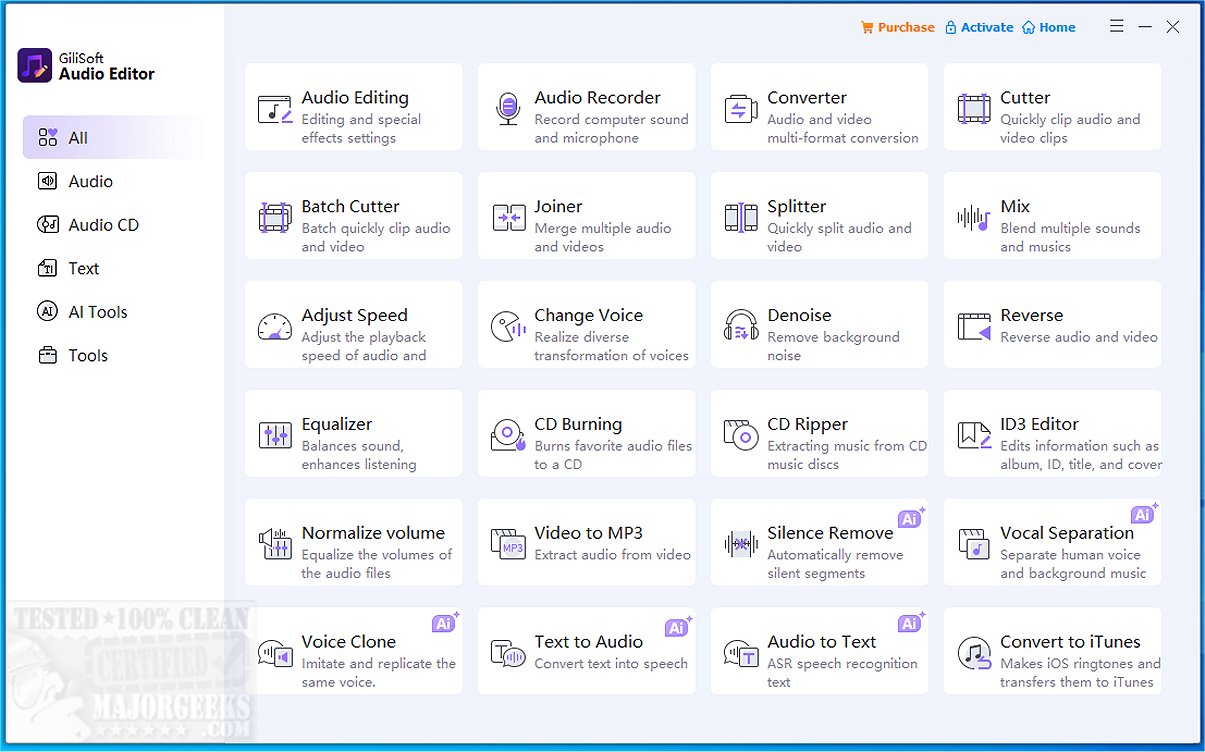
GiliSoft Audio Editor has released version 3.3.0, which is an audio editing tool emphasizing a simple and user-friendly approach for basic audio tasks such as splitting and merging tracks. Users can easily create ringtones, combine multiple audio clips, or manage batch audio files without the complexities of a full-featured audio editing software. The interface is designed for ease of use: simply drag your audio files in, determine cut points or the order of files to join, preview the changes, and export the final product. The software supports a variety of formats, including MP3, WAV, AAC, FLAC, WMA, and M4A, in addition to offering video-to-audio conversion capabilities.
Daily usage scenarios might include extracting a snippet from a favorite song for a ringtone, merging several voice memos into one file, or converting video files to MP3 for presentations. The tool excels at these tasks with minimal effort, making it ideal for users looking for straightforward audio manipulation.
Key features of GiliSoft Audio Editor include:
- Precise trimming of single audio files
- The ability to join multiple audio files simultaneously
- Batch-processing capabilities for efficiency
- A live preview function to hear edits before finalizing
- Support for various audio formats and video-to-MP3 conversions
Pros and cons of the software are as follows:
Pros:
- Extremely intuitive for basic audio tasks
- Fast and efficient batch processing
- Reliable preview feature
Cons:
- Lacks advanced editing features such as multi-track mixing, equalization, or effects
- The interface is basic and lacks visual refinement
- Currently available only for Windows users
In summary, GiliSoft Audio Editor is an excellent choice for users seeking a reliable tool for quick audio trimming, joining, or conversion tasks without the clutter of sophisticated features. While it may not cater to advanced audio production needs, it serves its purpose effectively, making it a solid and dependable option in its niche. Future updates could potentially enhance its interface and expand compatibility to other operating systems, broadening its user base and functionality
Daily usage scenarios might include extracting a snippet from a favorite song for a ringtone, merging several voice memos into one file, or converting video files to MP3 for presentations. The tool excels at these tasks with minimal effort, making it ideal for users looking for straightforward audio manipulation.
Key features of GiliSoft Audio Editor include:
- Precise trimming of single audio files
- The ability to join multiple audio files simultaneously
- Batch-processing capabilities for efficiency
- A live preview function to hear edits before finalizing
- Support for various audio formats and video-to-MP3 conversions
Pros and cons of the software are as follows:
Pros:
- Extremely intuitive for basic audio tasks
- Fast and efficient batch processing
- Reliable preview feature
Cons:
- Lacks advanced editing features such as multi-track mixing, equalization, or effects
- The interface is basic and lacks visual refinement
- Currently available only for Windows users
In summary, GiliSoft Audio Editor is an excellent choice for users seeking a reliable tool for quick audio trimming, joining, or conversion tasks without the clutter of sophisticated features. While it may not cater to advanced audio production needs, it serves its purpose effectively, making it a solid and dependable option in its niche. Future updates could potentially enhance its interface and expand compatibility to other operating systems, broadening its user base and functionality
GiliSoft Audio Editor 3.3.0 released
GiliSoft Audio Editor is an audio tool designed for an uncomplicated, no-frills approach to splitting or merging audio.