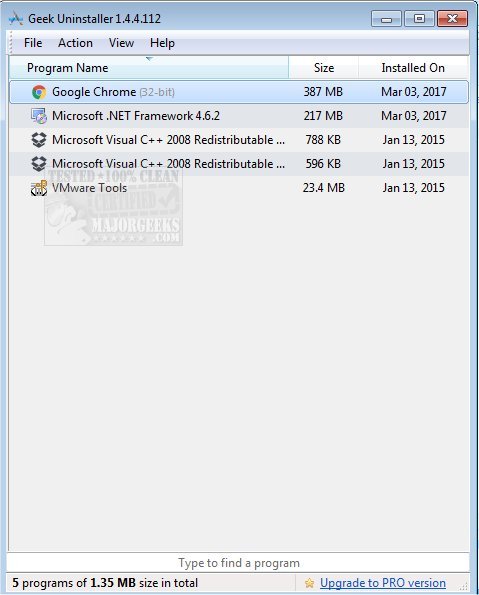
The latest version of Geek Uninstaller, 1.5.5.185, has been released, enhancing its capabilities for deep and efficient scanning post-uninstallation to ensure that all remnants of programs are removed. This utility stands out for its effectiveness in keeping your PC tidy and performing well, as demonstrated in an accompanying video walkthrough.
Why Geek Uninstaller?
If you've struggled with stubborn applications that refuse to fully uninstall, Geek Uninstaller is your solution. Unlike the conventional Windows uninstaller, which often leaves behind residual files and registry entries, Geek Uninstaller is designed to thoroughly cleanse your system. Not only is it lightweight and free, but it also offers portability—making it easy to use on multiple machines without installation.
Key Features of Geek Uninstaller:
- Deep Clean Functionality: Effectively removes not just the application but also any residual files, folders, and registry entries, ensuring a clean system.
- Force Removal: For applications that resist standard uninstallation methods, the Force Removal feature guarantees that nothing is left behind.
- Microsoft Store App Uninstallation: Simplifies the removal of Microsoft Store apps, which can be problematic with native uninstallers.
- Portable and Fast: No installation is necessary; simply download the executable file and run it directly, making it convenient for use on any Windows PC.
- Multilingual Support: Available in over 40 languages, making it accessible to a diverse user base.
- Instant Search: Quickly locate applications with a type-to-search feature, which is particularly useful for users with extensive lists of installed programs.
- HTML Reports: Generate and export a list of installed programs for personal records or to share with IT teams.
Why Choose Geek Uninstaller Over Alternatives?
Geek Uninstaller prioritizes simplicity and efficiency over unnecessary features that often bloat other programs. Its intuitive user interface allows users of all technical levels to navigate effortlessly, making it a reliable tool for uninstalling applications, managing installed data, and optimizing system performance. Advanced users also benefit from access to the Windows Registry and search capabilities for detailed information about programs.
Target Audience for Geek Uninstaller:
- Everyday Users: Ideal for those wanting to maintain a smooth-running PC by removing unused applications.
- IT Professionals: A valuable tool for on-the-go troubleshooting, thanks to its portability and efficiency.
- Gamers and Performance Enthusiasts: Helps in freeing up system resources by thoroughly uninstalling demanding software.
Geek Verdict
In conclusion, Geek Uninstaller is an indispensable utility for anyone wanting to declutter their system and ensure optimal PC performance. It excels in speed, effectiveness, and ease of use, making it suitable for a wide range of users. If you're ready to experience a cleaner, more efficient PC, download Geek Uninstaller today—it's free, portable, and works seamlessly.
Similar Resources:
- How to Uninstall Programs
- How to Uninstall Programs Not Listed in Control Panel
- How to Manually Remove Program Entries from the Apps & Features List
- How to Uninstall Suggested Apps and Ads in Windows 10/11 Settings
By extending your understanding of Geek Uninstaller and its functionalities, you'll be better equipped to manage your system's software and optimize performance effectively
Why Geek Uninstaller?
If you've struggled with stubborn applications that refuse to fully uninstall, Geek Uninstaller is your solution. Unlike the conventional Windows uninstaller, which often leaves behind residual files and registry entries, Geek Uninstaller is designed to thoroughly cleanse your system. Not only is it lightweight and free, but it also offers portability—making it easy to use on multiple machines without installation.
Key Features of Geek Uninstaller:
- Deep Clean Functionality: Effectively removes not just the application but also any residual files, folders, and registry entries, ensuring a clean system.
- Force Removal: For applications that resist standard uninstallation methods, the Force Removal feature guarantees that nothing is left behind.
- Microsoft Store App Uninstallation: Simplifies the removal of Microsoft Store apps, which can be problematic with native uninstallers.
- Portable and Fast: No installation is necessary; simply download the executable file and run it directly, making it convenient for use on any Windows PC.
- Multilingual Support: Available in over 40 languages, making it accessible to a diverse user base.
- Instant Search: Quickly locate applications with a type-to-search feature, which is particularly useful for users with extensive lists of installed programs.
- HTML Reports: Generate and export a list of installed programs for personal records or to share with IT teams.
Why Choose Geek Uninstaller Over Alternatives?
Geek Uninstaller prioritizes simplicity and efficiency over unnecessary features that often bloat other programs. Its intuitive user interface allows users of all technical levels to navigate effortlessly, making it a reliable tool for uninstalling applications, managing installed data, and optimizing system performance. Advanced users also benefit from access to the Windows Registry and search capabilities for detailed information about programs.
Target Audience for Geek Uninstaller:
- Everyday Users: Ideal for those wanting to maintain a smooth-running PC by removing unused applications.
- IT Professionals: A valuable tool for on-the-go troubleshooting, thanks to its portability and efficiency.
- Gamers and Performance Enthusiasts: Helps in freeing up system resources by thoroughly uninstalling demanding software.
Geek Verdict
In conclusion, Geek Uninstaller is an indispensable utility for anyone wanting to declutter their system and ensure optimal PC performance. It excels in speed, effectiveness, and ease of use, making it suitable for a wide range of users. If you're ready to experience a cleaner, more efficient PC, download Geek Uninstaller today—it's free, portable, and works seamlessly.
Similar Resources:
- How to Uninstall Programs
- How to Uninstall Programs Not Listed in Control Panel
- How to Manually Remove Program Entries from the Apps & Features List
- How to Uninstall Suggested Apps and Ads in Windows 10/11 Settings
By extending your understanding of Geek Uninstaller and its functionalities, you'll be better equipped to manage your system's software and optimize performance effectively
Geek Uninstaller 1.5.5.185 released
Geek Uninstaller performs deep and fast scanning after uninstall and removes all leftovers to keep your PC clean and in tip-top shape. Video walkthrough available.