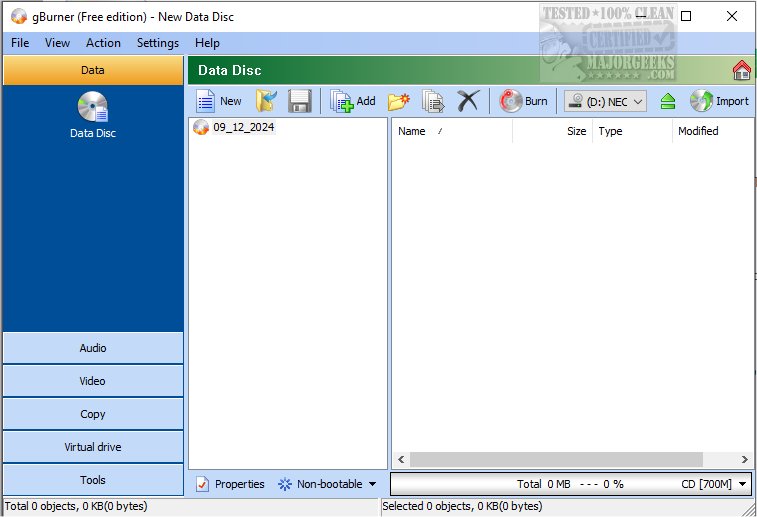
gBurner 5.9 has been released, enhancing its capabilities as a versatile disc burning software for various media types, including CDs, DVDs, and Blu-ray discs. The software also includes gBurner Virtual Drive for added functionality.
With gBurner, users can create a wide array of disc types, such as data discs, audio CDs, and video DVDs. It offers features for producing bootable and multisession discs, making it a comprehensive tool for both burning and authoring tasks. The software allows for the management of disc image files, enabling users to open, create, edit, extract, convert, and burn these files to physical media. It supports various formats including ISO and BIN, further increasing its utility.
gBurner stands out due to its efficient performance and user-friendly interface, which makes it accessible for a wide range of projects. Key features include:
- The ability to create data, audio, and video discs across multiple disc formats.
- Support for multisession discs and bootable data discs.
- Options to copy CDs, DVDs, and Blu-ray discs, as well as erase rewritable discs.
- Functionality for creating bootable USB drives.
- Compatibility with ISO 9660, Joliet, and UDF file systems.
- Support for various audio formats including MP3, WMA, WAV, Flac, APE, and Ogg.
- An auto-detecting engine for analyzing and managing a variety of disc image file types.
- Support for Unicode file names and optimization of file layouts to save disc space.
- Compatibility with virtual disk image files such as WIM, VMDK, VHD, and VDI, as well as disk images with FAT, NTFS, and EXT partitions.
- A simple, intuitive interface that allows for drag-and-drop functionality, context menu access, and clipboard support.
In summary, gBurner 5.9 provides a robust solution for all disc burning needs, combining a wide range of features with ease of use, making it suitable for both casual users and professionals alike. Users looking for an efficient and reliable tool for disc management will find gBurner to be a dependable choice. Future updates may continue to expand its capabilities, potentially adding support for more formats and enhancing user experience even further
With gBurner, users can create a wide array of disc types, such as data discs, audio CDs, and video DVDs. It offers features for producing bootable and multisession discs, making it a comprehensive tool for both burning and authoring tasks. The software allows for the management of disc image files, enabling users to open, create, edit, extract, convert, and burn these files to physical media. It supports various formats including ISO and BIN, further increasing its utility.
gBurner stands out due to its efficient performance and user-friendly interface, which makes it accessible for a wide range of projects. Key features include:
- The ability to create data, audio, and video discs across multiple disc formats.
- Support for multisession discs and bootable data discs.
- Options to copy CDs, DVDs, and Blu-ray discs, as well as erase rewritable discs.
- Functionality for creating bootable USB drives.
- Compatibility with ISO 9660, Joliet, and UDF file systems.
- Support for various audio formats including MP3, WMA, WAV, Flac, APE, and Ogg.
- An auto-detecting engine for analyzing and managing a variety of disc image file types.
- Support for Unicode file names and optimization of file layouts to save disc space.
- Compatibility with virtual disk image files such as WIM, VMDK, VHD, and VDI, as well as disk images with FAT, NTFS, and EXT partitions.
- A simple, intuitive interface that allows for drag-and-drop functionality, context menu access, and clipboard support.
In summary, gBurner 5.9 provides a robust solution for all disc burning needs, combining a wide range of features with ease of use, making it suitable for both casual users and professionals alike. Users looking for an efficient and reliable tool for disc management will find gBurner to be a dependable choice. Future updates may continue to expand its capabilities, potentially adding support for more formats and enhancing user experience even further
gBurner 5.9 released
gBurner efficiently burns various discs, like CDs, DVDs, and Blu-ray. gBurner Virtual Drive is also available.