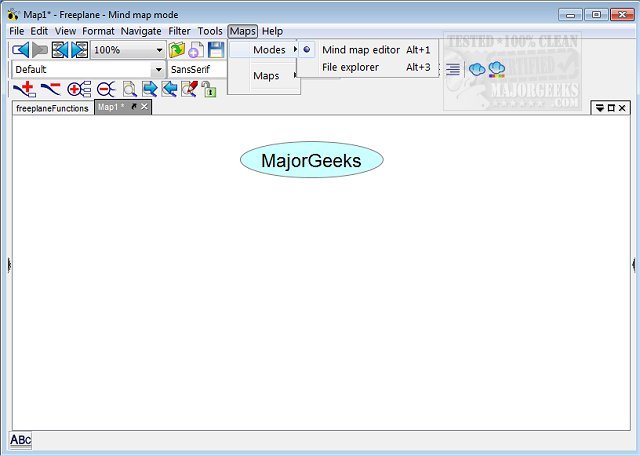
Freeplane 1.12.17 has been released, enhancing this versatile mind-mapping application designed for efficient organization and retention of brainstorming ideas. The software is compatible with any operating system that supports a current version of Java, making it widely accessible.
Freeplane's user interface, while packed with features, is user-friendly and allows for the easy insertion of various elements into mind maps, such as symbols (e.g., question marks, stars) and templates to streamline the creation process. Users can manage multiple projects simultaneously through its support for multiple tabs.
Key features of Freeplane include:
- Note-taking: Users can create freely positionable, unconnected nodes, similar to post-it notes.
- Hierarchy and Classification: Ideas can be organized into a hierarchy with connected nodes, and classified using metadata and various style types.
- Visual Grouping: Nodes can be grouped visually using containers and summary nodes.
- Dynamic Connections: The app supports various connection types, including dynamic links and free lines.
- Automated Styling: Nodes can be automatically styled based on their hierarchical level or content.
- Content Structuring: Users can structure nodes with diverse content types, such as text, images, and hyperlinks.
- View Management: The app allows users to change views by folding branches, filtering, and hiding content.
- Task Management: Features include calendars and reminders.
- Security: The application enables password protection for entire maps or individual nodes using DES encryption.
- Usability Enhancements: Freeplane includes inline editors, hotkeys, and drag-and-drop functionality for ease of use.
- Advanced Search: The approximate search feature helps locate terms even without exact matches.
- LaTeX Support: Users can incorporate LaTeX formulae directly within nodes.
- Extensibility: The application can be enhanced through add-ons and custom scripts.
- Integration: Freeplane can integrate with the Docear academic literature suite, enhancing its utility for academic users.
- Support Resources: Extensive support is available through a dedicated Wiki, Forum, and tutorial documentation presented in mind map format.
In summary, Freeplane 1.12.17 is an essential tool for individuals and teams seeking to organize thoughts and ideas efficiently. Its combination of features, usability, and support makes it a powerful resource for both casual and professional mind mapping. With ongoing updates and community engagement, Freeplane continues to evolve, catering to the needs of its users
Freeplane's user interface, while packed with features, is user-friendly and allows for the easy insertion of various elements into mind maps, such as symbols (e.g., question marks, stars) and templates to streamline the creation process. Users can manage multiple projects simultaneously through its support for multiple tabs.
Key features of Freeplane include:
- Note-taking: Users can create freely positionable, unconnected nodes, similar to post-it notes.
- Hierarchy and Classification: Ideas can be organized into a hierarchy with connected nodes, and classified using metadata and various style types.
- Visual Grouping: Nodes can be grouped visually using containers and summary nodes.
- Dynamic Connections: The app supports various connection types, including dynamic links and free lines.
- Automated Styling: Nodes can be automatically styled based on their hierarchical level or content.
- Content Structuring: Users can structure nodes with diverse content types, such as text, images, and hyperlinks.
- View Management: The app allows users to change views by folding branches, filtering, and hiding content.
- Task Management: Features include calendars and reminders.
- Security: The application enables password protection for entire maps or individual nodes using DES encryption.
- Usability Enhancements: Freeplane includes inline editors, hotkeys, and drag-and-drop functionality for ease of use.
- Advanced Search: The approximate search feature helps locate terms even without exact matches.
- LaTeX Support: Users can incorporate LaTeX formulae directly within nodes.
- Extensibility: The application can be enhanced through add-ons and custom scripts.
- Integration: Freeplane can integrate with the Docear academic literature suite, enhancing its utility for academic users.
- Support Resources: Extensive support is available through a dedicated Wiki, Forum, and tutorial documentation presented in mind map format.
In summary, Freeplane 1.12.17 is an essential tool for individuals and teams seeking to organize thoughts and ideas efficiently. Its combination of features, usability, and support makes it a powerful resource for both casual and professional mind mapping. With ongoing updates and community engagement, Freeplane continues to evolve, catering to the needs of its users
Freeplane 1.12.17 released
Freeplane is a mind-mapping app that gives you the perfect vehicle for keeping your brainstorming session ideas organized and saved.