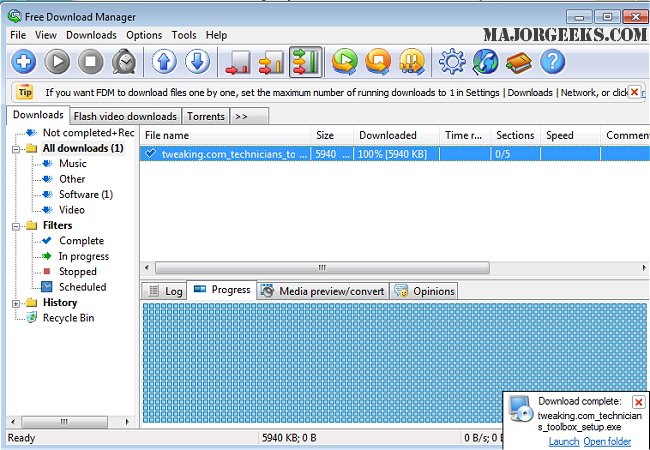
The latest versions of Free Download Manager (FDM), specifically 6.36.0 and the Lite version 3.9.7.1641, have been released, offering enhanced features for users seeking efficient file downloading solutions. FDM is a powerful download management tool that allows users to download individual files or entire websites from remote servers using FTP, HTTP, and HTTPS protocols. For added convenience, both Lite and Pro versions have portable options available.
One of the distinguishing features of FDM is its ability to split files into multiple segments, enabling simultaneous downloads that can boost overall download speeds by up to 600%. Users receive notifications if a server does not support resuming downloads, allowing them to make informed decisions about proceeding with the download. The program also facilitates file organization by type, enabling users to categorize their downloads into predefined folders efficiently.
Additionally, FDM includes a smart scheduler that allows users to automate download tasks—such as starting or pausing downloads and performing various actions at scheduled times, like launching applications or managing internet connections. Users can also adjust traffic usage settings to optimize web browsing speeds, particularly beneficial for those with slower connections.
In conclusion, Free Download Manager is a versatile tool that enhances the downloading experience by providing speed, organization, and automation features. It is particularly useful for users who frequently download large files or require efficient management of their online resources. As the digital landscape continues to evolve, tools like FDM will remain essential for managing downloads effectively.
For further insights, users can explore related topics such as the advantages of using a download manager, tips for monitoring internet usage, and strategies for improving wireless network performance
One of the distinguishing features of FDM is its ability to split files into multiple segments, enabling simultaneous downloads that can boost overall download speeds by up to 600%. Users receive notifications if a server does not support resuming downloads, allowing them to make informed decisions about proceeding with the download. The program also facilitates file organization by type, enabling users to categorize their downloads into predefined folders efficiently.
Additionally, FDM includes a smart scheduler that allows users to automate download tasks—such as starting or pausing downloads and performing various actions at scheduled times, like launching applications or managing internet connections. Users can also adjust traffic usage settings to optimize web browsing speeds, particularly beneficial for those with slower connections.
In conclusion, Free Download Manager is a versatile tool that enhances the downloading experience by providing speed, organization, and automation features. It is particularly useful for users who frequently download large files or require efficient management of their online resources. As the digital landscape continues to evolve, tools like FDM will remain essential for managing downloads effectively.
For further insights, users can explore related topics such as the advantages of using a download manager, tips for monitoring internet usage, and strategies for improving wireless network performance
Free Download Manager 6.36.0 / 3.9.7.1641 Lite released
Free Download Manager (FDM) is a robust download management program that permits downloading files and whole websites from any remote server via FTP, HTTP, and HTTPS. Portable version for Lite and Pro also available.
Free Download Manager 6.36.0 / 3.9.7.1641 Lite released @ MajorGeeks