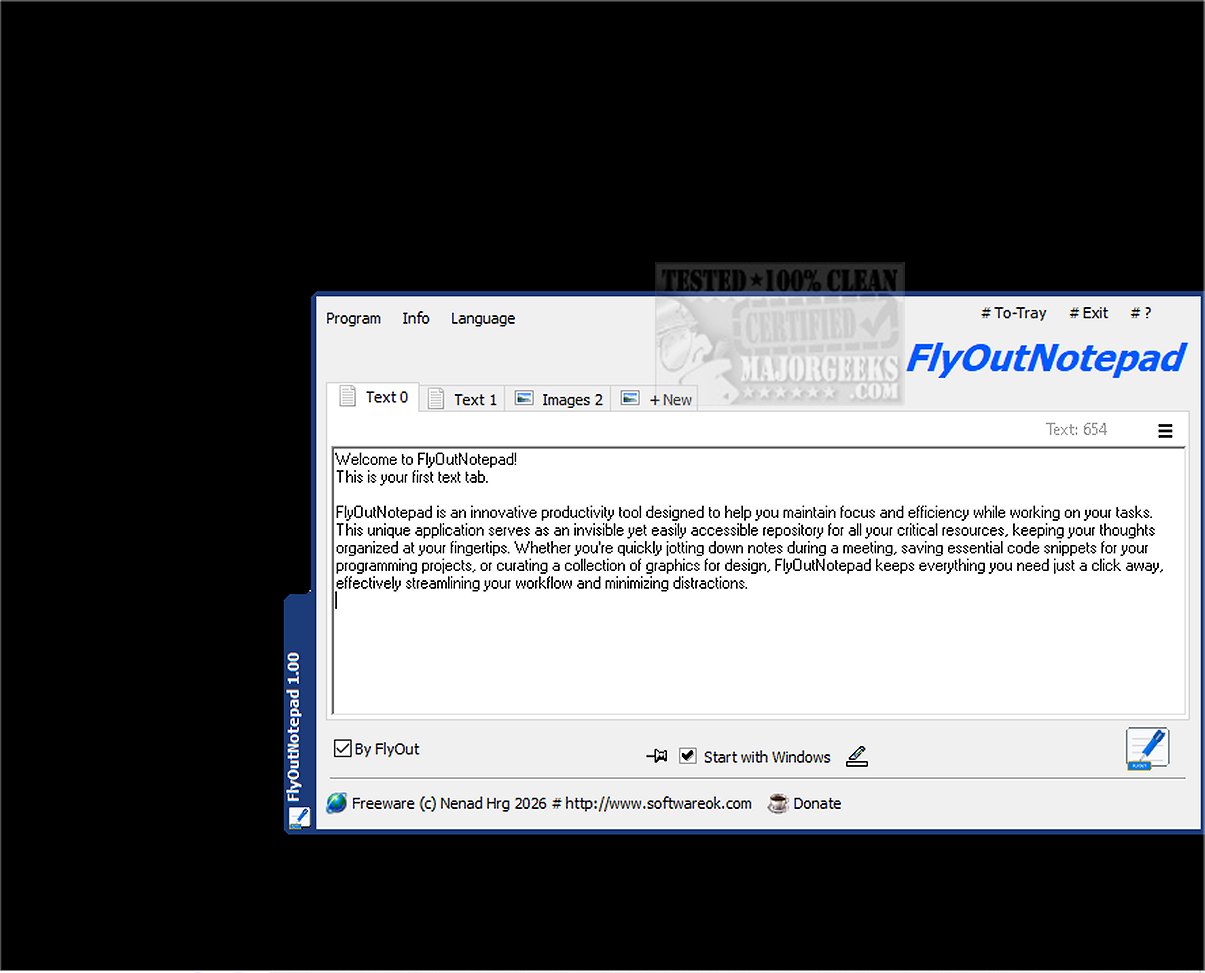
FlyOutNotepad 1.06 has been released, highlighting its capabilities as a robust tool for efficiently managing text, code snippets, and graphics. This innovative application is designed to enhance productivity by providing an invisible yet accessible repository for crucial resources, keeping your thoughts organized and just a click away. It is particularly useful for quickly jotting down notes during meetings, saving essential code for programming, or curating graphics for design work, all while streamlining workflow and reducing distractions.
One of the key features of FlyOutNotepad is its easy docking functionality, allowing it to attach to any edge of the screen without occupying excessive space. It supports bidirectional Drag & Drop, enabling effortless transfer of text and images between the application and others, which significantly enhances multitasking efficiency. With 20 available tabs, users can categorize and organize their notes and snippets intuitively, making it easy to switch between various projects. The auto-save feature further ensures that your work is consistently saved, allowing you to concentrate on your tasks without worry.
FlyOutNotepad also offers a portable mode for advanced users. By renaming the executable file, users can run it from any location while keeping their settings intact, which is ideal for those who need flexibility in their workflows.
Built with performance in mind, FlyOutNotepad is developed in C++ using the Windows Template Library, ensuring a fast and lightweight user experience that doesn’t compromise system resources. This makes it an excellent choice for developers, designers, and anyone seeking a streamlined approach to note-taking and resource organization.
In addition to its core functionalities, FlyOutNotepad's user-friendly interface and advanced features make it a valuable companion for enhancing productivity and efficiency in various tasks. As the landscape of productivity tools continues to evolve, FlyOutNotepad stands out as a reliable solution for anyone looking to optimize their workflow.
For those interested in maximizing their use of FlyOutNotepad, additional resources such as guides on adding context menu options, backing up Sticky Notes, and uninstalling unwanted apps in Windows 10 & 11 may also be helpful
One of the key features of FlyOutNotepad is its easy docking functionality, allowing it to attach to any edge of the screen without occupying excessive space. It supports bidirectional Drag & Drop, enabling effortless transfer of text and images between the application and others, which significantly enhances multitasking efficiency. With 20 available tabs, users can categorize and organize their notes and snippets intuitively, making it easy to switch between various projects. The auto-save feature further ensures that your work is consistently saved, allowing you to concentrate on your tasks without worry.
FlyOutNotepad also offers a portable mode for advanced users. By renaming the executable file, users can run it from any location while keeping their settings intact, which is ideal for those who need flexibility in their workflows.
Built with performance in mind, FlyOutNotepad is developed in C++ using the Windows Template Library, ensuring a fast and lightweight user experience that doesn’t compromise system resources. This makes it an excellent choice for developers, designers, and anyone seeking a streamlined approach to note-taking and resource organization.
In addition to its core functionalities, FlyOutNotepad's user-friendly interface and advanced features make it a valuable companion for enhancing productivity and efficiency in various tasks. As the landscape of productivity tools continues to evolve, FlyOutNotepad stands out as a reliable solution for anyone looking to optimize their workflow.
For those interested in maximizing their use of FlyOutNotepad, additional resources such as guides on adding context menu options, backing up Sticky Notes, and uninstalling unwanted apps in Windows 10 & 11 may also be helpful
FlyOutNotepad 1.06 released
FlyOutNotepad is a powerful tool specifically designed to seamlessly manage text, code snippets, and graphics, allowing you to transfer information between various programs at remarkable speeds.