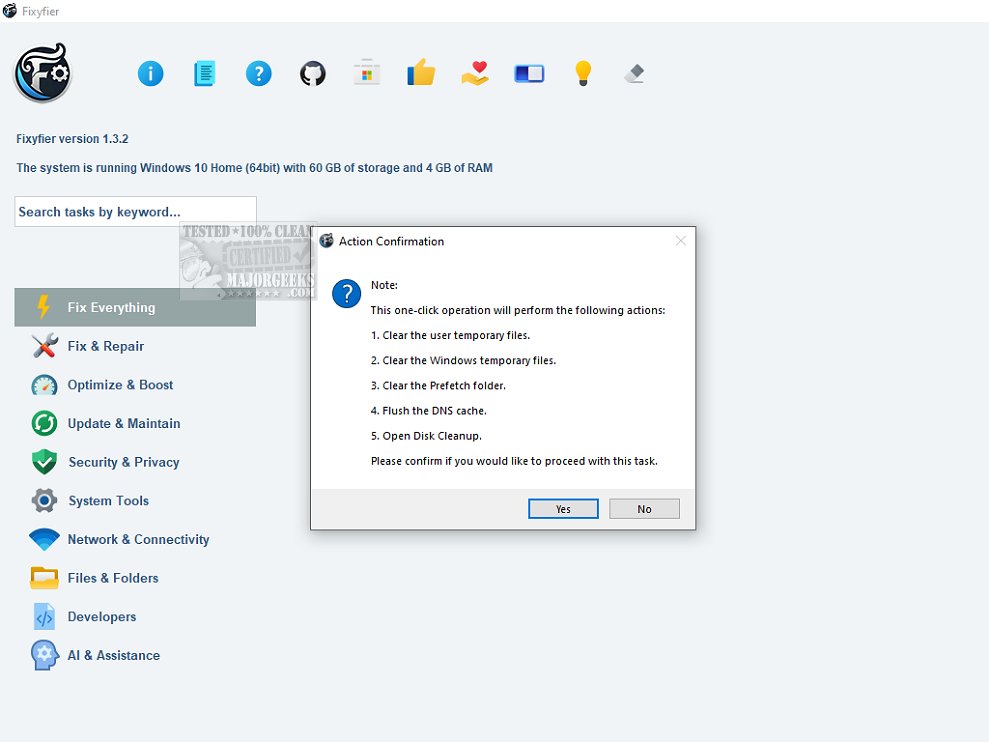
Fixyfier is a robust software tool designed to tackle a wide range of common issues within the Windows operating system. Its primary goal is to provide users—both IT professionals and everyday users—with user-friendly tools to repair, tweak, and optimize their systems effectively.
What Fixyfier Offers
Fixyfier consolidates various native Windows repair tools, such as DISM (Deployment Imaging Service and Management Tool), SFC (System File Checker), and Windows Troubleshooters, into a single, streamlined interface. This eliminates the need for users to remember complex commands or navigate through multiple menus when addressing system issues.
Users can efficiently resolve a multitude of problems, including network connectivity issues and system file corruption, all from one centralized location. By employing AI-driven analysis, Fixyfier offers tailored suggestions to expedite diagnosing and fixing common PC problems, thereby enhancing system performance and stability.
Key Features
- Unified Toolset: Access various built-in repair features, including System File Checker and network diagnostics, from a single interface to restore damaged files and troubleshoot issues without the need for a full system reinstall.
- Health Monitoring: Fixyfier provides immediate feedback on your system’s health, generating detailed reports on repairs and fixes applied. Continuous health checks ensure that performance and resource usage are monitored, allowing users to identify potential issues proactively.
- Log Generation: Users can create logs, such as event logs or error reports, for further analysis and troubleshooting. This feature is particularly useful for diagnosing recurring problems.
- Batch File Creation: For users needing to repeat repairs, Fixyfier allows the generation of batch files, making it easier to automate or schedule repairs.
Conclusion and Verdict
Overall, Fixyfier 5.5.1 stands out as an excellent solution for users looking to effortlessly optimize and troubleshoot their Windows systems. Its user-friendly design and efficient tools make it an essential asset for anyone aiming to improve their computer's performance and stability. With its comprehensive features and proactive health monitoring capabilities, Fixyfier is poised to be a go-to resource for effective system maintenance.
Future Enhancements
Looking ahead, potential updates may include expanded compatibility with newer Windows versions, enhanced AI capabilities for even more personalized troubleshooting recommendations, and additional tools for advanced users seeking deeper system customization. As technology evolves, Fixyfier could incorporate cloud-based features for remote diagnostics and repair, further solidifying its role as a leader in Windows system optimization
What Fixyfier Offers
Fixyfier consolidates various native Windows repair tools, such as DISM (Deployment Imaging Service and Management Tool), SFC (System File Checker), and Windows Troubleshooters, into a single, streamlined interface. This eliminates the need for users to remember complex commands or navigate through multiple menus when addressing system issues.
Users can efficiently resolve a multitude of problems, including network connectivity issues and system file corruption, all from one centralized location. By employing AI-driven analysis, Fixyfier offers tailored suggestions to expedite diagnosing and fixing common PC problems, thereby enhancing system performance and stability.
Key Features
- Unified Toolset: Access various built-in repair features, including System File Checker and network diagnostics, from a single interface to restore damaged files and troubleshoot issues without the need for a full system reinstall.
- Health Monitoring: Fixyfier provides immediate feedback on your system’s health, generating detailed reports on repairs and fixes applied. Continuous health checks ensure that performance and resource usage are monitored, allowing users to identify potential issues proactively.
- Log Generation: Users can create logs, such as event logs or error reports, for further analysis and troubleshooting. This feature is particularly useful for diagnosing recurring problems.
- Batch File Creation: For users needing to repeat repairs, Fixyfier allows the generation of batch files, making it easier to automate or schedule repairs.
Conclusion and Verdict
Overall, Fixyfier 5.5.1 stands out as an excellent solution for users looking to effortlessly optimize and troubleshoot their Windows systems. Its user-friendly design and efficient tools make it an essential asset for anyone aiming to improve their computer's performance and stability. With its comprehensive features and proactive health monitoring capabilities, Fixyfier is poised to be a go-to resource for effective system maintenance.
Future Enhancements
Looking ahead, potential updates may include expanded compatibility with newer Windows versions, enhanced AI capabilities for even more personalized troubleshooting recommendations, and additional tools for advanced users seeking deeper system customization. As technology evolves, Fixyfier could incorporate cloud-based features for remote diagnostics and repair, further solidifying its role as a leader in Windows system optimization
Fixyfier 5.5.1 released
Fixyfier is designed to be a comprehensive software solution for addressing and resolving common issues within the Windows operating system.