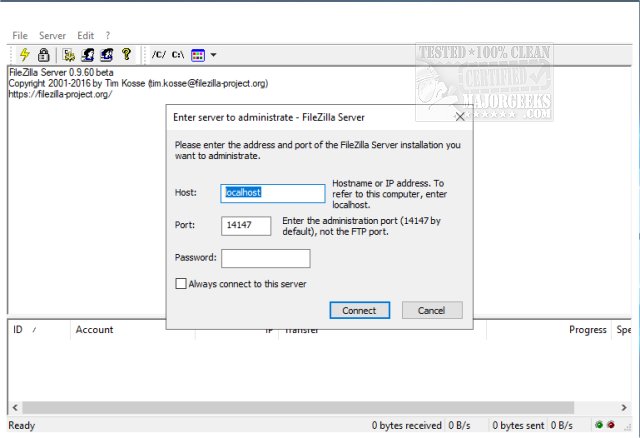
FileZilla Server version 1.12.6 has been released, providing users with a robust solution for managing both local and remote FTP servers on Windows systems. The application supports both 32-Bit and 64-Bit versions of the FileZilla Client, ensuring compatibility across various setups.
This latest version allows administrators to customize several server parameters, including the choice of listening ports, maximum connected user limits, CPU thread allocation, and timeout settings for logins and file transfers. Additionally, FileZilla Server supports passive mode FTP, enabling more flexible connection options, and offers features for adjusting transfer and socket buffer sizes, bandwidth limitations, and file transfer compression—complete with the ability to set exclusions based on IP addresses.
Security remains a key focus, with features like automatic IP address banning after multiple failed login attempts, support for FTP over TLS while excluding unencrypted FTP, and IP filtering capabilities. The application boasts a user-friendly interface and can be easily set up as a Windows service, making it accessible for both novice and experienced users.
In summary, FileZilla Server 1.12.6 enhances FTP server management with customizable settings, robust security features, and ease of use, making it a valuable tool for anyone needing to handle file transfers securely and efficiently. As it continues to evolve, users can expect ongoing improvements and additional features to support their FTP server needs. For those looking to set up an FTP server on Windows 10 or 11, FileZilla Server provides a straightforward and effective solution
This latest version allows administrators to customize several server parameters, including the choice of listening ports, maximum connected user limits, CPU thread allocation, and timeout settings for logins and file transfers. Additionally, FileZilla Server supports passive mode FTP, enabling more flexible connection options, and offers features for adjusting transfer and socket buffer sizes, bandwidth limitations, and file transfer compression—complete with the ability to set exclusions based on IP addresses.
Security remains a key focus, with features like automatic IP address banning after multiple failed login attempts, support for FTP over TLS while excluding unencrypted FTP, and IP filtering capabilities. The application boasts a user-friendly interface and can be easily set up as a Windows service, making it accessible for both novice and experienced users.
In summary, FileZilla Server 1.12.6 enhances FTP server management with customizable settings, robust security features, and ease of use, making it a valuable tool for anyone needing to handle file transfers securely and efficiently. As it continues to evolve, users can expect ongoing improvements and additional features to support their FTP server needs. For those looking to set up an FTP server on Windows 10 or 11, FileZilla Server provides a straightforward and effective solution
FileZilla Server 1.12.6 released
FileZilla Server is a Windows application administered as a local and remote FTP server. FileZilla Client for 32-Bit and 64-Bit are also available.