Fido 1.68 has been released, a PowerShell script developed by the creator of Rufus. This tool provides a user-friendly graphical interface that simplifies the process of downloading retail ISOs for Windows 11, 10, and 8. The motivation behind creating Fido stems from the cumbersome steps users previously had to endure to access Microsoft’s retail ISO download links, which were available but not easily accessible. This new tool aims to enhance user experience by allowing direct access to these downloads.
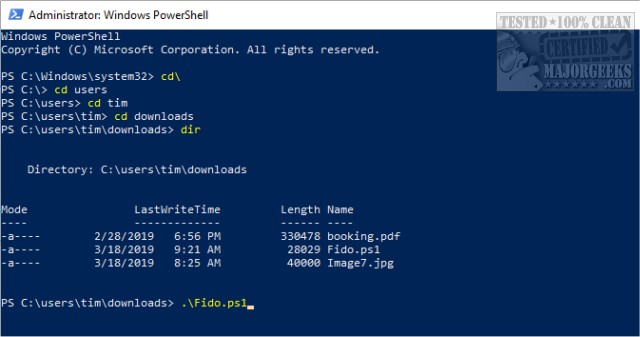
To use Fido, users need to start PowerShell with the Windows Key + X, then run the command Fido.ps1. This action will launch the graphical interface where users can select the desired Windows version (11, 10, or 8.1) and proceed to choose from various available editions, such as Home, Pro, or Education, depending on the selected release.
Additionally, the Fido script comes with a video tutorial to guide users through the process. For those who encounter restricted errors while using Fido, a workaround is provided: executing the command Get-Content .\Fido.ps1 | powershell.exe -noprofile.
Fido stands out as a valuable alternative to other methods of downloading Windows ISOs, including Microsoft's Media Creation Tool, especially when it comes to obtaining older builds. The name "Fido" is also appreciated for its catchy and memorable quality.
In summary, Fido 1.68 simplifies the ISO downloading process for Windows users, making it more accessible and efficient. As digital tools continue to evolve, Fido exemplifies how user needs can drive innovation in software development, addressing common pain points in software accessibility. Future updates and features could further enhance its functionality, such as integrating more versions of Windows, offering advanced filtering options, or improving compatibility with various operating systems
To use Fido, users need to start PowerShell with the Windows Key + X, then run the command Fido.ps1. This action will launch the graphical interface where users can select the desired Windows version (11, 10, or 8.1) and proceed to choose from various available editions, such as Home, Pro, or Education, depending on the selected release.
Additionally, the Fido script comes with a video tutorial to guide users through the process. For those who encounter restricted errors while using Fido, a workaround is provided: executing the command Get-Content .\Fido.ps1 | powershell.exe -noprofile.
Fido stands out as a valuable alternative to other methods of downloading Windows ISOs, including Microsoft's Media Creation Tool, especially when it comes to obtaining older builds. The name "Fido" is also appreciated for its catchy and memorable quality.
In summary, Fido 1.68 simplifies the ISO downloading process for Windows users, making it more accessible and efficient. As digital tools continue to evolve, Fido exemplifies how user needs can drive innovation in software development, addressing common pain points in software accessibility. Future updates and features could further enhance its functionality, such as integrating more versions of Windows, offering advanced filtering options, or improving compatibility with various operating systems
Fido 1.68 released
Fido is a PowerShell script from the creator of Rufus. It features a simple graphical interface for downloading Windows 11, 10, and 8 retail ISOs. A video tutorial is available.