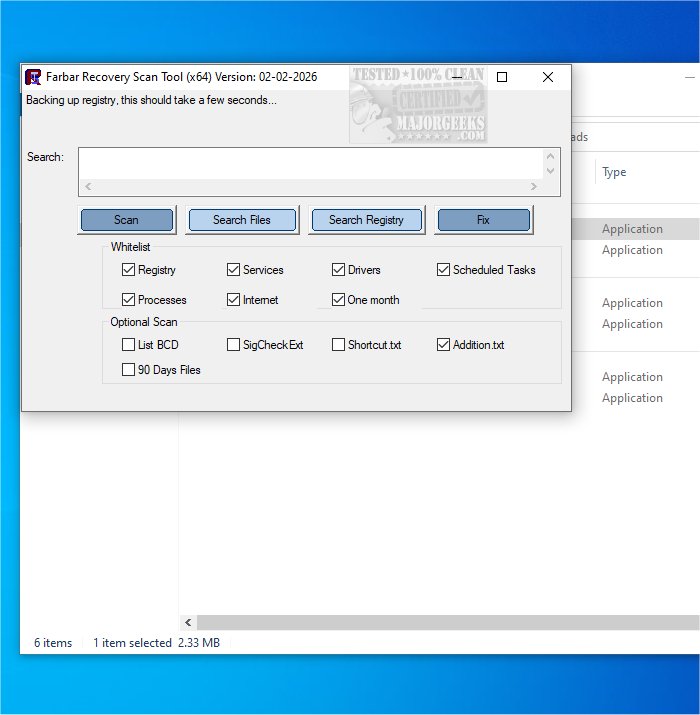
The Farbar Recovery Scan Tool (FRST) has recently released version 18.07.2026, which remains a free and portable application designed to help users diagnose malware-related issues on their systems. It is compatible with both 32-Bit and 64-Bit Windows operating systems. One of FRST's notable features is its ability to operate within the Windows Recovery Environment, allowing users to address boot issues effectively.
FRST performs a comprehensive scan of the system, gathering detailed information about critical components such as Windows Registry loading points, services, driver services, known DLLs, and partition specifications. Additionally, it identifies important system files that may have been compromised by malware. The results of the scan are saved in a report titled FRST.txt, which is stored in the same directory as the application for easy access. The report is designed to be user-friendly, making it easier for users to understand the information presented.
For users seeking enhanced protection against malware, it is recommended to download Malwarebytes for real-time scanning and protection. The combination of FRST for diagnosis and Malwarebytes for ongoing protection provides a robust strategy for maintaining system security.
As cybersecurity threats continue to evolve, users should also stay informed about the effectiveness of their antivirus solutions. Regularly updating antivirus software and being aware of when subscriptions expire is crucial for maintaining device safety. Users may wonder about the best antivirus options available and the effectiveness of built-in solutions like Windows Defender in providing adequate protection.
In summary, the Farbar Recovery Scan Tool is a valuable resource for diagnosing potential malware issues, and when paired with comprehensive antivirus software like Malwarebytes, it offers a solid defense against various cyber threats
FRST performs a comprehensive scan of the system, gathering detailed information about critical components such as Windows Registry loading points, services, driver services, known DLLs, and partition specifications. Additionally, it identifies important system files that may have been compromised by malware. The results of the scan are saved in a report titled FRST.txt, which is stored in the same directory as the application for easy access. The report is designed to be user-friendly, making it easier for users to understand the information presented.
For users seeking enhanced protection against malware, it is recommended to download Malwarebytes for real-time scanning and protection. The combination of FRST for diagnosis and Malwarebytes for ongoing protection provides a robust strategy for maintaining system security.
As cybersecurity threats continue to evolve, users should also stay informed about the effectiveness of their antivirus solutions. Regularly updating antivirus software and being aware of when subscriptions expire is crucial for maintaining device safety. Users may wonder about the best antivirus options available and the effectiveness of built-in solutions like Windows Defender in providing adequate protection.
In summary, the Farbar Recovery Scan Tool is a valuable resource for diagnosing potential malware issues, and when paired with comprehensive antivirus software like Malwarebytes, it offers a solid defense against various cyber threats
Farbar Recovery Scan Tool 18.07.2026 released
Farbar Recovery Scan Tool, or FRST, is a free portable application designed to diagnose malware issues. Also available for 32-Bit.