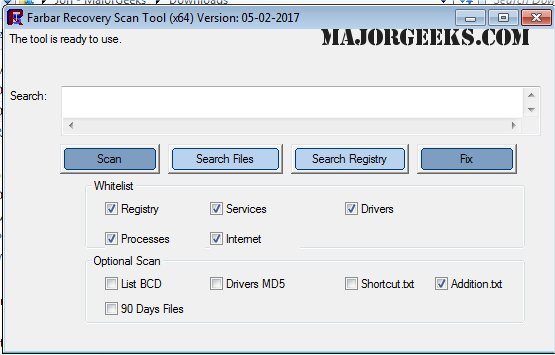
The Farbar Recovery Scan Tool (FRST) version 10.11.2025 has been released as a free, portable application specifically designed to diagnose malware-related issues. It is compatible with both 32-Bit and 64-Bit systems, making it accessible to a wide range of users. FRST offers a quick scanning capability, providing detailed insights into key aspects of the Windows operating system, such as Registry loading points, active services, driver services, Netsvcs entries, known DLLs, drives, and partition specifications. Additionally, it identifies critical system files that may be compromised by malware.
One of the useful features of FRST is its ability to run in the Windows Recovery Environment, allowing users to diagnose and rectify boot issues effectively. After the scan, the results are automatically saved in a text file named FRST.txt, located in the same directory as the application, facilitating easy access to the information.
For those looking for a comprehensive security solution, it is recommended to pair FRST with Malwarebytes, a well-known antivirus and malware protection software, to enhance device security, safeguard personal data, and maintain privacy.
As malware threats continue to evolve, users are encouraged to utilize a combination of tools like FRST and Malwarebytes for optimal protection. It is essential to stay informed about the latest security measures and consider the effectiveness of current antivirus solutions, including Windows Defender, to ensure robust defense against potential vulnerabilities
One of the useful features of FRST is its ability to run in the Windows Recovery Environment, allowing users to diagnose and rectify boot issues effectively. After the scan, the results are automatically saved in a text file named FRST.txt, located in the same directory as the application, facilitating easy access to the information.
For those looking for a comprehensive security solution, it is recommended to pair FRST with Malwarebytes, a well-known antivirus and malware protection software, to enhance device security, safeguard personal data, and maintain privacy.
As malware threats continue to evolve, users are encouraged to utilize a combination of tools like FRST and Malwarebytes for optimal protection. It is essential to stay informed about the latest security measures and consider the effectiveness of current antivirus solutions, including Windows Defender, to ensure robust defense against potential vulnerabilities
Farbar Recovery Scan Tool 10.11.2025 released
Farbar Recovery Scan Tool, or FRST, is a free portable application designed to diagnose malware issues. Also available for 32-Bit.