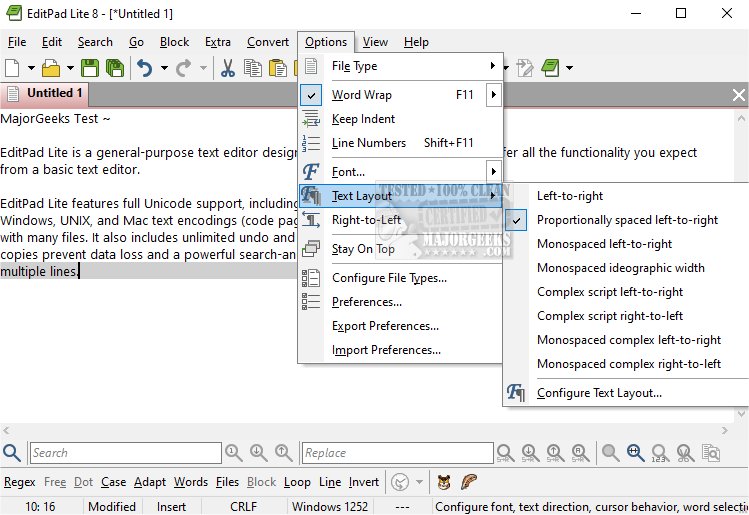
EditPad Lite version 8.6.1 has been released, continuing to serve as a versatile and lightweight text editor that provides essential features without unnecessary bulk. It supports full Unicode functionality, accommodating complex and right-to-left scripts, and allows users to edit text files across various platforms, including Windows, UNIX, and Mac, utilizing different text encodings and line break formats.
The editor boasts a user-friendly tabbed interface, enabling seamless management of multiple files simultaneously. It includes features such as unlimited undo and redo capabilities for all open files, safeguarding against data loss with automatic backups and working copies even after files are saved. Additionally, EditPad Lite incorporates a powerful search and replace function that supports literal search terms and regular expressions that can span multiple lines.
EditPad Lite remains free for personal use, making it an attractive option for individual users seeking a reliable text editing tool.
In addition to its core features, users might also appreciate tips and tricks related to other text editing tools, such as customizing the 'Open With Notepad' context menu, adjusting zoom levels in Notepad, managing Notepad availability in Windows 10 and 11, and utilizing find and replace functions in Notepad or WordPad. Overall, EditPad Lite continues to be a practical choice for users requiring a straightforward yet effective text editing solution
The editor boasts a user-friendly tabbed interface, enabling seamless management of multiple files simultaneously. It includes features such as unlimited undo and redo capabilities for all open files, safeguarding against data loss with automatic backups and working copies even after files are saved. Additionally, EditPad Lite incorporates a powerful search and replace function that supports literal search terms and regular expressions that can span multiple lines.
EditPad Lite remains free for personal use, making it an attractive option for individual users seeking a reliable text editing tool.
In addition to its core features, users might also appreciate tips and tricks related to other text editing tools, such as customizing the 'Open With Notepad' context menu, adjusting zoom levels in Notepad, managing Notepad availability in Windows 10 and 11, and utilizing find and replace functions in Notepad or WordPad. Overall, EditPad Lite continues to be a practical choice for users requiring a straightforward yet effective text editing solution
EditPad Lite 8.6.1 released
EditPad Lite is a general-purpose text editor designed to be small and compact yet offer all the functionality you expect from a basic text editor.