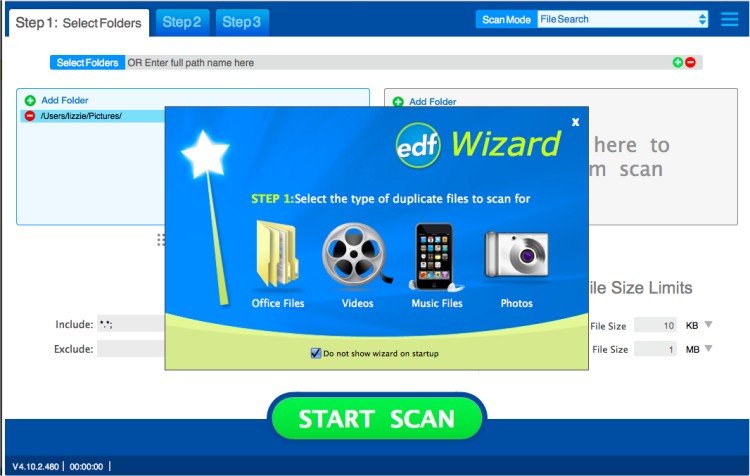
Easy Duplicate Finder has released version 8.0.0.0 / 5.29.0.1109, a powerful tool designed to help users easily locate and delete duplicate files on their PCs. This software addresses the common issue of duplicate files that can take up valuable hard disk space. With its advanced search capabilities, Easy Duplicate Finder quickly identifies real duplicates—files that have identical content—using a robust search engine.
The application offers flexible search settings, allowing users to filter files based on size, masks, and the option to exclude zero-length files. Users can scan selected folders or drives, add multiple locations for a comprehensive search, and enjoy advanced file management that ensures only unnecessary duplicates are removed.
One of the standout features of Easy Duplicate Finder is its user-friendly interface, which caters to all skill levels, making the process of searching for and deleting duplicate files straightforward. Key features include the ability to protect system files and folders, manually select files for deletion, automatically delete all duplicates, open the folder containing selected files, and view file properties.
In addition to its core functionality, users may encounter related issues such as access denials, errors when deleting files or folders, and the need to securely delete files in Windows 10 and 11 using PowerShell. The software addresses these concerns, offering guidance on how to take full ownership of files and folders and troubleshooting errors like "The System Cannot Find the File Specified."
Overall, Easy Duplicate Finder is a comprehensive solution for managing duplicate files, enhancing system performance, and freeing up disk space efficiently
The application offers flexible search settings, allowing users to filter files based on size, masks, and the option to exclude zero-length files. Users can scan selected folders or drives, add multiple locations for a comprehensive search, and enjoy advanced file management that ensures only unnecessary duplicates are removed.
One of the standout features of Easy Duplicate Finder is its user-friendly interface, which caters to all skill levels, making the process of searching for and deleting duplicate files straightforward. Key features include the ability to protect system files and folders, manually select files for deletion, automatically delete all duplicates, open the folder containing selected files, and view file properties.
In addition to its core functionality, users may encounter related issues such as access denials, errors when deleting files or folders, and the need to securely delete files in Windows 10 and 11 using PowerShell. The software addresses these concerns, offering guidance on how to take full ownership of files and folders and troubleshooting errors like "The System Cannot Find the File Specified."
Overall, Easy Duplicate Finder is a comprehensive solution for managing duplicate files, enhancing system performance, and freeing up disk space efficiently
Easy Duplicate Finder 8.0.0.0 / 5.29.0.1109 released
Easy Duplicate Finder will help you to find and delete duplicate files easily.
Easy Duplicate Finder 8.0.0.0 / 5.29.0.1109 released @ MajorGeeks