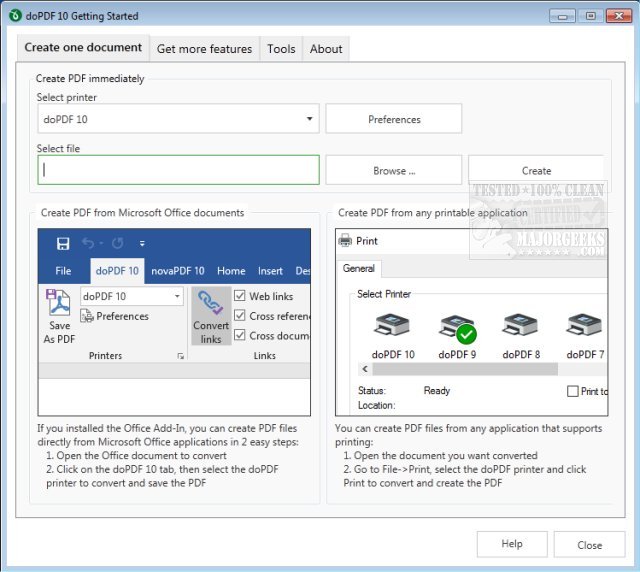
doPDF 11.9.523 has been released, providing users with a powerful and free PDF converter suitable for both personal and commercial use. This software allows users to create searchable PDF files simply by selecting the "Print" command from nearly any application. Whether you're converting documents from Microsoft Excel, Word, or PowerPoint, or even transforming emails and websites into PDF format, doPDF streamlines the process with a one-click solution.
The application functions as a virtual printer driver, appearing in your Printers and Faxes list following installation. To generate a PDF file, users must print their documents to the doPDF converter. After selecting a document from any compatible software, users just need to choose Print, select doPDF, and specify a save location for the resulting PDF. Once the conversion is complete, the PDF file automatically opens in the user's default PDF viewer.
doPDF boasts several features that enhance its usability, including:
- No reliance on Ghostscript
- Customizable resolution settings
- Predefined and custom page sizes
- The ability to create searchable PDFs
- Support for multiple languages
Additionally, users may find related resources helpful, such as guides on creating PDFs in Windows, enabling two-page views for PDFs in Google Chrome, and configuring Microsoft Edge to prevent it from automatically opening PDF and HTML files.
In summary, doPDF stands out as a versatile and user-friendly tool for anyone looking to convert a variety of file types into PDF format effortlessly, making it an essential application for both casual and professional users. Its latest version continues to build on its robust functionality while maintaining ease of use
The application functions as a virtual printer driver, appearing in your Printers and Faxes list following installation. To generate a PDF file, users must print their documents to the doPDF converter. After selecting a document from any compatible software, users just need to choose Print, select doPDF, and specify a save location for the resulting PDF. Once the conversion is complete, the PDF file automatically opens in the user's default PDF viewer.
doPDF boasts several features that enhance its usability, including:
- No reliance on Ghostscript
- Customizable resolution settings
- Predefined and custom page sizes
- The ability to create searchable PDFs
- Support for multiple languages
Additionally, users may find related resources helpful, such as guides on creating PDFs in Windows, enabling two-page views for PDFs in Google Chrome, and configuring Microsoft Edge to prevent it from automatically opening PDF and HTML files.
In summary, doPDF stands out as a versatile and user-friendly tool for anyone looking to convert a variety of file types into PDF format effortlessly, making it an essential application for both casual and professional users. Its latest version continues to build on its robust functionality while maintaining ease of use
doPDF 11.9.523 released
doPDF is a free PDF converter for both personal and commercial use.