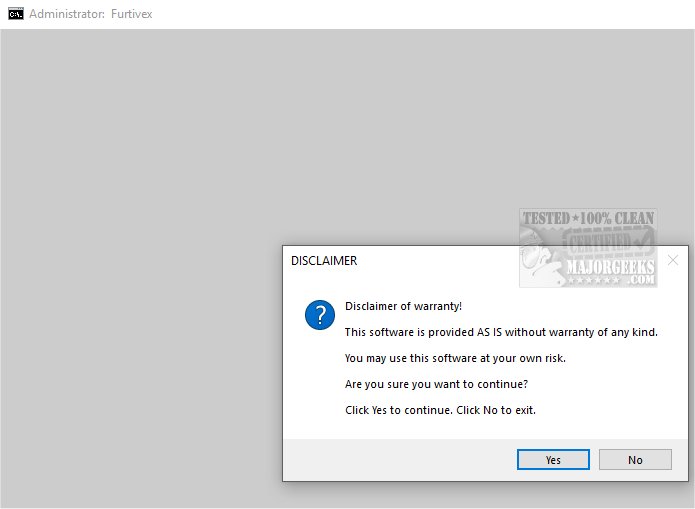
The latest release of DoesNotBelong (version 11.8.3) has been designed to bolster the effectiveness of your existing antivirus software. This script, previously known as Furtivex Malware Removal, provides users with a free, on-demand scanning tool that enhances malware detection and removal capabilities.
DoesNotBelong serves as a comprehensive malware remediation and system optimization tool. While it excels in threat elimination, users should have a basic understanding of Windows system functionalities to utilize some of its features effectively. One of its key attributes is proactive process management, which improves system performance by terminating unnecessary processes while maintaining a whitelist of essential ones. This ensures that critical system functionalities remain operational while also cleaning up all RunOnce entries from the Windows Registry.
Additionally, DoesNotBelong offers a systematic clearing of Event Viewer logs, covering various categories such as Application, Security, Setup, System, and Forwarded Events, which enhances the accessibility of event data. It also cleans cache from popular browsers and applications, optimizing performance while preserving user cookies for secure logins. The tool highlights Windows Defender event viewer logs, particularly focusing on event ID 3002, although this feature is still under development and should not be solely relied upon for infection detection.
Furthermore, DoesNotBelong rectifies potential registry modifications caused by malware, lifts policy restrictions, and enables the functionality of other antivirus software. It also presents crash dump information for troubleshooting, helping users analyze issues with crashed applications. Notably, it disables the 'Show me suggested content in the Settings app' feature in Windows 10 and 11, addressing user concerns about intrusive suggestions.
A significant safety feature of DoesNotBelong is the automatic creation of a System Restore Point titled 'Furtivex Malware Removal Script' during its use. This restore point allows users to revert any changes made by the script if issues arise, provided that System Restore is enabled.
In conclusion, DoesNotBelong is an essential tool for enhancing malware protection, providing users with an additional layer of security against a variety of threats. Its robust features not only ensure a safer online experience but also instill confidence in users regarding their digital security. Embracing DoesNotBelong means investing in peace of mind as you navigate the online world.
As technology continues to evolve, future versions of DoesNotBelong may include even more advanced features, such as deeper integration with cloud-based security systems or AI-driven threat detection capabilities, making it an indispensable asset in the fight against malware and cyber threats
DoesNotBelong serves as a comprehensive malware remediation and system optimization tool. While it excels in threat elimination, users should have a basic understanding of Windows system functionalities to utilize some of its features effectively. One of its key attributes is proactive process management, which improves system performance by terminating unnecessary processes while maintaining a whitelist of essential ones. This ensures that critical system functionalities remain operational while also cleaning up all RunOnce entries from the Windows Registry.
Additionally, DoesNotBelong offers a systematic clearing of Event Viewer logs, covering various categories such as Application, Security, Setup, System, and Forwarded Events, which enhances the accessibility of event data. It also cleans cache from popular browsers and applications, optimizing performance while preserving user cookies for secure logins. The tool highlights Windows Defender event viewer logs, particularly focusing on event ID 3002, although this feature is still under development and should not be solely relied upon for infection detection.
Furthermore, DoesNotBelong rectifies potential registry modifications caused by malware, lifts policy restrictions, and enables the functionality of other antivirus software. It also presents crash dump information for troubleshooting, helping users analyze issues with crashed applications. Notably, it disables the 'Show me suggested content in the Settings app' feature in Windows 10 and 11, addressing user concerns about intrusive suggestions.
A significant safety feature of DoesNotBelong is the automatic creation of a System Restore Point titled 'Furtivex Malware Removal Script' during its use. This restore point allows users to revert any changes made by the script if issues arise, provided that System Restore is enabled.
In conclusion, DoesNotBelong is an essential tool for enhancing malware protection, providing users with an additional layer of security against a variety of threats. Its robust features not only ensure a safer online experience but also instill confidence in users regarding their digital security. Embracing DoesNotBelong means investing in peace of mind as you navigate the online world.
As technology continues to evolve, future versions of DoesNotBelong may include even more advanced features, such as deeper integration with cloud-based security systems or AI-driven threat detection capabilities, making it an indispensable asset in the fight against malware and cyber threats
DoesNotBelong 11.8.3 released
DoesNotBelong (formerly Furtivex Malware Removal) is a script designed to enhance the capabilities of your antivirus software by providing a free, on-demand scanning tool. This additional layer of protection helps identify and eliminate malware threats effectively.