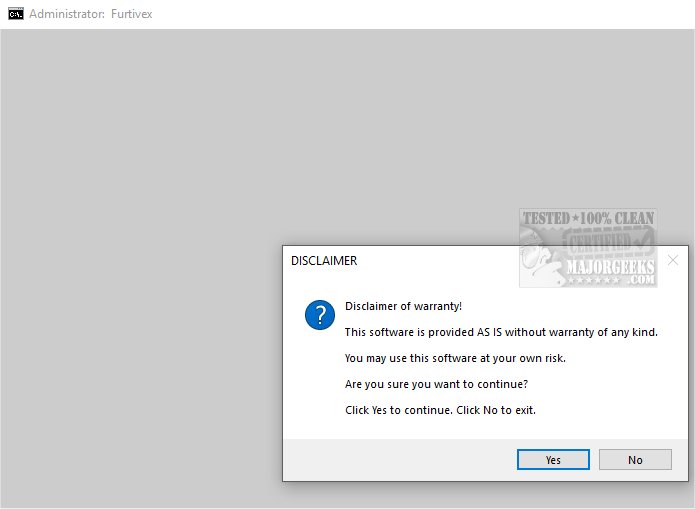
The latest version of DoesNotBelong, previously known as Furtivex Malware Removal, has been launched, providing users with a powerful script designed to augment existing antivirus solutions. This free, on-demand scanning tool offers an additional layer of security, effectively identifying and eliminating malware threats.
Purpose and Functionality
DoesNotBelong serves as a proficient malware remediation tool while also performing system modifications. Users should note that some features may necessitate a basic understanding of Windows internals for optimal usage. This script not only removes malware but also enhances system performance through proactive process management. By terminating non-essential processes and maintaining a small whitelist of crucial tasks, it ensures core functionalities remain intact while streamlining operations. The tool also conducts thorough cleaning of all RunOnce entries within the Windows Registry, further optimizing system performance.
Event Viewer and Cache Management
One of the notable features of DoesNotBelong is its ability to clear various Event Viewer logs, such as Application, Security, Setup, System, and Forwarded Events, thereby improving the clarity of event data. It also removes caches from numerous popular applications and browsers, including Microsoft Edge, Google Chrome, and Mozilla Firefox, which enhances performance without compromising user security by retaining cookies. Additionally, the tool emphasizes Windows Defender event viewer logs but advises users that this feature is still under development.
Registry Repair and Troubleshooting
In addressing potential damage from malware, DoesNotBelong rectifies harmful registry modifications, lifts policy restrictions, and allows the operation of other antivirus programs. It provides crash dump information for analysis, helping users troubleshoot issues with crashed applications. Furthermore, it disables unnecessary Windows 10 and 11 features that some users find intrusive, such as the 'Show me suggested content in the Settings app' option.
During the operation of DoesNotBelong, a System Restore Point is automatically created, allowing users to revert any changes if issues arise, provided System Restore is not disabled.
Conclusion and Recommendation
DoesNotBelong 10.2.1 stands as an essential tool for individuals seeking to bolster their malware defenses. By providing robust security features and optimizing system performance, it ensures a safer digital experience and peace of mind for users. Embrace the comprehensive protection that DoesNotBelong offers, knowing that your online presence is secure from a wide array of threats.
In extension, users are encouraged to regularly update their antivirus software, maintain safe browsing practices, and use tools like DoesNotBelong to enhance their cybersecurity posture. By combining multiple layers of defense, individuals can significantly mitigate the risks associated with malware and ensure a more resilient computing environment
Purpose and Functionality
DoesNotBelong serves as a proficient malware remediation tool while also performing system modifications. Users should note that some features may necessitate a basic understanding of Windows internals for optimal usage. This script not only removes malware but also enhances system performance through proactive process management. By terminating non-essential processes and maintaining a small whitelist of crucial tasks, it ensures core functionalities remain intact while streamlining operations. The tool also conducts thorough cleaning of all RunOnce entries within the Windows Registry, further optimizing system performance.
Event Viewer and Cache Management
One of the notable features of DoesNotBelong is its ability to clear various Event Viewer logs, such as Application, Security, Setup, System, and Forwarded Events, thereby improving the clarity of event data. It also removes caches from numerous popular applications and browsers, including Microsoft Edge, Google Chrome, and Mozilla Firefox, which enhances performance without compromising user security by retaining cookies. Additionally, the tool emphasizes Windows Defender event viewer logs but advises users that this feature is still under development.
Registry Repair and Troubleshooting
In addressing potential damage from malware, DoesNotBelong rectifies harmful registry modifications, lifts policy restrictions, and allows the operation of other antivirus programs. It provides crash dump information for analysis, helping users troubleshoot issues with crashed applications. Furthermore, it disables unnecessary Windows 10 and 11 features that some users find intrusive, such as the 'Show me suggested content in the Settings app' option.
During the operation of DoesNotBelong, a System Restore Point is automatically created, allowing users to revert any changes if issues arise, provided System Restore is not disabled.
Conclusion and Recommendation
DoesNotBelong 10.2.1 stands as an essential tool for individuals seeking to bolster their malware defenses. By providing robust security features and optimizing system performance, it ensures a safer digital experience and peace of mind for users. Embrace the comprehensive protection that DoesNotBelong offers, knowing that your online presence is secure from a wide array of threats.
In extension, users are encouraged to regularly update their antivirus software, maintain safe browsing practices, and use tools like DoesNotBelong to enhance their cybersecurity posture. By combining multiple layers of defense, individuals can significantly mitigate the risks associated with malware and ensure a more resilient computing environment
DoesNotBelong 10.2.1 released
DoesNotBelong (formerly Furtivex Malware Removal) is a script designed to enhance the capabilities of your antivirus software by providing a free, on-demand scanning tool. This additional layer of protection helps identify and eliminate malware threats effectively.