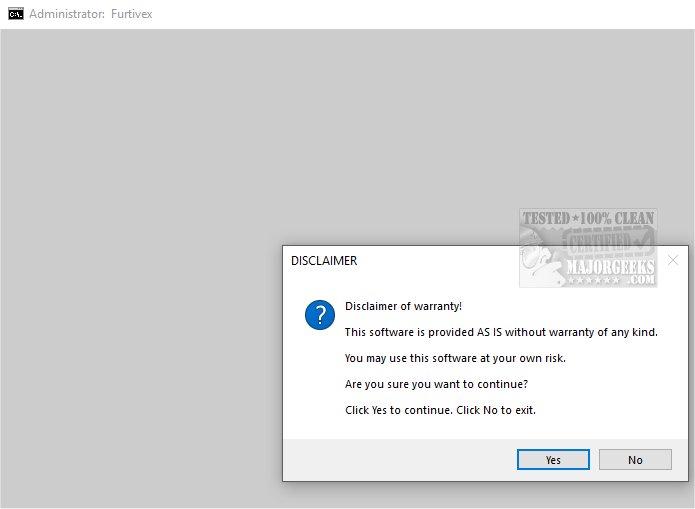
The latest version of DoesNotBelong, previously known as Furtivex Malware Removal, has been officially released. This innovative script serves as a complementary tool to your existing antivirus software, providing an effective, on-demand scanning solution that bolsters your defense against malware threats.
Functionality Overview
DoesNotBelong is meticulously designed to identify and eliminate a range of malware threats. It operates as a remediation and system modification utility, but users should possess a basic understanding of Windows internals to navigate some of its features effectively. A key highlight of the script is its proactive process management—by terminating non-essential processes and maintaining a curated whitelist of critical tasks, it optimizes both system performance and security.
Comprehensive System Maintenance
The script conducts an extensive cleanup of all RunOnce entries in the Windows Registry, ensuring that unnecessary tasks are eliminated while essential services remain functional. Users can also benefit from its logging capabilities, which highlight any missing essential system files, advising users to restore them for enhanced stability.
Event Viewer Management and Cache Clearing
One of DoesNotBelong's features includes a systematic clearing of Event Viewer logs—spanning Application, Security, Setup, System, and Forwarded Events. This not only clarifies event data but also boosts system performance by removing caches from popular browsers and applications while retaining necessary user cookies for a seamless experience. Although the utility currently emphasizes Windows Defender event logs, particularly event ID 3002, this feature remains under development.
Registry Restoration and Crash Diagnostics
DoesNotBelong addresses possible registry modifications caused by malware, reinstating policy restrictions to allow other antivirus programs to function effectively. For users experiencing crashes, the tool provides access to crash dump details, facilitating diagnostics through WinDbg. Additionally, it disables the 'Show me suggested content in the Settings app' option in Windows 10 and 11, offering a less intrusive experience.
Safety Measures
The script automatically creates a System Restore Point during its operation, ensuring that users can revert to a previous state should any problems arise from its actions. However, the restoration feature is contingent upon System Restore being enabled and not disrupted by malware.
Conclusion
In summary, DoesNotBelong is an essential tool for anyone seeking to bolster their malware defense strategy. By providing an additional layer of security, it enhances user protection against various threats, promoting a safer online experience. Users can embrace the peace of mind that comes with knowing their digital presence is secure and well-managed. As malware continues to evolve, tools like DoesNotBelong are indispensable in maintaining a robust system defense
Functionality Overview
DoesNotBelong is meticulously designed to identify and eliminate a range of malware threats. It operates as a remediation and system modification utility, but users should possess a basic understanding of Windows internals to navigate some of its features effectively. A key highlight of the script is its proactive process management—by terminating non-essential processes and maintaining a curated whitelist of critical tasks, it optimizes both system performance and security.
Comprehensive System Maintenance
The script conducts an extensive cleanup of all RunOnce entries in the Windows Registry, ensuring that unnecessary tasks are eliminated while essential services remain functional. Users can also benefit from its logging capabilities, which highlight any missing essential system files, advising users to restore them for enhanced stability.
Event Viewer Management and Cache Clearing
One of DoesNotBelong's features includes a systematic clearing of Event Viewer logs—spanning Application, Security, Setup, System, and Forwarded Events. This not only clarifies event data but also boosts system performance by removing caches from popular browsers and applications while retaining necessary user cookies for a seamless experience. Although the utility currently emphasizes Windows Defender event logs, particularly event ID 3002, this feature remains under development.
Registry Restoration and Crash Diagnostics
DoesNotBelong addresses possible registry modifications caused by malware, reinstating policy restrictions to allow other antivirus programs to function effectively. For users experiencing crashes, the tool provides access to crash dump details, facilitating diagnostics through WinDbg. Additionally, it disables the 'Show me suggested content in the Settings app' option in Windows 10 and 11, offering a less intrusive experience.
Safety Measures
The script automatically creates a System Restore Point during its operation, ensuring that users can revert to a previous state should any problems arise from its actions. However, the restoration feature is contingent upon System Restore being enabled and not disrupted by malware.
Conclusion
In summary, DoesNotBelong is an essential tool for anyone seeking to bolster their malware defense strategy. By providing an additional layer of security, it enhances user protection against various threats, promoting a safer online experience. Users can embrace the peace of mind that comes with knowing their digital presence is secure and well-managed. As malware continues to evolve, tools like DoesNotBelong are indispensable in maintaining a robust system defense
DoesNotBelong 10.1.5 released
DoesNotBelong (formerly Furtivex Malware Removal) is a script designed to enhance the capabilities of your antivirus software by providing a free, on-demand scanning tool. This additional layer of protection helps identify and eliminate malware threats effectively.