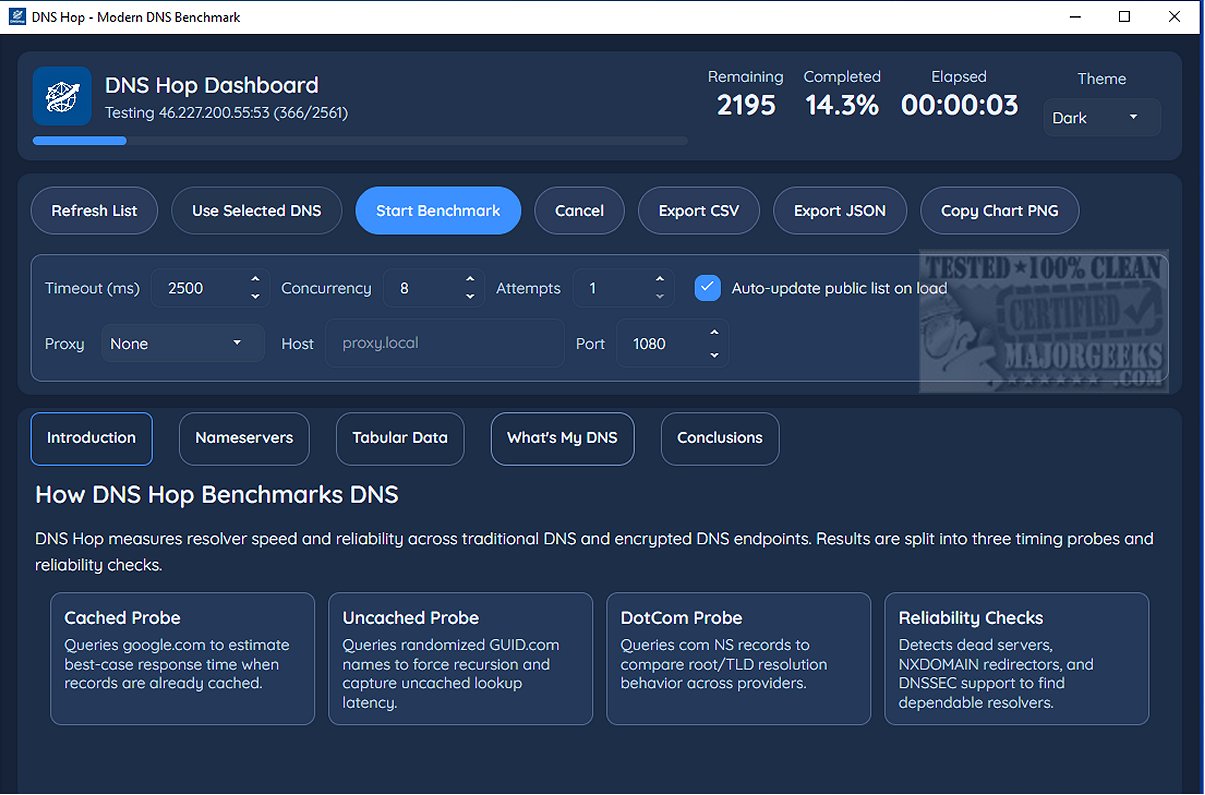
DNS Hop is a cutting-edge tool designed to help users evaluate and compare the performance of different DNS service providers. With the vast number of third-party DNS options available, making the right choice can be overwhelming. DNS Hop simplifies this process by providing reliable performance data for various networks, allowing users to make informed decisions tailored to their specific needs.
The tool benchmarks over 2,000 DNS providers, taking a few minutes to gather and present the results in a leaderboard format. This highlights the top-performing DNS services, making it easier for users to identify the best options. For those who wish to keep track of their findings, DNS Hop offers export functionalities, allowing results to be saved in CSV or JSON formats, and users can also copy performance charts as PNG images.
One of the standout features of DNS Hop is the "Conclusions" section, which offers personalized endpoint recommendations based on performance insights. For example, it may suggest Quad9 as a top choice while also providing alternatives for added security. The application allows users to change their DNS settings directly within the program, streamlining the process of switching providers.
In summary, DNS Hop serves as a valuable resource for anyone looking to assess and compare DNS service performance effectively. By leveraging this tool, you can enhance your online experience and ensure that you are utilizing the most suitable DNS solution for your needs.
Further Considerations:
As DNS technology evolves, staying updated on the latest performance metrics and security features is crucial. Users should consider not just performance but also factors like privacy policies, uptime reliability, and customer support when selecting a DNS provider. Additionally, engaging with community forums and tech blogs can provide further insights into the experiences of other users and emerging trends in DNS services.
Ultimately, DNS Hop empowers users to navigate the complex landscape of DNS options, equipping them with the knowledge needed to make the best choices for their internet experience
The tool benchmarks over 2,000 DNS providers, taking a few minutes to gather and present the results in a leaderboard format. This highlights the top-performing DNS services, making it easier for users to identify the best options. For those who wish to keep track of their findings, DNS Hop offers export functionalities, allowing results to be saved in CSV or JSON formats, and users can also copy performance charts as PNG images.
One of the standout features of DNS Hop is the "Conclusions" section, which offers personalized endpoint recommendations based on performance insights. For example, it may suggest Quad9 as a top choice while also providing alternatives for added security. The application allows users to change their DNS settings directly within the program, streamlining the process of switching providers.
In summary, DNS Hop serves as a valuable resource for anyone looking to assess and compare DNS service performance effectively. By leveraging this tool, you can enhance your online experience and ensure that you are utilizing the most suitable DNS solution for your needs.
Further Considerations:
As DNS technology evolves, staying updated on the latest performance metrics and security features is crucial. Users should consider not just performance but also factors like privacy policies, uptime reliability, and customer support when selecting a DNS provider. Additionally, engaging with community forums and tech blogs can provide further insights into the experiences of other users and emerging trends in DNS services.
Ultimately, DNS Hop empowers users to navigate the complex landscape of DNS options, equipping them with the knowledge needed to make the best choices for their internet experience
DNS Hop 1.2 released
DNS Hop is an innovative tool designed to help you evaluate and compare DNS service performance across different providers. By benchmarking these offerings, you can make informed decisions and select the most suitable DNS option.