The latest release of DLSS Swapper, version 1.2.6.1, brings an innovative solution for gamers looking to optimize their gaming experience. This versatile tool allows users to easily download, manage, and swap DLL files for various upscaling technologies, including NVIDIA's Deep Learning Super Sampling (DLSS), AMD's FidelityFX Super Resolution (FSR), and Intel's Xe Super Sampling (XeSS).
Streamlined Game Updates
DLSS Swapper is designed to eliminate the hassle of waiting for game updates to change the versions of these technologies. Users can effortlessly upgrade or downgrade their DLSS, FSR, or XeSS implementations, providing a tailored gaming experience that can enhance performance and image quality. This flexibility is particularly valuable for titles that either automatically update to the latest DLSS version or lag behind in updates.
Understanding DLSS
DLSS is a critical technology for NVIDIA graphics card users that enhances visual fidelity by rendering images more clearly while maintaining high performance. Over the years, as DLSS has evolved, newer versions have offered improved results, making it a staple for modern gaming environments.
Addressing Compatibility Issues
One of the primary advantages of DLSS Swapper is its ability to manually update the DLSS .dll file for games that may be slow to adopt the latest version. This capability allows gamers to experiment with different versions to find the one that best suits their gaming needs, as performance may vary across different titles.
User-Friendly Interface
DLSS Swapper features a straightforward and intuitive interface, automatically detecting all installed games. If a game does not appear, users have the option to add it manually. Once a game is selected, the tool displays all the upscaling technologies that it supports, although DLSS cannot be added to games that do not support it.
Version Selection and Testing
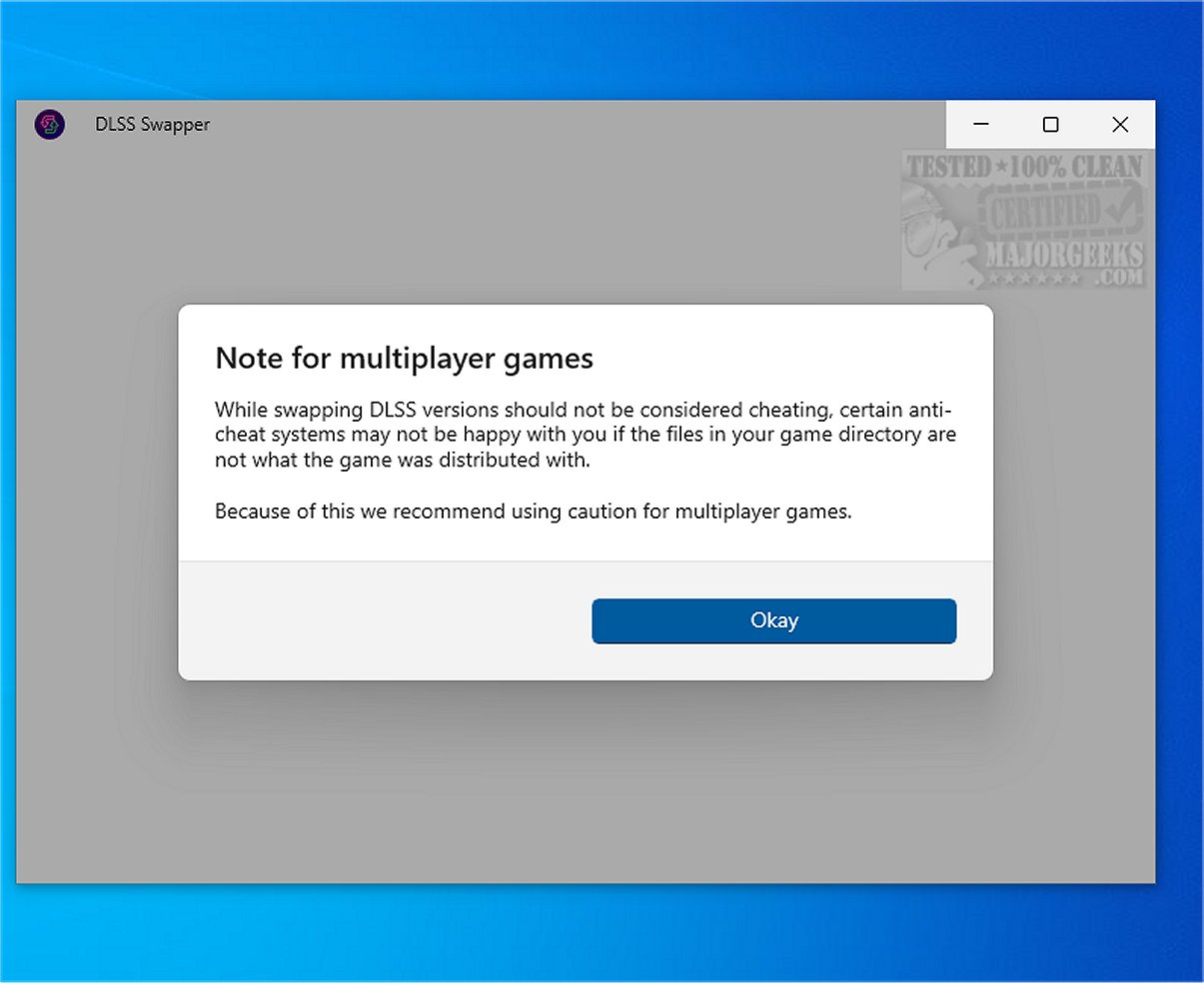
For games that support DLSS, users can easily select their desired implementation. The utility facilitates the swapping of the relevant .dll file, allowing players to test the game for any improvements or to troubleshoot existing issues. If any complications arise, there is a built-in feature to restore the original .dll file. However, caution is advised when playing games with anti-cheat systems, as modifying DLL files could trigger these systems.
Support for Multiple Upscaling Technologies
Beyond DLSS, DLSS Swapper also supports FSR and XeSS, broadening its compatibility and usefulness for a wider range of gamers. Users can access the necessary .dll files for these technologies from the Library menu.
Conclusion: Enhancing the Gaming Experience
In summary, DLSS Swapper is a valuable tool for optimizing GPU upscaling technologies. By enabling gamers to upgrade or downgrade DLSS, FSR, or XeSS versions at their discretion, this utility can significantly enhance the gaming experience by resolving graphical artifacts and performance issues. As gaming technology continues to evolve, tools like DLSS Swapper play a crucial role in helping players achieve the best possible performance and visual quality.
Future Prospects
As the gaming landscape progresses, it is likely that DLSS Swapper will continue to evolve, potentially adding support for new technologies and further improving user experience. Gamers can look forward to updates that may include enhanced functionality, more intuitive navigation, and expanded support for a wider range of titles and upscaling technologies, solidifying DLSS Swapper as an essential tool in the modern gaming toolkit
Streamlined Game Updates
DLSS Swapper is designed to eliminate the hassle of waiting for game updates to change the versions of these technologies. Users can effortlessly upgrade or downgrade their DLSS, FSR, or XeSS implementations, providing a tailored gaming experience that can enhance performance and image quality. This flexibility is particularly valuable for titles that either automatically update to the latest DLSS version or lag behind in updates.
Understanding DLSS
DLSS is a critical technology for NVIDIA graphics card users that enhances visual fidelity by rendering images more clearly while maintaining high performance. Over the years, as DLSS has evolved, newer versions have offered improved results, making it a staple for modern gaming environments.
Addressing Compatibility Issues
One of the primary advantages of DLSS Swapper is its ability to manually update the DLSS .dll file for games that may be slow to adopt the latest version. This capability allows gamers to experiment with different versions to find the one that best suits their gaming needs, as performance may vary across different titles.
User-Friendly Interface
DLSS Swapper features a straightforward and intuitive interface, automatically detecting all installed games. If a game does not appear, users have the option to add it manually. Once a game is selected, the tool displays all the upscaling technologies that it supports, although DLSS cannot be added to games that do not support it.
Version Selection and Testing
For games that support DLSS, users can easily select their desired implementation. The utility facilitates the swapping of the relevant .dll file, allowing players to test the game for any improvements or to troubleshoot existing issues. If any complications arise, there is a built-in feature to restore the original .dll file. However, caution is advised when playing games with anti-cheat systems, as modifying DLL files could trigger these systems.
Support for Multiple Upscaling Technologies
Beyond DLSS, DLSS Swapper also supports FSR and XeSS, broadening its compatibility and usefulness for a wider range of gamers. Users can access the necessary .dll files for these technologies from the Library menu.
Conclusion: Enhancing the Gaming Experience
In summary, DLSS Swapper is a valuable tool for optimizing GPU upscaling technologies. By enabling gamers to upgrade or downgrade DLSS, FSR, or XeSS versions at their discretion, this utility can significantly enhance the gaming experience by resolving graphical artifacts and performance issues. As gaming technology continues to evolve, tools like DLSS Swapper play a crucial role in helping players achieve the best possible performance and visual quality.
Future Prospects
As the gaming landscape progresses, it is likely that DLSS Swapper will continue to evolve, potentially adding support for new technologies and further improving user experience. Gamers can look forward to updates that may include enhanced functionality, more intuitive navigation, and expanded support for a wider range of titles and upscaling technologies, solidifying DLSS Swapper as an essential tool in the modern gaming toolkit
DLSS Swapper 1.2.6.1 released
DLSS Swapper is a versatile tool for gamers that lets them easily download, manage, and swap DLL files for DLSS, FSR, and XeSS. With this tool, you can effortlessly upgrade or downgrade the versions of DLSS, FSR, and XeSS used in a game, eliminating the need for a game update to apply these changes.