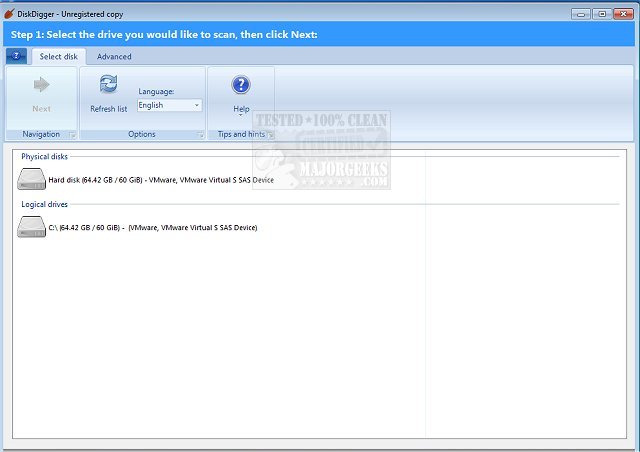
DiskDigger version 2.3.59.4507 has been released as an effective and user-friendly data recovery tool. This utility is designed to recover files from various types of storage media that a computer can access, including USB flash drives, memory cards (such as SD, CompactFlash, and Memory Stick), and hard drives. DiskDigger can retrieve a wide range of file formats, including photos, videos, music, and documents.
The software works by performing a comprehensive scan of each sector of the media to detect remnants of deleted files. Users may find DiskDigger particularly useful in several scenarios, such as:
- Accidentally deleting photos from a memory card and wanting to restore them.
- Intentionally deleting photos but later regretting the decision and seeking recovery.
- Deleting documents from a USB flash drive and wishing to recover them.
- Discovering an old hard drive that has been reformatted and desiring to access its former content.
- Simply being curious about what files, especially old deleted photos, might still reside on memory cards.
In addition to its core functionalities, users may also be interested in related topics such as securely deleting files in Windows 10/11 using PowerShell, employing Storage Sense to automatically remove junk files, protecting files and folders from accidental deletion, and adding "Secure Delete" options to the Windows context menu.
To extend the discussion, it could be beneficial to explore the potential limitations of DiskDigger, such as the effectiveness of recovery depending on how much time has passed since deletion, or how overwritten data can impact the recovery process. Additionally, users might appreciate tips on optimizing recovery efforts, such as avoiding further use of the storage medium after deletion and utilizing the software's deep scan feature for more thorough searches. This could help enhance the overall understanding of data recovery and the best practices associated with using tools like DiskDigger
The software works by performing a comprehensive scan of each sector of the media to detect remnants of deleted files. Users may find DiskDigger particularly useful in several scenarios, such as:
- Accidentally deleting photos from a memory card and wanting to restore them.
- Intentionally deleting photos but later regretting the decision and seeking recovery.
- Deleting documents from a USB flash drive and wishing to recover them.
- Discovering an old hard drive that has been reformatted and desiring to access its former content.
- Simply being curious about what files, especially old deleted photos, might still reside on memory cards.
In addition to its core functionalities, users may also be interested in related topics such as securely deleting files in Windows 10/11 using PowerShell, employing Storage Sense to automatically remove junk files, protecting files and folders from accidental deletion, and adding "Secure Delete" options to the Windows context menu.
To extend the discussion, it could be beneficial to explore the potential limitations of DiskDigger, such as the effectiveness of recovery depending on how much time has passed since deletion, or how overwritten data can impact the recovery process. Additionally, users might appreciate tips on optimizing recovery efforts, such as avoiding further use of the storage medium after deletion and utilizing the software's deep scan feature for more thorough searches. This could help enhance the overall understanding of data recovery and the best practices associated with using tools like DiskDigger
DiskDigger 2.3.59.4507 released
DiskDigger is a simple, straightforward, and easy to use data recovery utility.