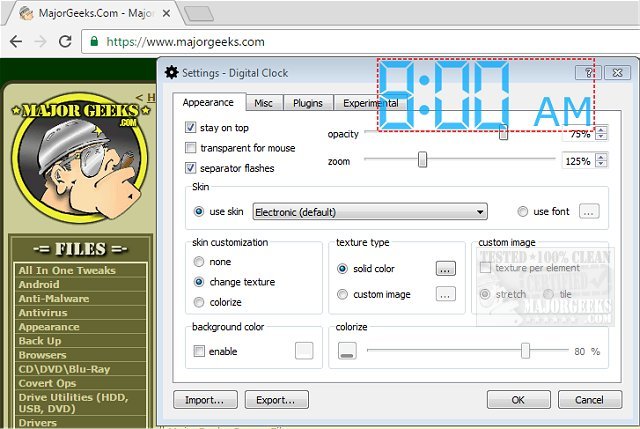
Digital Clock 5.2.1 has been released, offering users a versatile and portable timepiece for their desktop. This application is designed for easy configuration and allows for extensive personalization options to fit individual preferences. Users can choose from various display types and create custom skins, guided by a user-friendly help file. The software includes several pre-designed themes such as Vintage Digits, Binary Clock, Origami Style, Floral Digits, and festive Christmas themes, allowing for a fresh look whenever desired.
One of the key features of Digital Clock is its flexibility; users can position the clock anywhere on their desktop and opt for it to stay on top of other windows. Additional settings enable adjustments to opacity, size, background color, and font styles, enhancing the overall user experience.
Key features of Digital Clock include:
- Support for customizable skins
- Zoom functionality
- Alarm signals and hourly chimes
- Color and texture options for the clock
- Plugin compatibility
- Multilanguage support
- Retina (HiDPI) display readiness
- Support for multiple monitors
- Cross-platform functionality
- Automatic startup with system boot
For those looking to enhance their desktop experience, Digital Clock provides a fun and engaging way to keep track of time. The software also connects well with other tools, as indicated by similar guides on showing multiple clocks, fixing date or time issues in Windows, customizing the Windows 10 taskbar, and removing the clock from the taskbar if needed.
Overall, Digital Clock 5.2.1 is an excellent choice for anyone seeking a dynamic and customizable clock solution for their desktop, contributing to both functionality and aesthetic appeal
One of the key features of Digital Clock is its flexibility; users can position the clock anywhere on their desktop and opt for it to stay on top of other windows. Additional settings enable adjustments to opacity, size, background color, and font styles, enhancing the overall user experience.
Key features of Digital Clock include:
- Support for customizable skins
- Zoom functionality
- Alarm signals and hourly chimes
- Color and texture options for the clock
- Plugin compatibility
- Multilanguage support
- Retina (HiDPI) display readiness
- Support for multiple monitors
- Cross-platform functionality
- Automatic startup with system boot
For those looking to enhance their desktop experience, Digital Clock provides a fun and engaging way to keep track of time. The software also connects well with other tools, as indicated by similar guides on showing multiple clocks, fixing date or time issues in Windows, customizing the Windows 10 taskbar, and removing the clock from the taskbar if needed.
Overall, Digital Clock 5.2.1 is an excellent choice for anyone seeking a dynamic and customizable clock solution for their desktop, contributing to both functionality and aesthetic appeal
Digital Clock 5.2.1 released
Digital Clock gives you a straightforward portable timepiece for display on your desktop.