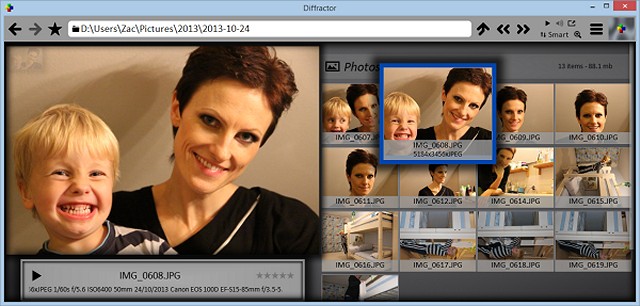
Diffractor 127.2 has been released as an efficient solution for organizing photos and videos on your PC. This user-friendly software is specifically designed for adding and editing metadata, making it easier for users to manage large collections of media—up to millions of items—without sacrificing performance. The program is lightweight, at less than 8.0 MB, and supports a wide range of file formats, allowing seamless integration with other media applications.
Diffractor offers several practical features, including the ability to adjust a picture's color, resize, rotate, and crop images, while also providing robust indexing and searching capabilities using metadata. Users can enjoy a fast loading experience and straightforward functionality, all free of charge.
In addition to these features, Diffractor could also include advanced editing tools for videos, share options for social media integration, or cloud storage capabilities to keep your media accessible across devices. With the rise of digital content creation, such enhancements could significantly improve user experience and make Diffractor a go-to application for media management.
For those looking to enhance their photo and video editing skills, related resources, such as guides on using the Microsoft Photo App or restoring the Windows Photo Viewer, are readily available. Overall, Diffractor 127.2 stands out as a powerful yet simple tool for media organization and editing
Diffractor offers several practical features, including the ability to adjust a picture's color, resize, rotate, and crop images, while also providing robust indexing and searching capabilities using metadata. Users can enjoy a fast loading experience and straightforward functionality, all free of charge.
In addition to these features, Diffractor could also include advanced editing tools for videos, share options for social media integration, or cloud storage capabilities to keep your media accessible across devices. With the rise of digital content creation, such enhancements could significantly improve user experience and make Diffractor a go-to application for media management.
For those looking to enhance their photo and video editing skills, related resources, such as guides on using the Microsoft Photo App or restoring the Windows Photo Viewer, are readily available. Overall, Diffractor 127.2 stands out as a powerful yet simple tool for media organization and editing
Diffractor 127.2 released
Diffractor is designed to help you get organized with photos and videos on your PC. It is the simplest and easiest way to add and edit metadata.