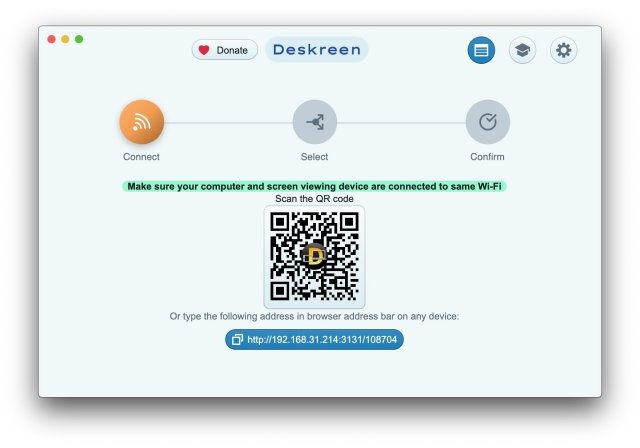
Deskreen has recently released version 3.2.15, further enhancing its capabilities as a versatile desktop application that allows users to turn any device with a web browser into a secondary screen for their computer via Wi-Fi. This innovative tool is particularly beneficial for presentations, content sharing, and collaborative work, offering a seamless and flexible experience.
Overview of Deskreen's Features:
1. Screen Mirroring: Deskreen can mirror an entire computer display onto any connected device, making it ideal for showcasing content. Users can also restrict sharing to a single application window, minimizing distractions during presentations.
2. Virtual Display Adapter: The application employs a Virtual Display Adapter, providing a true extended desktop experience. Users who do not have this feature can still benefit from the Flip Screen Mode, which effectively turns any browser-enabled device into a teleprompter—perfect for video bloggers needing to maintain eye contact during recordings.
3. Offline Capability: A standout feature of Deskreen is its ability to operate without an internet connection. After the initial setup, users can present their screens using just a local Wi-Fi network. This is particularly useful in settings that require offline functionality, such as remote locations or specific partner requirements.
4. Video and Image Quality Management: Deskreen allows users to adjust screen sharing quality and supports automatic quality adjustments for optimal performance. Furthermore, it enables simultaneous connections of multiple devices, making it suitable for larger presentations or group projects.
5. Comprehensive Connectivity: The application supports a wide range of devices, allowing any browser-enabled gadget to be utilized as a secondary screen. This enhances the overall presentation experience and facilitates collaboration among team members.
Conclusion:
Deskreen stands out as an essential tool for users seeking flexibility and efficiency in their computing tasks. Its ability to function offline, combined with features that cater to both professional presentations and personal projects, solidifies its position as a valuable resource in the modern digital landscape. As work environments continue to evolve, Deskreen remains a go-to solution for enhancing productivity and connectivity across a variety of settings.
As technology progresses, it will be interesting to see how Deskreen evolves further, potentially incorporating additional features such as enhanced security options, cloud integration for seamless data access, and improved user interfaces to cater to a broader audience
Overview of Deskreen's Features:
1. Screen Mirroring: Deskreen can mirror an entire computer display onto any connected device, making it ideal for showcasing content. Users can also restrict sharing to a single application window, minimizing distractions during presentations.
2. Virtual Display Adapter: The application employs a Virtual Display Adapter, providing a true extended desktop experience. Users who do not have this feature can still benefit from the Flip Screen Mode, which effectively turns any browser-enabled device into a teleprompter—perfect for video bloggers needing to maintain eye contact during recordings.
3. Offline Capability: A standout feature of Deskreen is its ability to operate without an internet connection. After the initial setup, users can present their screens using just a local Wi-Fi network. This is particularly useful in settings that require offline functionality, such as remote locations or specific partner requirements.
4. Video and Image Quality Management: Deskreen allows users to adjust screen sharing quality and supports automatic quality adjustments for optimal performance. Furthermore, it enables simultaneous connections of multiple devices, making it suitable for larger presentations or group projects.
5. Comprehensive Connectivity: The application supports a wide range of devices, allowing any browser-enabled gadget to be utilized as a secondary screen. This enhances the overall presentation experience and facilitates collaboration among team members.
Conclusion:
Deskreen stands out as an essential tool for users seeking flexibility and efficiency in their computing tasks. Its ability to function offline, combined with features that cater to both professional presentations and personal projects, solidifies its position as a valuable resource in the modern digital landscape. As work environments continue to evolve, Deskreen remains a go-to solution for enhancing productivity and connectivity across a variety of settings.
As technology progresses, it will be interesting to see how Deskreen evolves further, potentially incorporating additional features such as enhanced security options, cloud integration for seamless data access, and improved user interfaces to cater to a broader audience
Deskreen 3.2.15 released
Deskreen is a powerful desktop application that enables you to transform any device with a web browser into a secondary screen for your computer over Wi-Fi, offering unparalleled flexibility and convenience.