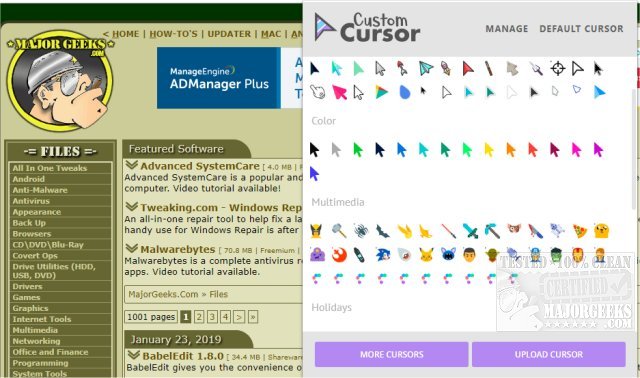
The recent release of Custom Cursor version 3.5.0 for Windows and 1.0.3.0 for Google Chrome enhances the browsing experience by offering users a vast selection of free cursors, along with the option to upload custom designs. This extension adds a fun and personalized touch to web navigation, making it an appealing addition for users looking to customize their browser interface.
Once installed, users must refresh any previously opened pages to activate the extension. Choosing a cursor is straightforward: users simply need to open the extension and select their desired pointer. For those wanting to add a personal touch, there’s an easy upload feature to incorporate their own cursor designs. With over 100 different cursors categorized by themes such as Minecraft, Lightsaber, Pizza, and many others, there’s something for everyone.
In addition to this feature, users may also find helpful guides related to cursor issues, such as fixing erratic mouse movements, activating windows by hovering, enabling mouse pointer trails, and managing default button settings in Windows.
As a suggestion for further development, the Custom Cursor team could consider introducing a community feature where users can share and rate custom cursors, fostering a more interactive and engaging platform. Additionally, incorporating seasonal or themed cursors could keep the content fresh and appealing to users throughout the year
Once installed, users must refresh any previously opened pages to activate the extension. Choosing a cursor is straightforward: users simply need to open the extension and select their desired pointer. For those wanting to add a personal touch, there’s an easy upload feature to incorporate their own cursor designs. With over 100 different cursors categorized by themes such as Minecraft, Lightsaber, Pizza, and many others, there’s something for everyone.
In addition to this feature, users may also find helpful guides related to cursor issues, such as fixing erratic mouse movements, activating windows by hovering, enabling mouse pointer trails, and managing default button settings in Windows.
As a suggestion for further development, the Custom Cursor team could consider introducing a community feature where users can share and rate custom cursors, fostering a more interactive and engaging platform. Additionally, incorporating seasonal or themed cursors could keep the content fresh and appealing to users throughout the year
Custom Cursor 3.5.0 / 1.0.3.0 released
Custom Cursor for Windows and Google Chrome provides you with a large collection of free cursors, or you can upload your own.