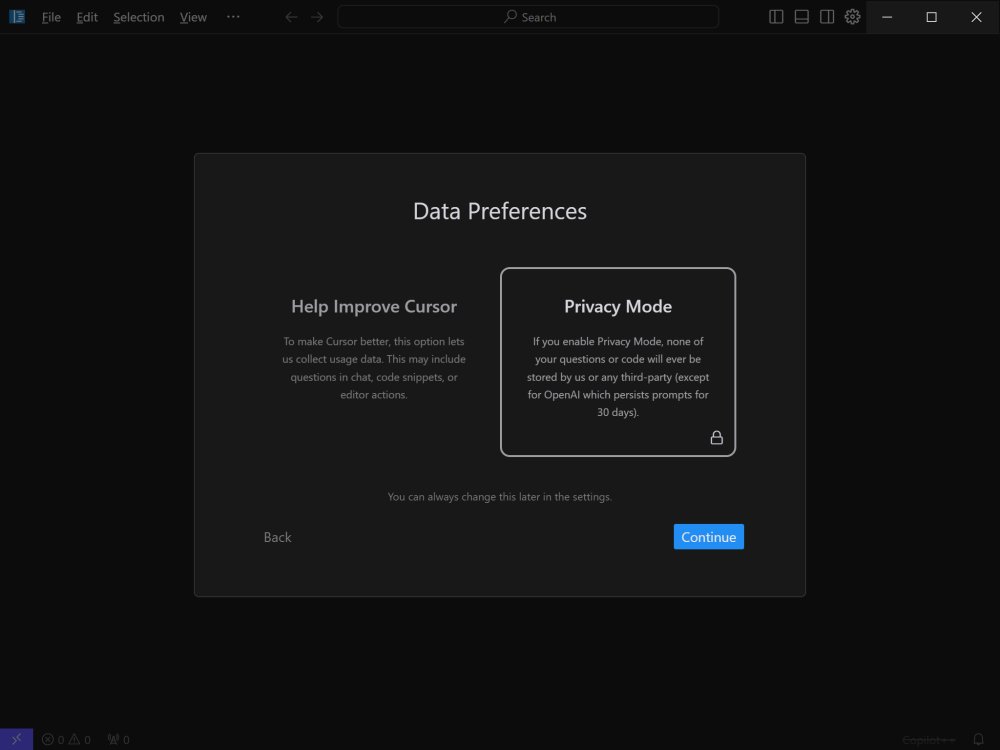
Cursor version 3.15.19 has been released, marking a significant advancement in the realm of integrated development environments (IDEs) by leveraging artificial intelligence to enhance coding efficiency. Designed with a bottom-up approach, Cursor aims to transform the traditional coding experience, making it faster and more intuitive for developers.
Key Features of Cursor:
1. Smart Code Suggestions and Auto-Completion: Utilizing advanced AI, Cursor offers context-aware code suggestions and completions, significantly reducing coding errors and speeding up the writing process.
2. Automatic Code Generation and Fixes: Users can generate code from scratch or resolve lint errors with simple commands, streamlining the development process.
3. In-Editor Chat: This real-time chat feature provides instant assistance regarding codebase inquiries, referring to specific files and documentation for accurate responses.
4. Seamless Integration: Cursor is compatible with popular VSCode extensions, themes, and keybindings, facilitating an effortless transition for users familiar with VSCode.
5. Enhanced Debugging: The IDE simplifies debugging by automatically analyzing stack traces and identifying error sources.
6. Local Mode for Privacy: Cursor ensures user data remains confidential by storing no information on external servers, making it suitable for sensitive projects.
7. Blazing-Fast Performance: Powered by GPT-4, Cursor operates up to three times faster than direct usage of OpenAI's API, enhancing productivity.
8. Supported Languages: The platform supports a variety of programming languages, including Python, JavaScript, TypeScript, Java, C++, Ruby, and Go, catering to diverse development needs.
Plans and Pricing:
Cursor provides both Free and Pro plans. The Free version offers essential AI assistance, limited to 2,000 monthly completions and basic features using GPT-3.5. The Pro Plan, available at $20 per month (or $16 monthly with an annual subscription), includes unlimited completions, advanced models like GPT-4 and Claude 3.5 Opus, and additional features such as Copilot++, which enhances contextual coding modifications. This plan is tailored for professional developers looking for robust AI support.
Conclusion:
Cursor stands out as a powerful AI-driven IDE that transcends basic code autocompletion. With its deep understanding of codebases and full integration with VSCode, it offers an innovative coding partner experience. Ideal for both large-scale projects and individual workflows, Cursor has the potential to revolutionize coding practices for developers at all levels.
Future Directions:
To further extend its capabilities, Cursor could consider introducing more collaborative features, such as team coding environments or shared project spaces, allowing multiple users to work together seamlessly. Additionally, incorporating machine learning algorithms to adapt and learn from user preferences over time could enhance its code suggestions, making Cursor an even more personalized and effective coding companion
Key Features of Cursor:
1. Smart Code Suggestions and Auto-Completion: Utilizing advanced AI, Cursor offers context-aware code suggestions and completions, significantly reducing coding errors and speeding up the writing process.
2. Automatic Code Generation and Fixes: Users can generate code from scratch or resolve lint errors with simple commands, streamlining the development process.
3. In-Editor Chat: This real-time chat feature provides instant assistance regarding codebase inquiries, referring to specific files and documentation for accurate responses.
4. Seamless Integration: Cursor is compatible with popular VSCode extensions, themes, and keybindings, facilitating an effortless transition for users familiar with VSCode.
5. Enhanced Debugging: The IDE simplifies debugging by automatically analyzing stack traces and identifying error sources.
6. Local Mode for Privacy: Cursor ensures user data remains confidential by storing no information on external servers, making it suitable for sensitive projects.
7. Blazing-Fast Performance: Powered by GPT-4, Cursor operates up to three times faster than direct usage of OpenAI's API, enhancing productivity.
8. Supported Languages: The platform supports a variety of programming languages, including Python, JavaScript, TypeScript, Java, C++, Ruby, and Go, catering to diverse development needs.
Plans and Pricing:
Cursor provides both Free and Pro plans. The Free version offers essential AI assistance, limited to 2,000 monthly completions and basic features using GPT-3.5. The Pro Plan, available at $20 per month (or $16 monthly with an annual subscription), includes unlimited completions, advanced models like GPT-4 and Claude 3.5 Opus, and additional features such as Copilot++, which enhances contextual coding modifications. This plan is tailored for professional developers looking for robust AI support.
Conclusion:
Cursor stands out as a powerful AI-driven IDE that transcends basic code autocompletion. With its deep understanding of codebases and full integration with VSCode, it offers an innovative coding partner experience. Ideal for both large-scale projects and individual workflows, Cursor has the potential to revolutionize coding practices for developers at all levels.
Future Directions:
To further extend its capabilities, Cursor could consider introducing more collaborative features, such as team coding environments or shared project spaces, allowing multiple users to work together seamlessly. Additionally, incorporating machine learning algorithms to adapt and learn from user preferences over time could enhance its code suggestions, making Cursor an even more personalized and effective coding companion
Cursor 3.15.19 released
Cursor is bottom-up designed with the goal of creating an integrated development environment to build software faster using AI.