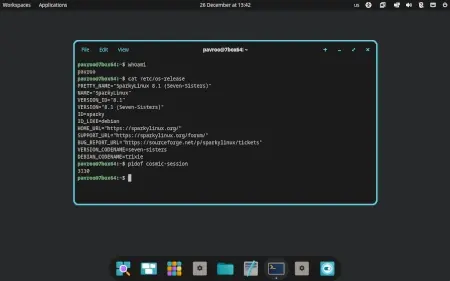
COSMIC Desktop is now officially available in SparkyLinux, offering users a high-performance, customizable desktop experience designed for versatility and efficiency. By default, COSMIC operates on a Wayland session, which enhances performance compared to older systems like X11, making it a modern choice for users seeking improved resource management and user experience.
While the new desktop environment is exciting, users are advised to exercise caution when installing it on critical machines until its stability is confirmed through wider usage. COSMIC can be tested on SparkyLinux versions 8 or 9, particularly on AMD64 systems, allowing users to familiarize themselves with the interface before committing to a full switch.
To install COSMIC, users should update their package lists with the command 'sudo apt update', followed by 'sudo apt install sparky-desktop-cosmic'. A reboot is necessary afterward, and users can select COSMIC from their login or session manager to begin their experience.
Additionally, SparkyLinux's meta package includes xwayland by default, which may not suit everyone's needs immediately but provides an option for testing compatibility. The development team has also made specific packages available through the 'dev' repositories to facilitate a smoother transition to COSMIC.
In summary, while COSMIC offers a promising new desktop environment for SparkyLinux users, it is recommended to approach its deployment with care, particularly on essential systems. Users are encouraged to explore this innovative desktop in a test environment to evaluate its suitability for their needs before fully integrating it into their workflow
While the new desktop environment is exciting, users are advised to exercise caution when installing it on critical machines until its stability is confirmed through wider usage. COSMIC can be tested on SparkyLinux versions 8 or 9, particularly on AMD64 systems, allowing users to familiarize themselves with the interface before committing to a full switch.
To install COSMIC, users should update their package lists with the command 'sudo apt update', followed by 'sudo apt install sparky-desktop-cosmic'. A reboot is necessary afterward, and users can select COSMIC from their login or session manager to begin their experience.
Additionally, SparkyLinux's meta package includes xwayland by default, which may not suit everyone's needs immediately but provides an option for testing compatibility. The development team has also made specific packages available through the 'dev' repositories to facilitate a smoother transition to COSMIC.
In summary, while COSMIC offers a promising new desktop environment for SparkyLinux users, it is recommended to approach its deployment with care, particularly on essential systems. Users are encouraged to explore this innovative desktop in a test environment to evaluate its suitability for their needs before fully integrating it into their workflow
COSMIC Desktop available in SparkyLinux
Cosmic, a high-performance and customizable desktop environment, is now available in SparkyLinux. Designed with versatility in mind, Cosmic defaults to a Wayland session for improved performance and efficiency over older systems like X11. While it's recommended to approach Cosmic cautiously on important machines until its stability is established, users can try it out on Sparky 8 or 9 before making the switch. To install Cosmic, update your package lists with 'sudo apt update' and then run 'sudo apt install sparky-desktop-cosmic,' followed by a reboot and selecting Cosmic from your login manager.