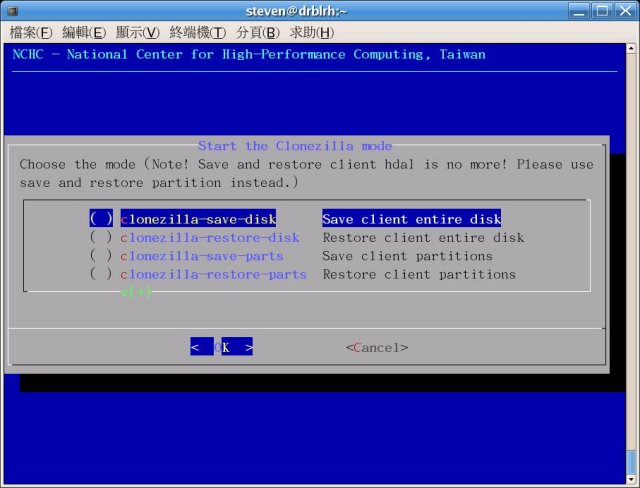
Clonezilla 3.3.0-35 has been released, enhancing its capabilities as an Open Source partition and disk imaging tool. It serves as an alternative to programs like True Image and Norton Ghost, enabling users to perform system deployment, bare metal backup, and recovery efficiently. Clonezilla Live is designed for individual machine backups and restores, while its advanced features allow for the simultaneous cloning of over 40 computers, making it ideal for large-scale deployments. The program optimizes cloning efficiency by saving and restoring only the used blocks on a hard disk, which has led to impressive multicast restoring speeds of up to 8 GB per minute when using high-end hardware.
Key features of Clonezilla include support for a variety of filesystems ranging from ext2, ext3, ext4, and ReiserFS for GNU/Linux to NTFS and FAT formats for Windows, as well as HFS+ for Mac OS and UFS for BSD systems. This extensive compatibility allows for cloning across different operating systems, whether they are 32-bit or 64-bit. Clonezilla also supports Logical Volume Management (LVM2) under GNU/Linux and can reinstall bootloaders like Grub and syslinux. It accommodates both MBR and GPT partition formats and is capable of booting on BIOS or UEFI machines.
The tool features an unattended mode, allowing users to conduct operations using commands and options, and supports the restoration of one image to multiple local devices. Additionally, it can perform multicast operations, which are advantageous for cloning multiple systems remotely, provided PXE and Wake-on-LAN are enabled. Image files can be stored locally or on various servers, such as SSH, Samba, or NFS servers.
For imaging and cloning, Clonezilla utilizes several methods, including Partclone (default), Partimage, ntfsclone, or dd. Furthermore, with the help of another free software called drbl-winroll, users can automatically change the hostname, group, and SID of cloned Windows machines, facilitating easier management post-cloning.
In conclusion, Clonezilla continues to be a powerful and versatile tool for data backup and recovery, making it a valuable asset for both individual users and IT professionals managing multiple systems. Its ongoing development ensures it remains relevant and capable of meeting the evolving needs of users
Key features of Clonezilla include support for a variety of filesystems ranging from ext2, ext3, ext4, and ReiserFS for GNU/Linux to NTFS and FAT formats for Windows, as well as HFS+ for Mac OS and UFS for BSD systems. This extensive compatibility allows for cloning across different operating systems, whether they are 32-bit or 64-bit. Clonezilla also supports Logical Volume Management (LVM2) under GNU/Linux and can reinstall bootloaders like Grub and syslinux. It accommodates both MBR and GPT partition formats and is capable of booting on BIOS or UEFI machines.
The tool features an unattended mode, allowing users to conduct operations using commands and options, and supports the restoration of one image to multiple local devices. Additionally, it can perform multicast operations, which are advantageous for cloning multiple systems remotely, provided PXE and Wake-on-LAN are enabled. Image files can be stored locally or on various servers, such as SSH, Samba, or NFS servers.
For imaging and cloning, Clonezilla utilizes several methods, including Partclone (default), Partimage, ntfsclone, or dd. Furthermore, with the help of another free software called drbl-winroll, users can automatically change the hostname, group, and SID of cloned Windows machines, facilitating easier management post-cloning.
In conclusion, Clonezilla continues to be a powerful and versatile tool for data backup and recovery, making it a valuable asset for both individual users and IT professionals managing multiple systems. Its ongoing development ensures it remains relevant and capable of meeting the evolving needs of users
Clonezilla 3.3.0-35 released
Clonezilla is an Open Source partition, disk imaging, and cloning program similar to True Image or Norton Ghost.