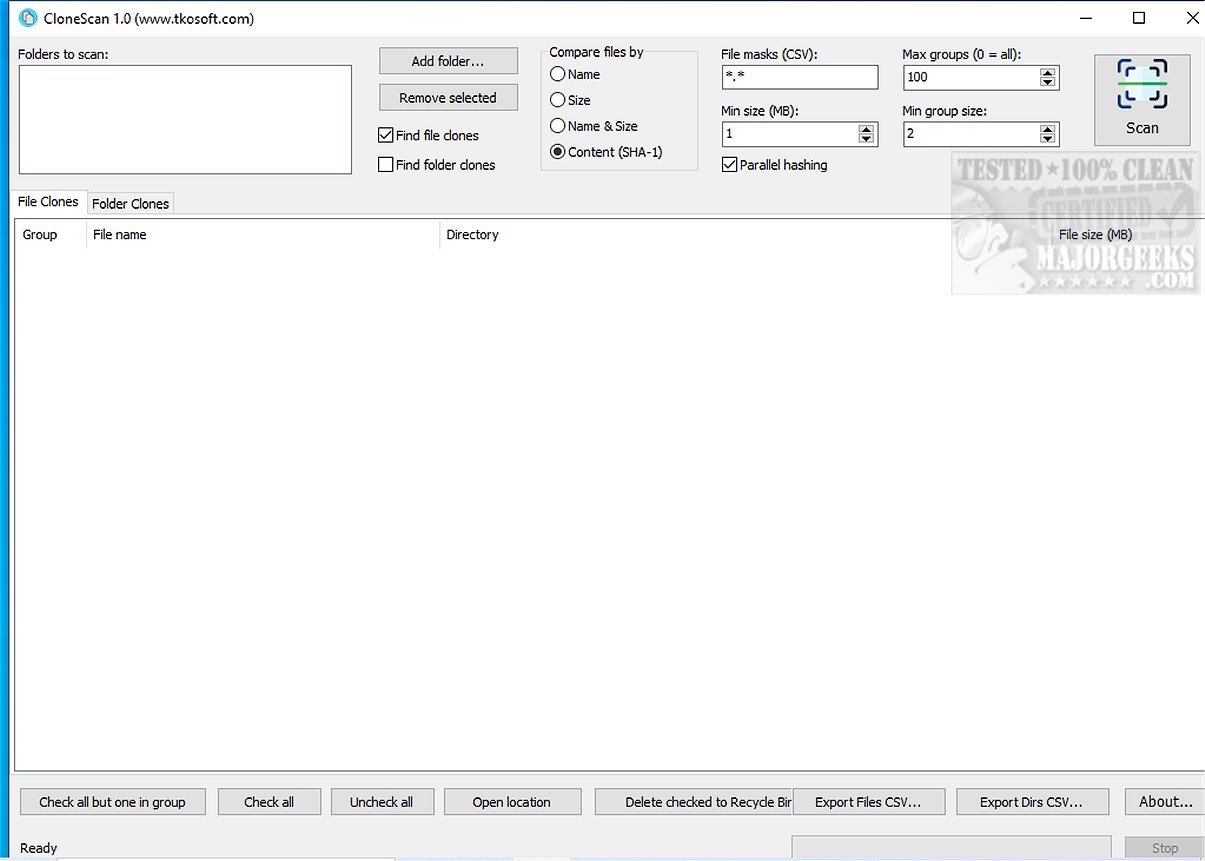
CloneScan 2.5 has been released, enhancing the functionality of this user-friendly Windows utility designed to help users find, assess, and securely delete duplicate files and folders on their computers. This free tool is particularly beneficial for organizing digital spaces by identifying redundant content that consumes storage and creates clutter.
- Versatile Duplicate Detection: The software can identify duplicates based on various criteria, including file name, size, or SHA-1 content hash, as well as duplicate folders and their structures. This is especially useful for locating duplicate project folders, backups, and unnecessary archives.
- Efficient Scan Process: CloneScan supports file mask filtering, allowing users to focus on specific file types during scans. Users can employ multiple masks, enhancing the targeted search capabilities.
- Safe Deletion Process: Rather than permanently deleting files, CloneScan moves selected items to the Windows Recycle Bin, ensuring that users can restore accidentally deleted files.
- Export Functionality: Users can export scan results to CSV files, facilitating further analysis and reporting, making it easier to archive duplicate information.
Key Features of CloneScan 2.5:
- User-Friendly Interface: CloneScan features an intuitive design that allows users to easily navigate through detected duplicates, making it simple to decide which files or folders to keep or delete.- Versatile Duplicate Detection: The software can identify duplicates based on various criteria, including file name, size, or SHA-1 content hash, as well as duplicate folders and their structures. This is especially useful for locating duplicate project folders, backups, and unnecessary archives.
- Efficient Scan Process: CloneScan supports file mask filtering, allowing users to focus on specific file types during scans. Users can employ multiple masks, enhancing the targeted search capabilities.
- Safe Deletion Process: Rather than permanently deleting files, CloneScan moves selected items to the Windows Recycle Bin, ensuring that users can restore accidentally deleted files.
- Export Functionality: Users can export scan results to CSV files, facilitating further analysis and reporting, making it easier to archive duplicate information.
Performance Review:
During testing, CloneScan demonstrated impressive speed and efficiency, even with extensive scanning criteria. The results were well-organized, contributing to a seamless experience in managing duplicates. The simple interface was particularly appreciated, allowing users to complete tasks effortlessly.Conclusion:
CloneScan 2.5 serves as an invaluable tool for anyone looking to declutter their digital life. By efficiently identifying and managing duplicate files and folders, users can reclaim precious storage space and cultivate a more organized digital environment. Best of all, it remains free for both personal and commercial use, making it a practical choice for users seeking to enhance their computer management capabilities.Additional Recommendations:
For those interested in further optimizing their storage management, consider exploring tools like Storage Sense for automatic junk file deletion, Disk Cleanup for routine system maintenance, and comparing drive cleaners like CCleaner, Wise Disk Cleaner, and PrivaZer for comprehensive system optimizationCloneScan 2.5 released
CloneScan is a user-friendly Windows tool that helps you identify, evaluate, and securely remove duplicate files and folders on your computer. This free utility simplifies organizing your digital space by scanning your system for duplicate content, which can waste storage and create clutter.