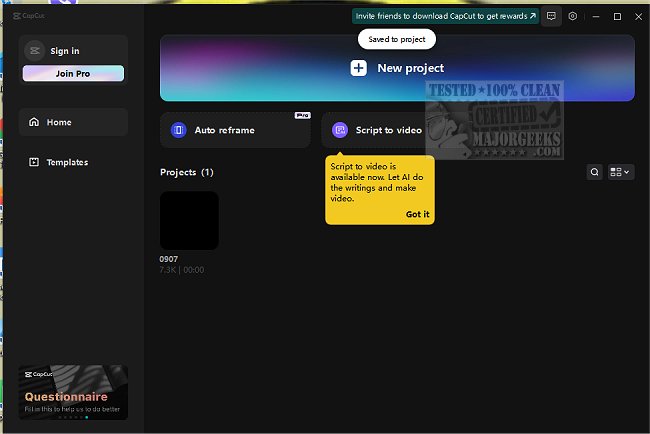
CapCut has released version 8.1.1, enhancing its reputation as a versatile video editing software suitable for a wide range of editing needs. With an intuitive interface, it allows users to create impressive videos effortlessly. Whether you're working on daily vlogs, social media reels for platforms like Instagram and TikTok, or content for online classes, CapCut simplifies the editing process. It can transform family videos into cherished mini-movies and help marketers produce captivating ads and product demonstrations.
CapCut stands out for its ability to facilitate creativity, seamlessly bridging desktop and mobile platforms. Users can edit at their desks or on the go, making it an ideal tool for quick vlogs or polished presentations. Its user-friendly design caters to both novices and experienced editors, making video editing enjoyable rather than daunting.
Key features include:
- Advanced Green Screen Magic: Easily replace backgrounds for dynamic effects.
- Pre-Designed Templates: Save time with ready-made templates for various video types.
- Speech-to-Text Technology: Automatically generates subtitles and can convert text to natural-sounding speech.
- High-Quality Exports: Supports 4K resolution at 60fps for crystal-clear videos.
- Accurate Background Remover: Eliminates pixelation issues when modifying backgrounds.
The appeal of CapCut lies in its ability to produce professional-grade videos without requiring extensive knowledge of film editing. With robust editing tools and no watermarks, it is a powerful, free option for both casual users and serious content creators.
In summary, CapCut 8.1.1 is a comprehensive video editing solution that encourages creativity while providing advanced tools for high-quality video production. Whether you're a hobbyist or a professional creator, CapCut enhances your ability to tell stories through video effectively. So why not give it a try and unleash your creativity?
For those interested in expanding their video editing skills, consider exploring tutorials on related software, such as the Microsoft Photo App or VLC Media Player, and learn how to manage your video content effectively
CapCut stands out for its ability to facilitate creativity, seamlessly bridging desktop and mobile platforms. Users can edit at their desks or on the go, making it an ideal tool for quick vlogs or polished presentations. Its user-friendly design caters to both novices and experienced editors, making video editing enjoyable rather than daunting.
Key features include:
- Advanced Green Screen Magic: Easily replace backgrounds for dynamic effects.
- Pre-Designed Templates: Save time with ready-made templates for various video types.
- Speech-to-Text Technology: Automatically generates subtitles and can convert text to natural-sounding speech.
- High-Quality Exports: Supports 4K resolution at 60fps for crystal-clear videos.
- Accurate Background Remover: Eliminates pixelation issues when modifying backgrounds.
The appeal of CapCut lies in its ability to produce professional-grade videos without requiring extensive knowledge of film editing. With robust editing tools and no watermarks, it is a powerful, free option for both casual users and serious content creators.
In summary, CapCut 8.1.1 is a comprehensive video editing solution that encourages creativity while providing advanced tools for high-quality video production. Whether you're a hobbyist or a professional creator, CapCut enhances your ability to tell stories through video effectively. So why not give it a try and unleash your creativity?
For those interested in expanding their video editing skills, consider exploring tutorials on related software, such as the Microsoft Photo App or VLC Media Player, and learn how to manage your video content effectively
CapCut 8.1.1 released
CapCut is a versatile video editing software with an intuitive interface that allows you to easily create stunning videos.