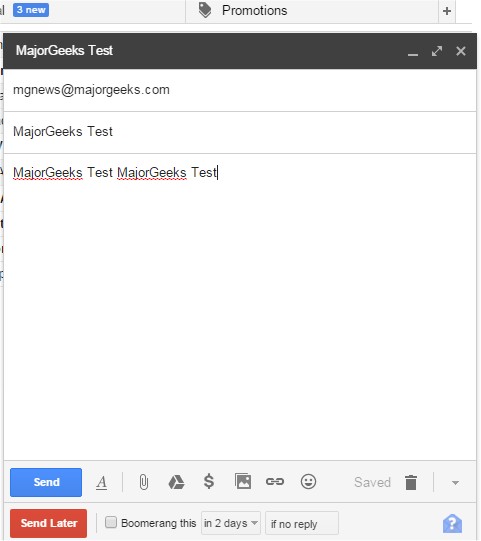
The latest version of Boomerang for Gmail has been released, compatible with Chrome, Firefox, Edge, Safari, and Opera, now numbered 1.9.4. This popular email tool allows users to schedule the sending of emails, making it straightforward to manage communications. Users can easily compose messages and select a "send later" option, utilizing a handy calendar picker or a text box that understands common date phrases such as "next Friday" to specify the desired send time.
In addition to scheduling, Boomerang enhances inbox organization. By clicking the Boomerang button while viewing an email, users can choose to "boomerang" it, archiving the message until they need it again, at which point it can be restored as unread in the inbox. This feature is particularly useful for various scenarios, including scheduling birthday emails, managing project deadlines, tracking bill payments, following up with sales leads, coordinating communications across different time zones, and handling travel confirmation emails by returning them to the inbox on the travel date.
In summary, Boomerang for Gmail is an invaluable tool for anyone looking to streamline their email management and improve productivity. With its user-friendly interface and practical features, it can significantly enhance how individuals and teams manage their correspondence.
Furthermore, users can explore additional resources and tips related to improving their browsing experience, such as optimizing Google Chrome, managing autofill entries, and discovering hidden Google games. These additional insights can help users maximize their efficiency and enjoyment while navigating the internet
In addition to scheduling, Boomerang enhances inbox organization. By clicking the Boomerang button while viewing an email, users can choose to "boomerang" it, archiving the message until they need it again, at which point it can be restored as unread in the inbox. This feature is particularly useful for various scenarios, including scheduling birthday emails, managing project deadlines, tracking bill payments, following up with sales leads, coordinating communications across different time zones, and handling travel confirmation emails by returning them to the inbox on the travel date.
In summary, Boomerang for Gmail is an invaluable tool for anyone looking to streamline their email management and improve productivity. With its user-friendly interface and practical features, it can significantly enhance how individuals and teams manage their correspondence.
Furthermore, users can explore additional resources and tips related to improving their browsing experience, such as optimizing Google Chrome, managing autofill entries, and discovering hidden Google games. These additional insights can help users maximize their efficiency and enjoyment while navigating the internet
Boomerang Gmail for Chrome, Firefox, Edge, Safari, and Opera 1.9.4 released
Boomerang for Gmail allows you to schedule the time when your emails are sent and more.
Boomerang Gmail for Chrome, Firefox, Edge, Safari, and Opera 1.9.4 released @ MajorGeeks